


[使用硬光] 照片漸層設定 ([use hard light] photo gradient set) [use hard light] photo gradient set
素材ID:2309677
-
4,223


更新:移除了其中一個梯度的混合速率曲線
這些漸層組合是我做的色彩濾鏡,想增加一些「氣勢」
希望你能像我一樣從這套書中受益!
UPDATE: REMOVED MIXING RATE CURVE IN ONE OF THE GRADIENTS
These gradient set I made as a color filter to add some "oomph"
I hope you can benefit from this set as much as I do!
注意:建議使用[硬光]或[疊加]混合模式!
我如何將漸層圖套用到我的繪圖上:
- 圖層 > 新的修正圖>漸層圖
- 將圖層混合模式改為 [硬光] 或 [覆蓋層]
- 調整不透明度百分比
概述:

NOTE: reccomended to use [hard light] or [overlay] blending mode!
how I apply the gradient map to my drawings:
- Layer > New Correction Layer > Gradient Map
- Change the layer blending mode to [Hard Light] or [Overlay]
- Adjust the % opacity
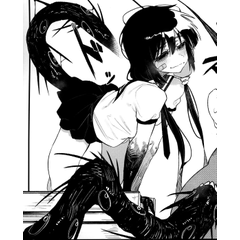
overview:
過去版本


「sdfjmeng」的其他素材


「漸層組」的人氣素材


最新素材





徽章
-
 MVP ◆針對問題投稿了眾多適切的回答,對社群有顯著貢獻的用戶。每3個月一次,會依據期間內獲得的點數選出MVP用戶,並進行表揚。
 -
 NVP(New Valuable Player) ◆繼MVP後,對社群營運做出良好貢獻的用戶。將從不曾獲選為MVP的用戶中,依據獲得的點數進行評選、表揚。
 -
 官方推廣大使 ◆從被證明為優良回答用戶的MVP獲獎者中選出社群中最優異的回答者。並經審查後由本社委託就任。※舊名稱為「Evangelist」
 -
 CELSYS公認Moderator ◆Moderator為會使用日文及其他語言的CELSYS公認工作人員。由於並非軟體或創作的專業人士,Moderator無法直接為用戶解決疑問,但能在語言、交流方面提供支援,幫助用戶們順利地進行溝通。
 -
 CELSYS官方為與營運相關的官方帳號。