




만약 3D 모델이 검게 보이거나 이상한 검은색 음영이 나타나면, 렌더링 버그가 있는 것처럼 보인다면 다음 단계를 시도해 주세요:
영향을 받는 3D 모델을 클릭하면 일반적인 제어 메뉴가 나타납니다.
참조 이미지에 보이는 렌치 아이콘(🔧)을 클릭하세요.
설정 패널에서 렌더링 설정을 찾아서 클릭하세요.
새로운 설정 창이 나타납니다.
아웃라인 옵션을 찾아서 체크를 해제해 아웃라인을 비활성화해 보세요.
이것이 검은색 음영 문제를 해결하는 데 도움이 될 수 있습니다.
이 모델들을 사용하면서 불편이나 문제를 겪으실 수 있는 점 양해 부탁드립니다. 이해해 주셔서 감사합니다! ♡

If any of the 3D models appear black or have strange black shading, as if there is a rendering bug, please try the following steps:
Click on the affected 3D model to bring up the usual control menu.
Click the wrench icon (🔧), as shown in the reference image.
In the settings panel, find and click Rendering Settings.
A new settings window will appear.
Find the Outline option and try unchecking it to disable the outlines.
This may help resolve the black shading issue.
I apologize for any inconvenience or issues you may encounter while using these models. Thank you for your understanding! ♡
재료 วัสดุ
-
기본 자료 Default material

세분화 จัดส่วน
-
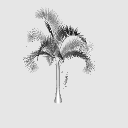
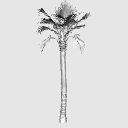
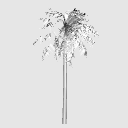
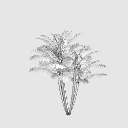
팬팜 Fan Palm
-
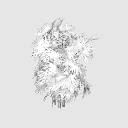
멕시코 팬팜 Mexican Fan Palm
-
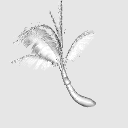
기울어진 코코넛 야자 Leaning Coconut Palm
-
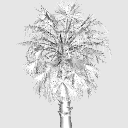
코코넛 야자 Coconut Palm
-
톨 페더 팜 Tall Feather Palm
-
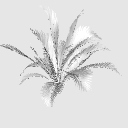
아레카 야자 군집 Areca Palm Cluster
-
곡선형 코코넛 야자 Curved Coconut Palm
-
라피스 엑셀사 Rhapis excelsa
-
부시 아레카 야자 Bushy Areca Palm
-
중국 부채야자 Chinese Fan Palm
-
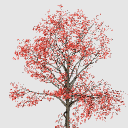
일본 홍단풍 Japanese Red Maple
-
일본 붉단풍나무 2 Japanese Red Maple 2
-
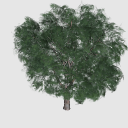
무화과나무 Ficus Tree
-
아카시아 나무 Acacia Tree
-
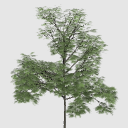
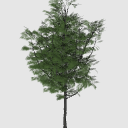
슬렌더그린 트리 Slender Green Tree
-
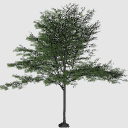
넓은 캐노피 트리 Wide Canopy Tree




'KimKK'님의 다른 소재


'3D 오브젝트'의 인기 소재



신규 소재





-
 MVP ◆질문에 적절한 답변을 많이 게시하고 커뮤니티 운영에 크게 공헌한 사용자입니다. MVP는 3개월에 한 번, 그 사이에 획득한 포인트를 바탕으로 결정하고 표창을 실시하고 있습니다.
 -
 NVP(New Valuable Player) ◆MVP 다음으로 커뮤니티 운영에 공헌한 사용자입니다. 이제까지 MVP 수상 경험이 없는 분 중에서 획득한 포인트를 바탕으로 결정하여 표창을 실시하고 있습니다.
 -
 공식 엑스퍼트 ◆뛰어난 응답자의 증표인 MVP수상자 중에서 선택된 커뮤니티에서 가장 뛰어난 응답자의 증표입니다. 심사를 거쳐서 저희 회사에서 의뢰할 경우 취임되십니다.※ 옛 명칭 '에반젤리스트'
 -
 셀시스 공인 모더레이터 ◆모더레이터는 일본어와 기타 언어로 말할 수 있는 셀시스 공인 스태프입니다. 소프트웨어나 창작 전문가가 아니므로 직접 의문을 해결할 수는 없지만 여러분이 순조롭게 소통할 수 있도록 언어나 커뮤니케이션 측면에서 지원합니다.
 -
 셀시스 공식운영에 관련된 공식 계정입니다.