



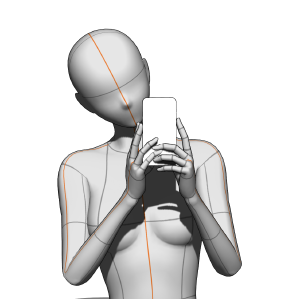
면책 조항: 휴대폰은 자료에 포함되어 있지 않습니다. Disclaimer: the phone is not included in the material.
거울 앞에서 귀여운 셀카 찍기! 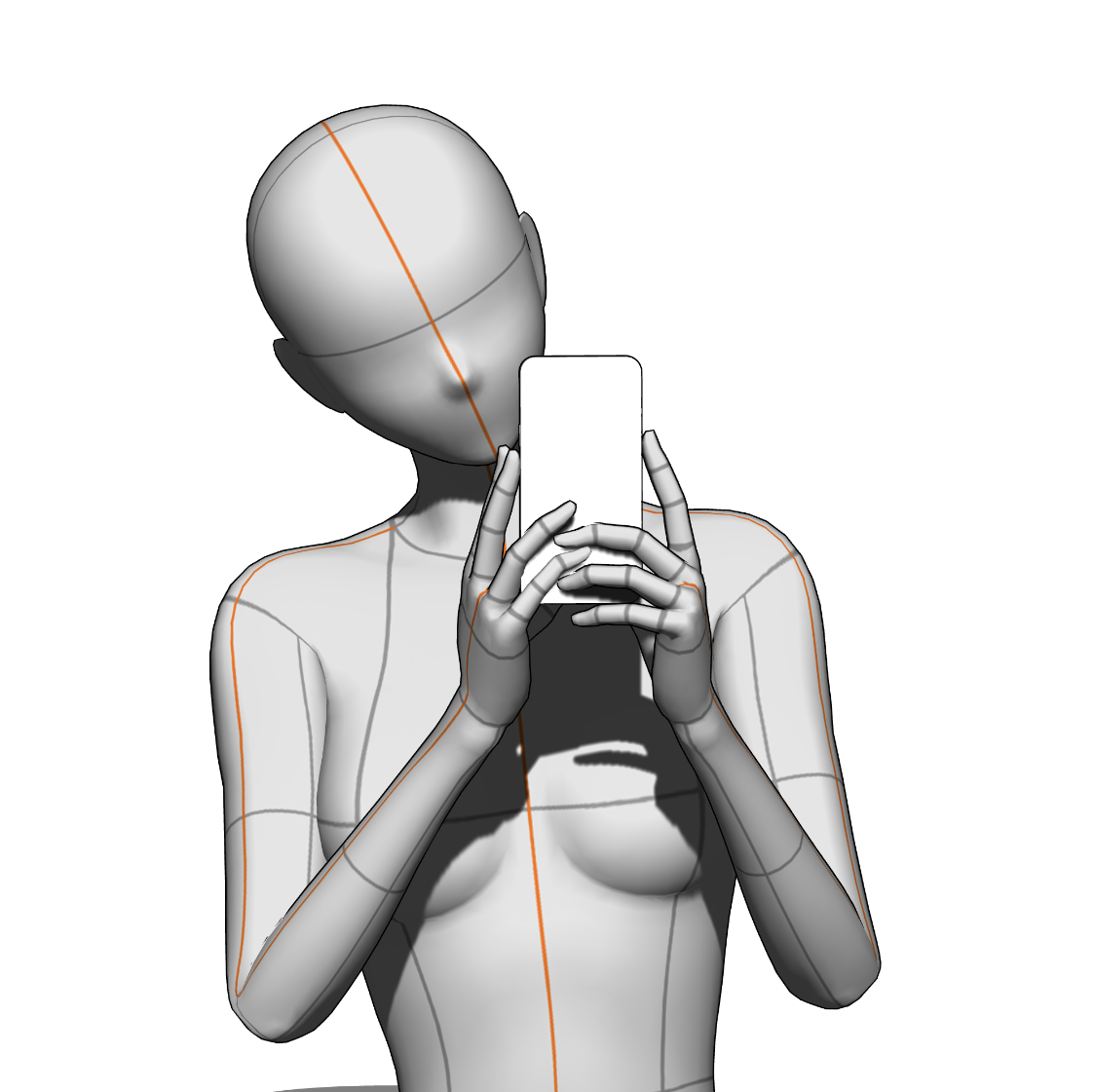
이것은 3D 이미지 머티리얼입니다: 임포트 후 자료는 위 이미지와 동일한 카메라 앵글로 로드됩니다. 하지만 카메라 뷰를 완전히 바꾸고, 포즈를 조정하며, 3D 모델을 원하는 것으로 교체할 수도 있습니다!
지침
임포트 방법
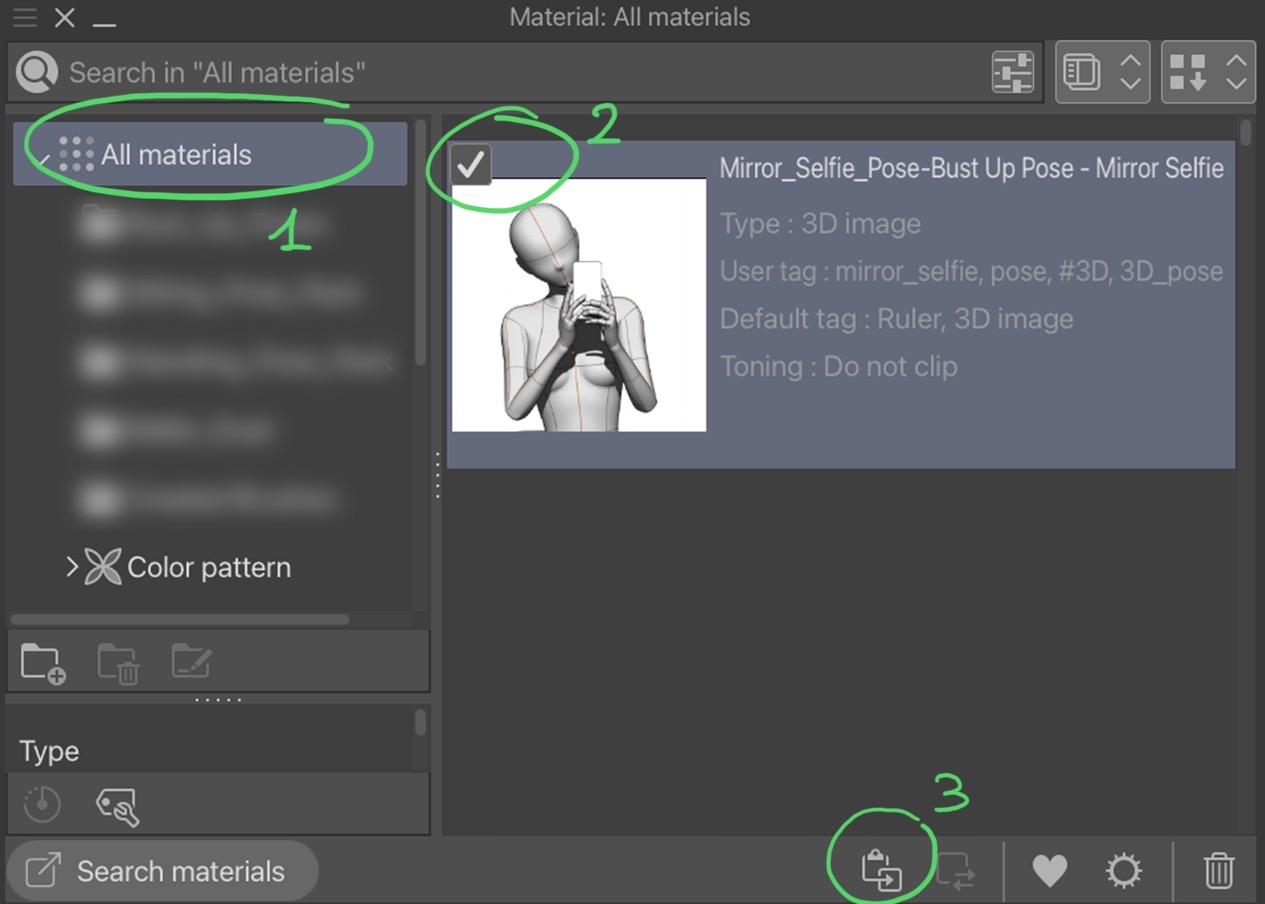
1단계: 재료 팔레트 창을 열고 원하는 재료를 찾아주세요.
2단계: 자료 선택.
3단계: 이 버튼을 눌러서 캔버스에 붙여넣으세요! 재질을 캔버스에 드래그 앤 드롭할 수도 있지만, 어디에 놓느냐에 따라 모델의 위치가 달라집니다.
권장 캔버스 크기
4000x4000 픽셀 이상(캔버스가 정사각형일 때 가장 좋다)! 그럼에도 불구하고, 캔버스가 수평이든 수직이든, 아무런 문제가 없습니다.
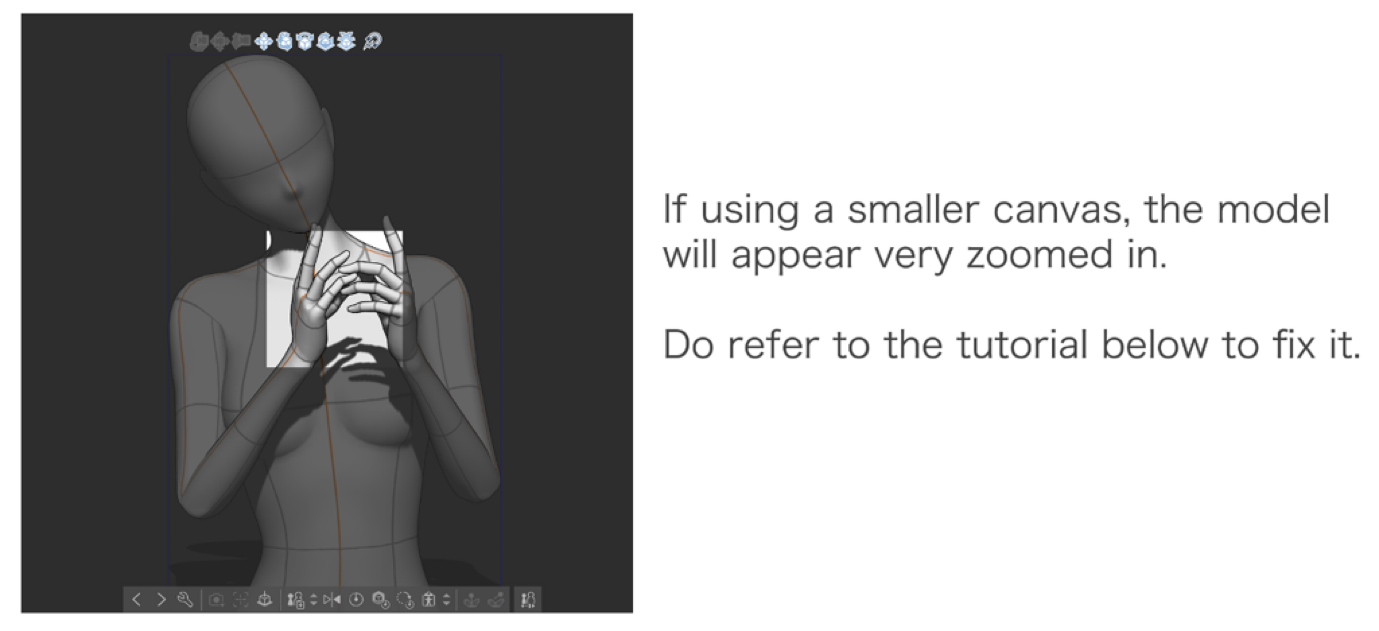
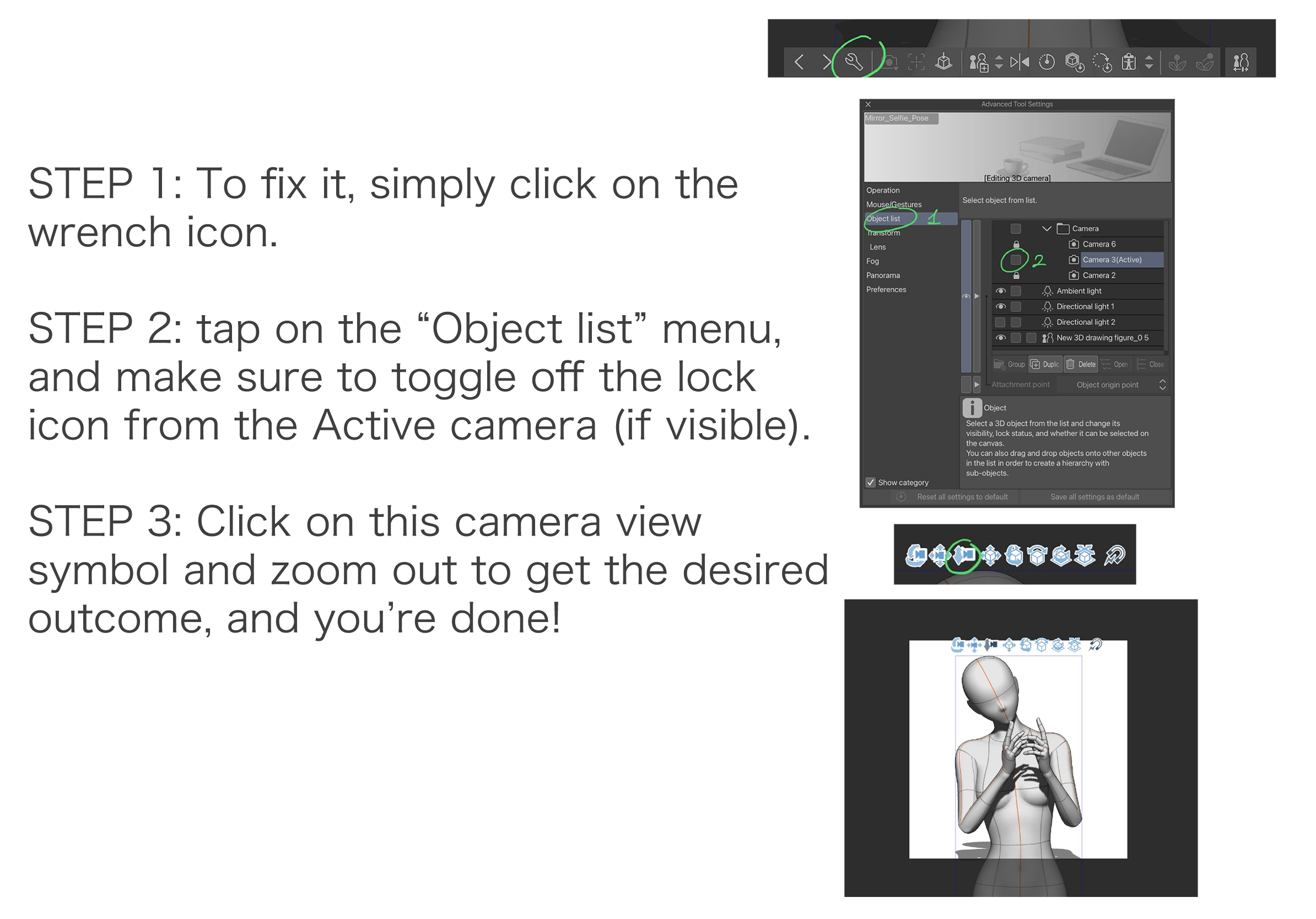
작은 캔버스 튜토리얼
Taking a cute selfie in the mirror pose!
This is a 3D image material: after importing it, the material will load with the same camera angle as the image above. However, you can still completely change the camera view, tweak the pose, and replace the 3D model with your preferred one!
Instructions
How to import
Step 1: Please open the material palette window and locate the desired material.
Step 2: Select the material.
Step 3: Tap this button to paste it on the canvas! You can also drag and drop the material onto the canvas, but the model will be positioned differently based on where you drop it.
Recommended canvas size
4000x4000 px or larger (best if the canvas is square)! Nevertheless, there are no problems if the canvas is horizontal or vertical.
Tutorial for a smaller canvas
셀카 Selfie





'mengli'님의 다른 소재


'소재집'의 인기 소재


신규 소재





배지
-
 MVP ◆질문에 적절한 답변을 많이 게시하고 커뮤니티 운영에 크게 공헌한 사용자입니다. MVP는 3개월에 한 번, 그 사이에 획득한 포인트를 바탕으로 결정하고 표창을 실시하고 있습니다.
 -
 NVP(New Valuable Player) ◆MVP 다음으로 커뮤니티 운영에 공헌한 사용자입니다. 이제까지 MVP 수상 경험이 없는 분 중에서 획득한 포인트를 바탕으로 결정하여 표창을 실시하고 있습니다.
 -
 공식 엑스퍼트 ◆뛰어난 응답자의 증표인 MVP수상자 중에서 선택된 커뮤니티에서 가장 뛰어난 응답자의 증표입니다. 심사를 거쳐서 저희 회사에서 의뢰할 경우 취임되십니다.※ 옛 명칭 '에반젤리스트'
 -
 셀시스 공인 모더레이터 ◆모더레이터는 일본어와 기타 언어로 말할 수 있는 셀시스 공인 스태프입니다. 소프트웨어나 창작 전문가가 아니므로 직접 의문을 해결할 수는 없지만 여러분이 순조롭게 소통할 수 있도록 언어나 커뮤니케이션 측면에서 지원합니다.
 -
 셀시스 공식운영에 관련된 공식 계정입니다.