



러프 스케치 시 프레이밍과 드로잉 가이드를 도와주는 간단한 레이어 템플릿입니다. "캔버스 밖에서 그리고" 쉽게 구도를 조정할 수 있게 해줍니다.
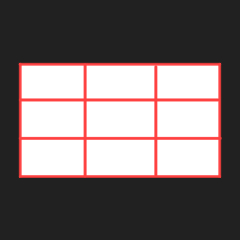
기본 크기는 1920x1080입니다. 3x3 그리드가 가이드로 있는 버전과 가이드가 비활성화된 버전이 있습니다.
a simple layer template that helps you with framing and drawing guides during rough sketching. allows you to "draw outside of the canvas" and adjust framing with ease.
the default size is 1920x1080. there's a version with 3x3 grid as guide, and a version with the guide disabled.
사용 방법:
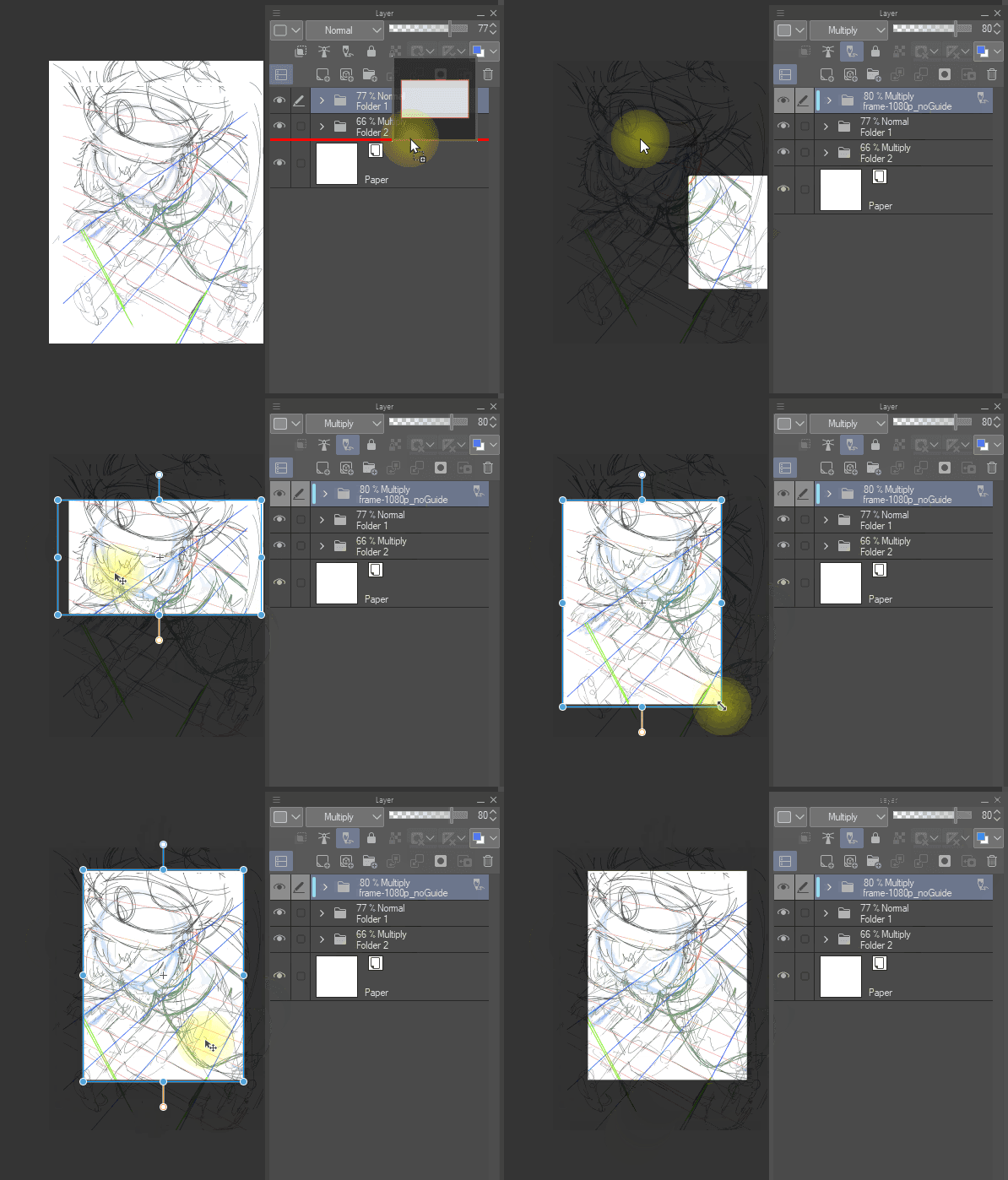
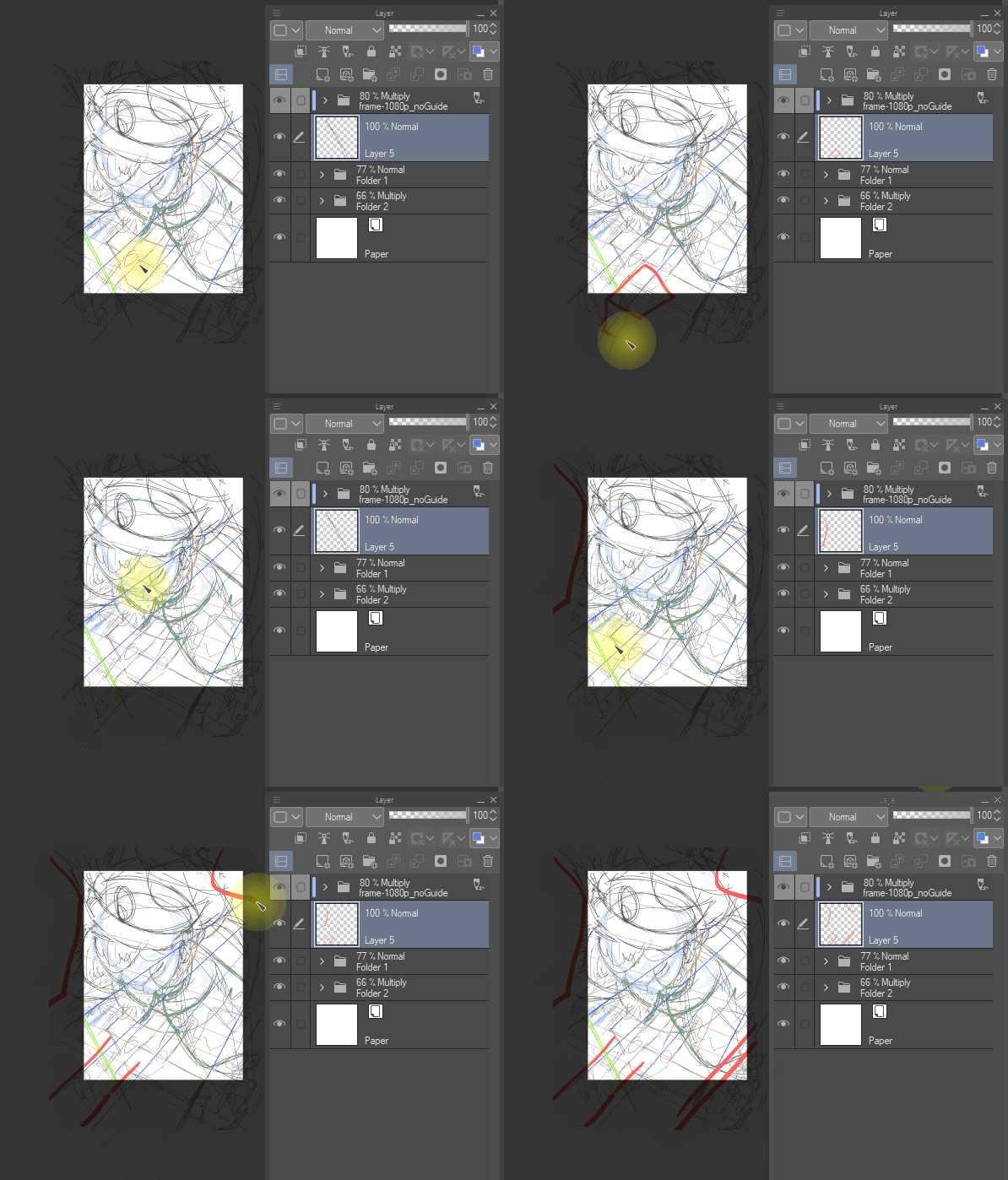


재료를 끌어당기고, 변형 도구(ctrl+t)로 조정하여 원하는 프레이밍/구성을 얻으세요.
이제 캔버스 밖에서 '그림을 그릴 수 있어요'
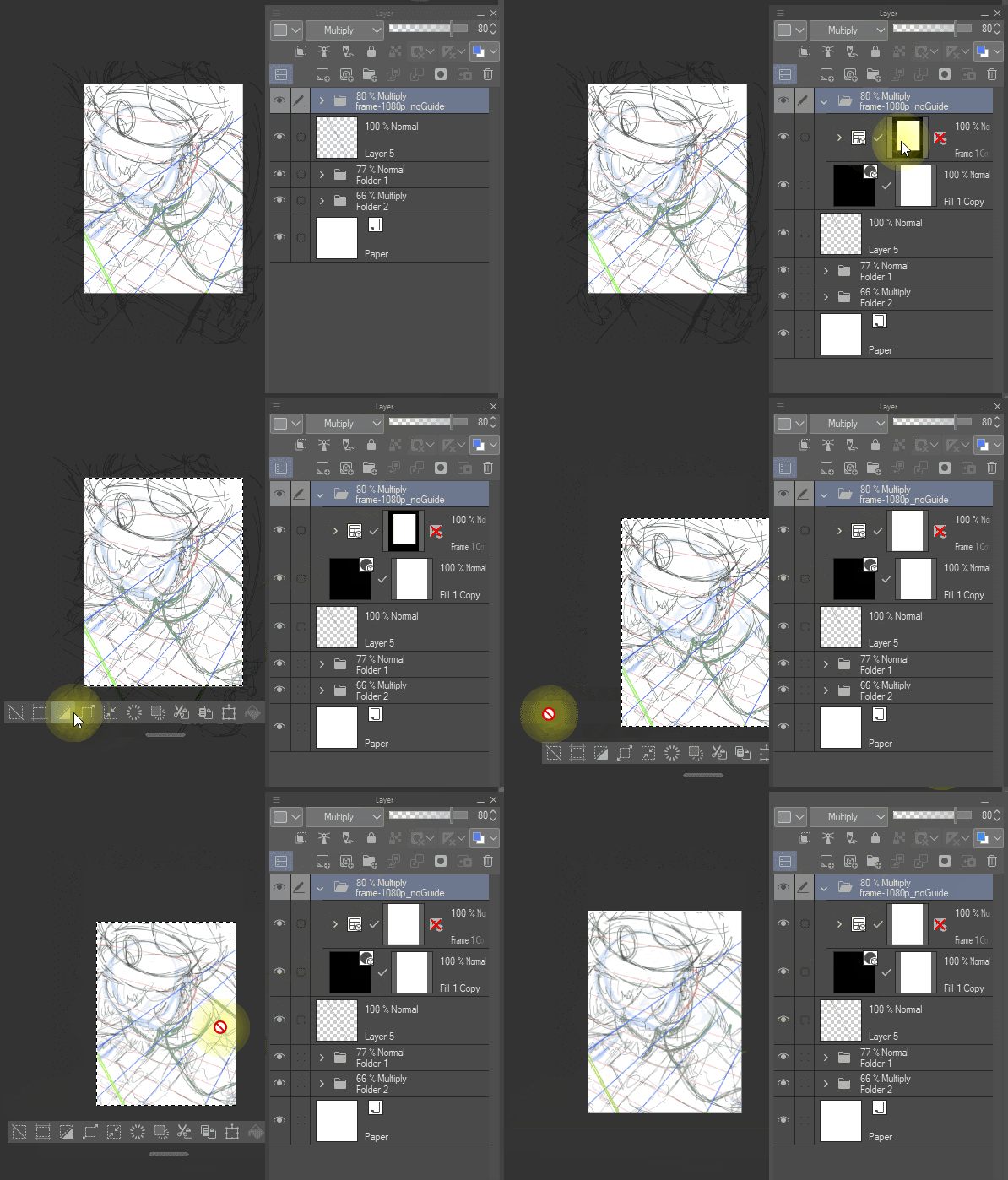
프레임 마스크를 선택하고 크롭해서 최종 캔버스 크기를 정확히 원하시는 크기로 만듭니다.
특징:

이 템플릿은 여러 레이어 선택과 같은 일반적인 드로잉 작업에 간섭하지 않습니다
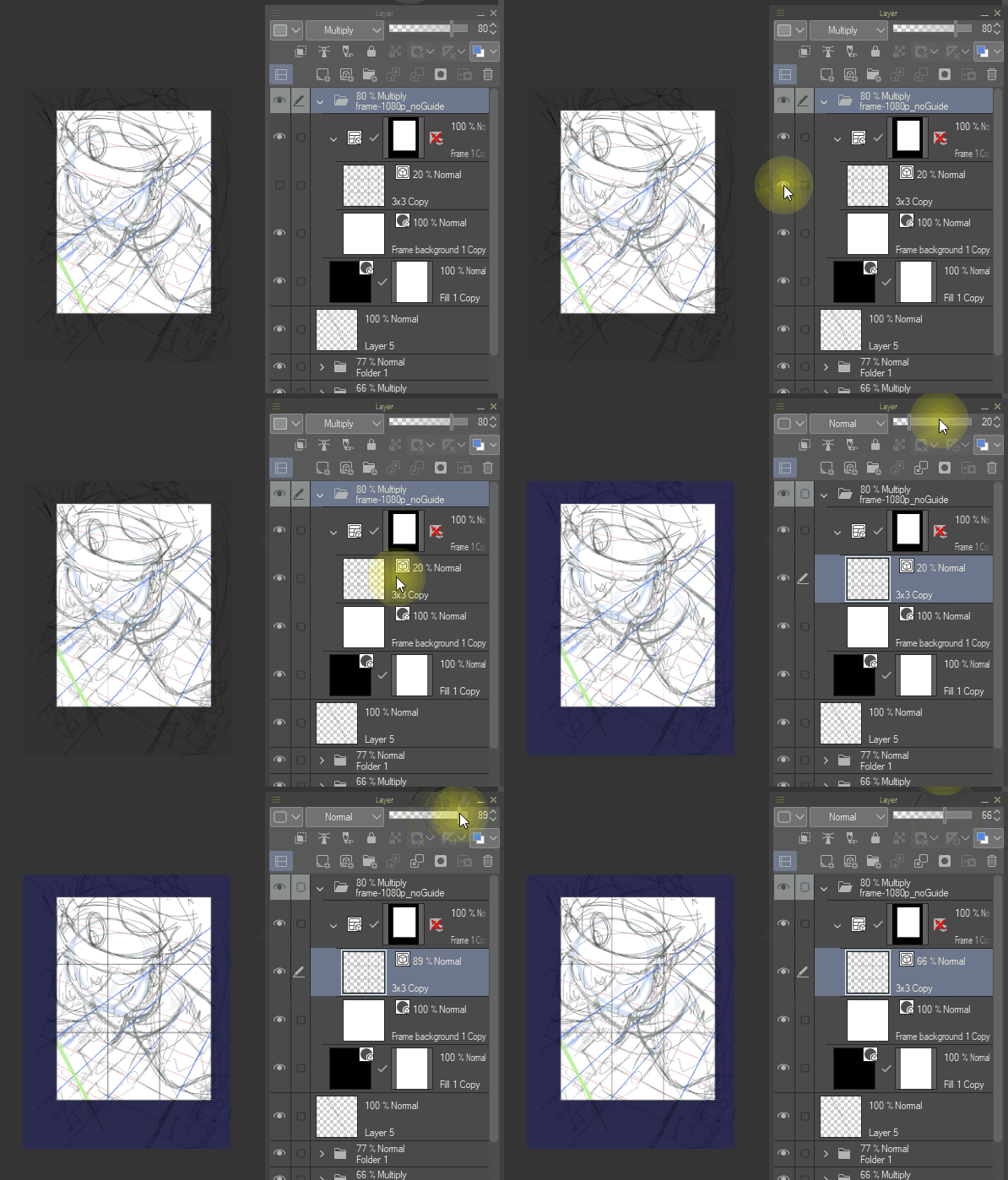
3x3 격자가 내장되어 있어서 구도에 도움이 될 수 있습니다.
두 버전 모두 프레임 폴더에 가이드가 있습니다. 하나는 기본적으로 켜져 있고, 하나는 기본적으로 꺼져 있습니다.
HOW TO USE:
drag the material in, use deformation tool (ctrl+t) to adjust, until you have the framing/composition you want.
now you can "draw out outside your canvas"
select the frame mask and crop to make the final canvas the exact size you wanted.
FEATURES:
this template dose not interfere normal drawing activities, such as selecting multiple layers
there's a 3x3 grid built in, which can help with composition.
both versions have the guide in the frame folder. one is on by default, and one is off by default.
러프 드래프트 도우미 rough draft helper





'emshupisim'님의 다른 소재


'소재집'의 인기 소재


신규 소재


배지
-
 MVP ◆질문에 적절한 답변을 많이 게시하고 커뮤니티 운영에 크게 공헌한 사용자입니다. MVP는 3개월에 한 번, 그 사이에 획득한 포인트를 바탕으로 결정하고 표창을 실시하고 있습니다.
 -
 NVP(New Valuable Player) ◆MVP 다음으로 커뮤니티 운영에 공헌한 사용자입니다. 이제까지 MVP 수상 경험이 없는 분 중에서 획득한 포인트를 바탕으로 결정하여 표창을 실시하고 있습니다.
 -
 공식 엑스퍼트 ◆뛰어난 응답자의 증표인 MVP수상자 중에서 선택된 커뮤니티에서 가장 뛰어난 응답자의 증표입니다. 심사를 거쳐서 저희 회사에서 의뢰할 경우 취임되십니다.※ 옛 명칭 '에반젤리스트'
 -
 셀시스 공인 모더레이터 ◆모더레이터는 일본어와 기타 언어로 말할 수 있는 셀시스 공인 스태프입니다. 소프트웨어나 창작 전문가가 아니므로 직접 의문을 해결할 수는 없지만 여러분이 순조롭게 소통할 수 있도록 언어나 커뮤니케이션 측면에서 지원합니다.
 -
 셀시스 공식운영에 관련된 공식 계정입니다.