



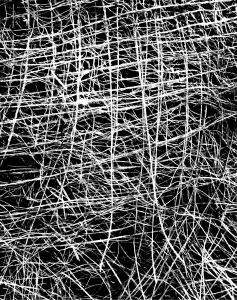
처음 브러시를 기반으로 한 비블렌딩 드라이 페인트 붓 모음입니다. 기본 브러시와 밀도가 낮은 버전, 펜 불투명도, 색조 변경, 채도 변경, 블록 패턴 등이 포함됩니다. 여기에는 사용된 두 개의 브러시 팁도 포함되어 있습니다.
일부 브러시는 '밀도 비교' 모드로 설정되어 있어서, 기존 레이어 색상 위에 보이려면 더 세게 눌러야 할 수도 있습니다. 이 기능은 브러시 > 창> 서브 툴 디테일> 잉크를 선택> "밀도 비교"에서 "일반"으로 "블렌딩 모드"를 설정하면 제거할 수 있습니다.
광도 변화를 끄려면 브러시 > 창> 서브 툴 디테일> 색상 지터를 선택하고, "브러시 팁 색상 변경"을 선택 해제>


A collection of nonblending dry paint brushes, based after the initial one. Includes the base brush and versions with lower density, pen opacity pressure, hue changing, saturation changing, and block patterns. This also contains the two brush tips used.
Some brushes are set to "compare density," which is why you may need to press harder for it to show up over preexisting colors on your layer. This can be removed by selecting the brush > Window > Sub Tool Detail > Ink > Setting "Blending Mode" from "Compare density" to "Normal."
To turn off the luminosity variation, select the brush > Window > Sub Tool Detail > Color Jitter > Unselect "Change brush tip color."
브러시 Brushes
-
base_rectangularDry base_rectangularDry
-
lowDensity_rectangularDry lowDensity_rectangularDry
-
penPressure_rectangularDry penPressure_rectangularDry
-
hue_rectangularDry hue_rectangularDry
-
saturation_rectangularDry saturation_rectangularDry
-
repeated_rectangularDry repeated_rectangularDry
-
denseRepeated_rectangularDry denseRepeated_rectangularDry
-
horizontalRepeated_rectangularDry horizontalRepeated_rectangularDry
-
verticalRepeated_rectangularDry verticalRepeated_rectangularDry









브러시 팁 Brush Tips



'Sketchmre'님의 다른 소재

'소재집'의 인기 소재


신규 소재


배지
-
 MVP ◆질문에 적절한 답변을 많이 게시하고 커뮤니티 운영에 크게 공헌한 사용자입니다. MVP는 3개월에 한 번, 그 사이에 획득한 포인트를 바탕으로 결정하고 표창을 실시하고 있습니다.
 -
 NVP(New Valuable Player) ◆MVP 다음으로 커뮤니티 운영에 공헌한 사용자입니다. 이제까지 MVP 수상 경험이 없는 분 중에서 획득한 포인트를 바탕으로 결정하여 표창을 실시하고 있습니다.
 -
 공식 엑스퍼트 ◆뛰어난 응답자의 증표인 MVP수상자 중에서 선택된 커뮤니티에서 가장 뛰어난 응답자의 증표입니다. 심사를 거쳐서 저희 회사에서 의뢰할 경우 취임되십니다.※ 옛 명칭 '에반젤리스트'
 -
 셀시스 공인 모더레이터 ◆모더레이터는 일본어와 기타 언어로 말할 수 있는 셀시스 공인 스태프입니다. 소프트웨어나 창작 전문가가 아니므로 직접 의문을 해결할 수는 없지만 여러분이 순조롭게 소통할 수 있도록 언어나 커뮤니케이션 측면에서 지원합니다.
 -
 셀시스 공식운영에 관련된 공식 계정입니다.