




이것은 AzizDraws가 영상 https://www.youtube.com/watch?v=R022uQR2akA&t=2s 에서 만든 것을 기반으로 한 간단한 셰이더 그라디언트 맵입니다.
첫 번째는 영상에서 그가 사용하는 정확한 편집본이고, 두 번째는 제가 선호하는 편집본입니다.
This is a simple shader gradient map that I like to use based on the one AzizDraws made in their video here: https://www.youtube.com/watch?v=R022uQR2akA&t=2s.
The first one is the exact one he uses in the video, the second one is my preferred edit.
이건 본인의 스타일과 작업 흐름에 가장 잘 맞는 어떤 방식으로든 할 수 있어요. 제가 이렇게 사용해요.
먼저, 플랫 컬러를 세팅합니다:

그 다음, 음영 폴더(노멀로 설정)를 만들고 흰색 베이스 레이어, 회색 중간 레이어, 검은색 레이어로 음영을 합니다:
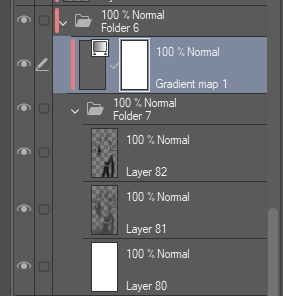

그렇게 하면 레이어 폴더를 Darken, Multiply, Overlay로 설정하는데, 결국 본인과 이미지에 달려 있습니다. 이건 어두운 색으로 설정했어요.
그 다음 상단 바에서 Layer > New Correction Layer > Gradient Map을 선택한 뒤, 사용하고 싶은 레이어를 선택해 그라데이션 맵 레이어를 만듭니다. 이 레이어는 Shader 2를 사용했습니다.
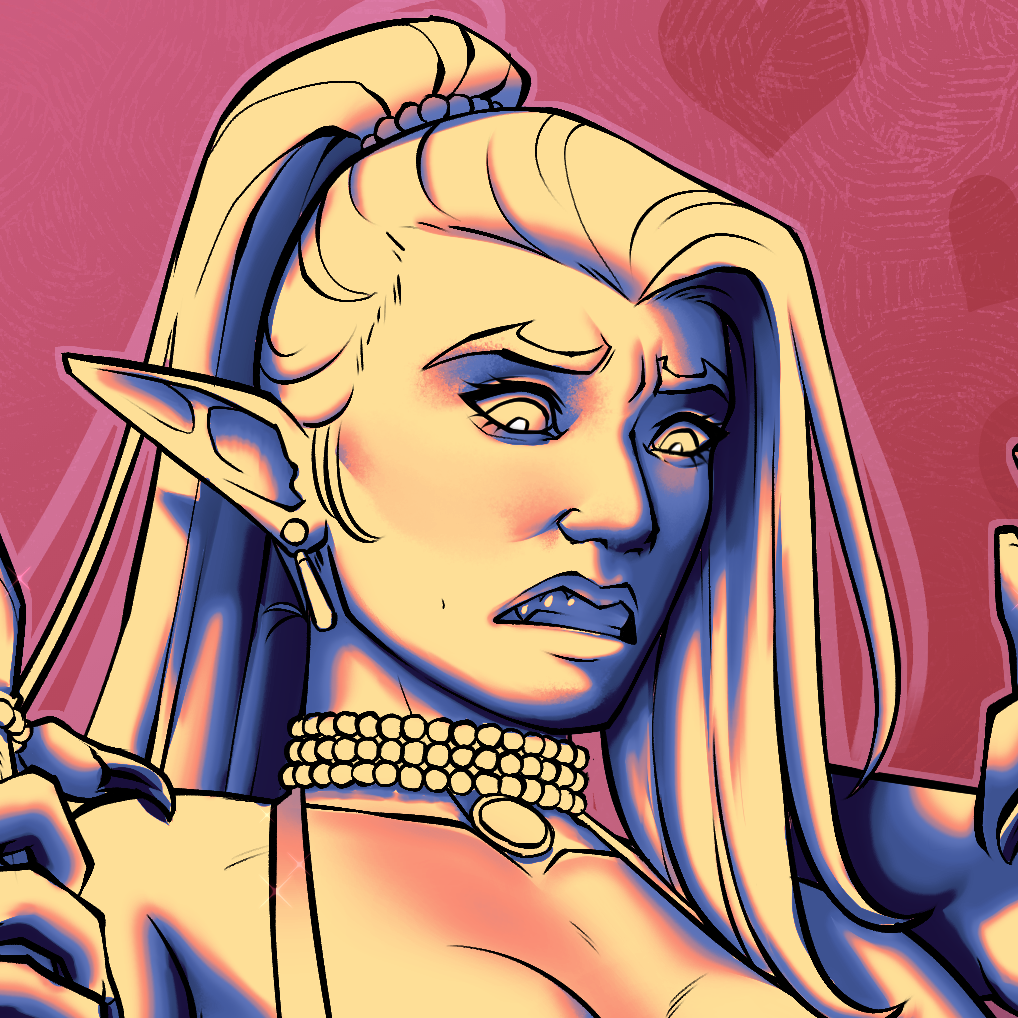
그 후에는 회색과 검정 레이어의 불투명도를 조절해 마음에 들 때까지 조절합니다.
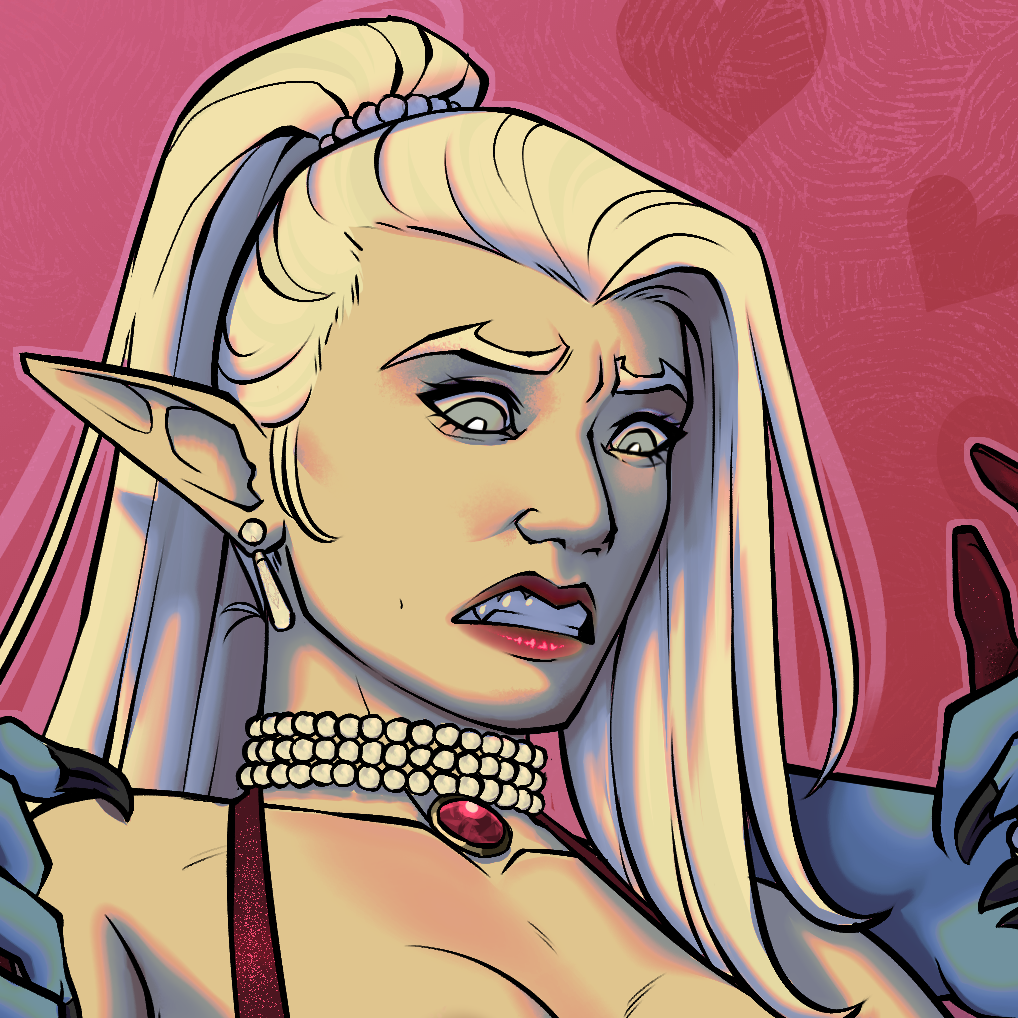
완성되면 마음에 들 때까지 필터링하고 하이라이트합니다
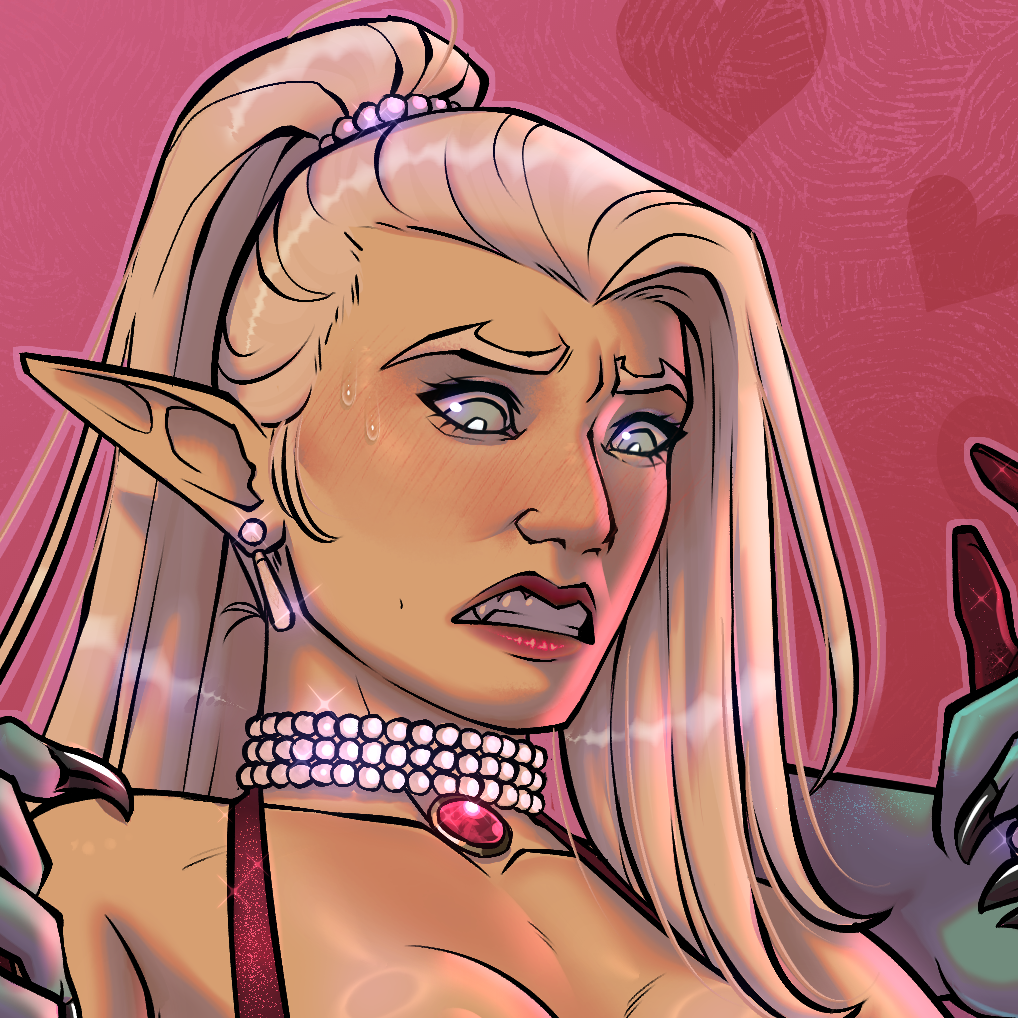
아주 쉬워:)
먼저, 플랫 컬러를 세팅합니다:

그 다음, 음영 폴더(노멀로 설정)를 만들고 흰색 베이스 레이어, 회색 중간 레이어, 검은색 레이어로 음영을 합니다:

그렇게 하면 레이어 폴더를 Darken, Multiply, Overlay로 설정하는데, 결국 본인과 이미지에 달려 있습니다. 이건 어두운 색으로 설정했어요.
그 다음 상단 바에서 Layer > New Correction Layer > Gradient Map을 선택한 뒤, 사용하고 싶은 레이어를 선택해 그라데이션 맵 레이어를 만듭니다. 이 레이어는 Shader 2를 사용했습니다.
그 후에는 회색과 검정 레이어의 불투명도를 조절해 마음에 들 때까지 조절합니다.
완성되면 마음에 들 때까지 필터링하고 하이라이트합니다
아주 쉬워:)
You can do this in any way that best fits your style and work flow, this is the way that I use it.
First, I set up my flat colors:
Then, I make a shading folder (set to normal) and shade with a white base layer, a grey mid layer, and a black layer:
Once I've done that, I set my layer folder to either Darken, Multiply, or Overlay, its up to you and your image. This one, I set to darken.
I then make a gradient map layer by going to the top bar and selecting Layer > New Correction Layer > Gradient Map and then selecting the one I wish to use, this one used Shader 2.
After that I mess with the grey and black layer's opacities until I Like how it looks.
When that's done, I filter and highlight until I like how it looks
Easy Peasy :)
First, I set up my flat colors:
Then, I make a shading folder (set to normal) and shade with a white base layer, a grey mid layer, and a black layer:
Once I've done that, I set my layer folder to either Darken, Multiply, or Overlay, its up to you and your image. This one, I set to darken.
I then make a gradient map layer by going to the top bar and selecting Layer > New Correction Layer > Gradient Map and then selecting the one I wish to use, this one used Shader 2.
After that I mess with the grey and black layer's opacities until I Like how it looks.
When that's done, I filter and highlight until I like how it looks
Easy Peasy :)




'BigMFRat'님의 다른 소재


'그라데이션 세트'의 인기 소재


신규 소재


배지
-
 MVP ◆질문에 적절한 답변을 많이 게시하고 커뮤니티 운영에 크게 공헌한 사용자입니다. MVP는 3개월에 한 번, 그 사이에 획득한 포인트를 바탕으로 결정하고 표창을 실시하고 있습니다.
 -
 NVP(New Valuable Player) ◆MVP 다음으로 커뮤니티 운영에 공헌한 사용자입니다. 이제까지 MVP 수상 경험이 없는 분 중에서 획득한 포인트를 바탕으로 결정하여 표창을 실시하고 있습니다.
 -
 공식 엑스퍼트 ◆뛰어난 응답자의 증표인 MVP수상자 중에서 선택된 커뮤니티에서 가장 뛰어난 응답자의 증표입니다. 심사를 거쳐서 저희 회사에서 의뢰할 경우 취임되십니다.※ 옛 명칭 '에반젤리스트'
 -
 셀시스 공인 모더레이터 ◆모더레이터는 일본어와 기타 언어로 말할 수 있는 셀시스 공인 스태프입니다. 소프트웨어나 창작 전문가가 아니므로 직접 의문을 해결할 수는 없지만 여러분이 순조롭게 소통할 수 있도록 언어나 커뮤니케이션 측면에서 지원합니다.
 -
 셀시스 공식운영에 관련된 공식 계정입니다.