



흑백 아트나 큰 픽셀 아트에 가장 잘 맞는 브러시들이 여러 개 있어요. A bunch of brushes that work best for monochrome art or large pixel art.

요즘 픽셀 아트와 흑백 일러스트 작업을 많이 하는 사람이 누군지 맞혀보세요. 네 . 이들은 큰 바이너리/앨리어싱/픽셀 일러스트와 흑백 만화에 좋은 브러시들입니다.
부드러운 느낌을 원한다면 밀도, 안티앨리어싱, 기본 팁의 경도도 수정할 수 있습니다. 본인에게 가장 잘 맞는 방법을 확인해 보세요. 모든 브러시를 같은 설정(예: 안정화)으로 바꾸고 싶다면, 설정을 우클릭하고 "이 그룹 내 모든 브러시로 복사"를 클릭하세요. 변경한 설정이 마음에 들지 않으시나요? 도구를 우클릭하고 "도구 기본값으로 재설정"을 클릭하세요. :D
참고로: MC = 모노크롬.

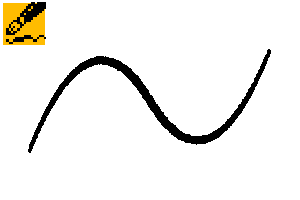
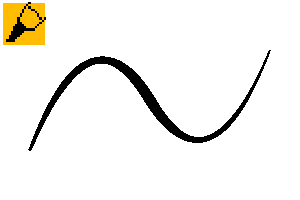
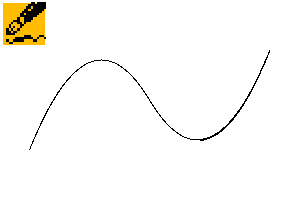
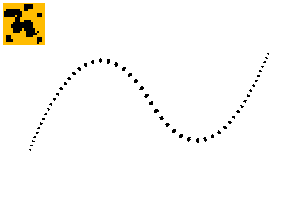
1. 그게 좋아요 - 기본적이고 쉬운 픽셀 펜입니다. 여름 세트의 "The Girl You Want Pen"에서 변형한 것입니다. 저는 프로젝트 작업을 위해 이걸 사용해서, 수정이 쉽고 간단해요.
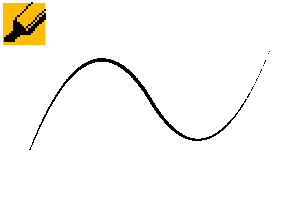
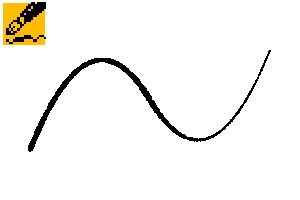
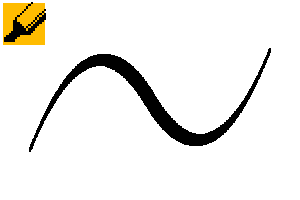
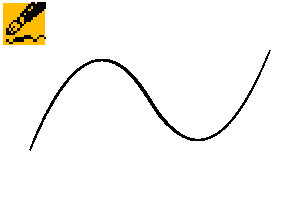
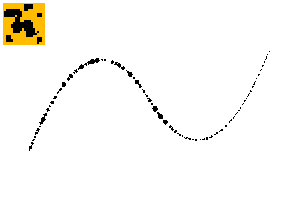
2. 스피드 스트링 - 위이! 빠르게 그리고, 가느다란 선 을 그려. 이 펜 정말 마음에 들어.
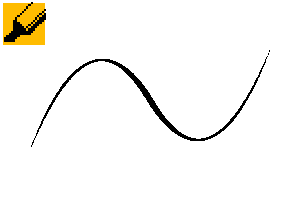
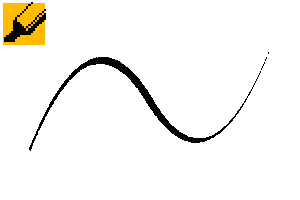
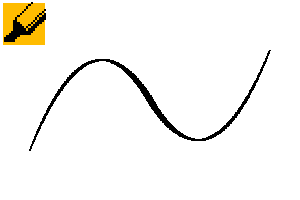
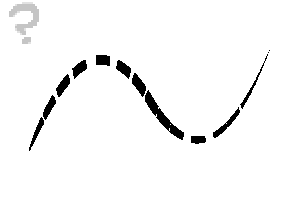
3. 갭 펜 - 크기마다 겹치는 간격이 변하는 것을 볼 수 있습니다. 간격 크기를 조절하여 더 넓거나 적은 공간을 만들 수 있습니다.
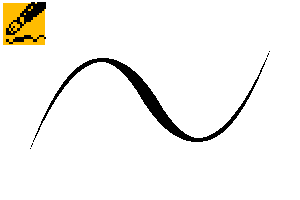
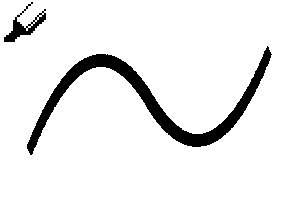
4. 정사각형 평평 - 기본 정사각형 서예, 평평하고 각진 형태. 두께 77로 설정해 기술적으로는 직사각형이지만, 100으로 설정해도 됩니다.
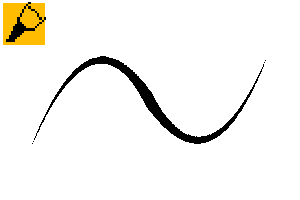
5. 둥근 직사각형 - 끝이 가늘고 두꺼운 서예 펜입니다. 끝부분은 모서리가 둥글어 약간 덜 각도 보이게 합니다. 곡선 해칭에 재미있습니다.
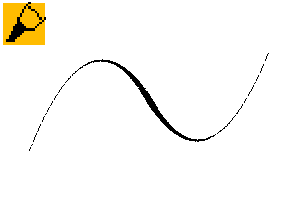
6. 유연한 직사각형 - 이 직사각형은 선을 따라 나옵니다. 넓게 유연해서 붓펜 같은 느낌이 듭니다.

7. 직사각형 펜 - 마지막 직사각형 펜으로, 굵고 굵은 선과 날카로운 모서리를 그리기에 적합합니다.
8. 곡선 펜 - 기본적인 무딘 평평한 펜입니다. 이름 그대로 곡선을 그리기에 좋으며, 각도를 바꿔 그림에 맞게 바꾸시길 권장합니다.
9. 내 엉덩이 물어! - 이름이 점점 부족해지기 시작한 게 보여요. 어쨌든, 이 펜은 얇은 펜에서 두꺼운 펜으로 자연스러운 거칠음이 섞여 있어요. 펜 압력 크기 곡선을 자유롭게 바꿔도 돼요.
10. 언데드 브러시 펜 - 굵은 브러시 펜으로, 브러시 펜 취향에 따라 압력 곡선을 조절할 수 있습니다. 큰 크기에서 가장 잘 보입니다.
11. 어디서 쓰는지 - 사용하기 쉽고 촉감이 자연스러운 스피드 펜입니다. 저도 이 펜이 정말 마음에 듭니다.
12. 인터퍼런스 핏 - 울퉁불퉁하고 바삭한 펜입니다. 큰 크기에서 가장 잘 보이고, 질감을 더하기 위해 재미있습니다.

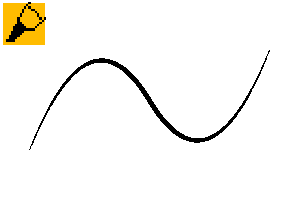
13. 클래식 캘리그래피 - 팩에서 가장 기본적인 펜입니다. 이런 펜에 딱 맞는 평평한 포인트와 압력이 딱 맞는 것 같아요.
14. 다이아몬드 펜 - 딥 잉크 펜과 가장 비슷합니다. 각도와 두께를 원하는 대로 바꿔주세요.
15. 뚱뚱한 쥐 - 기울어져 매우 두꺼운 선이 있는 둥근 팔각형. 삐걱, 삑.
16. 앞뒤로 흔들기 마커 - 페이지에서 앞뒤로 흔들기 마커를 가장 잘 활용하세요. 다양한 선을 가진 날카로운 선 . 각도를 원하는 대로 조절하세요.
17. 범프 인 더 나이트 - 아주 큰 입자가 들어간 스프레이 펜으로, 울퉁불퉁한 선을 만듭니다. SD/치비스로 시도해 보세요.
18. 페이크 펠트 - 가짜 펠트 펜처럼 느껴집니다. 사용과 겹쳐 쓰기 쉽습니다.

19. 가짜 펠트 범피 - 같은 펠트 펜이지만 더 흔들리고 각도 변화가 있습니다.
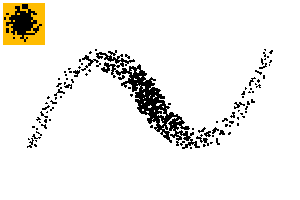
20. 두꺼운 지터 - 또 다른 스프레이 펜. 아주 작은 입자로 만든 두꺼운 펜입니다. 크기와 간격을 조절해 다양한 스타일을 연출하세요.
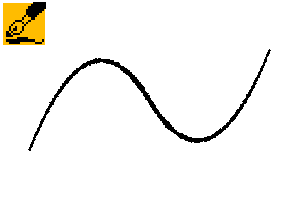
21. 오버필 잉커 - 잉크가 너무 많이 묻은 딥 닙처럼 느껴지고, 잉크가 더 많이 떨어지는 듀얼 펜입니다. 약간 이상한 느낌이지만 재미있습니다.
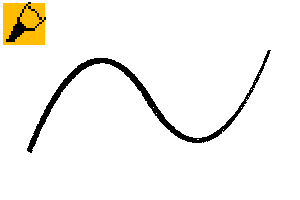
22. 잉크 슬라이스 - 거의 리본 브러시로, 선을 따라 타원형으로 만들어집니다. 두께가 많아 실제보다 작아지기 때문에 큰 크기에서 가장 좋습니다.
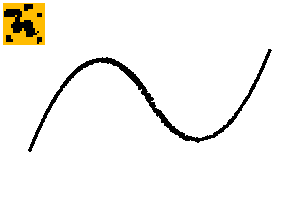
23. Hillbilly Speedball Pen - 매우 얼룩이 많은 펜입니다. 질감과 다양성을 더하기에 좋습니다.
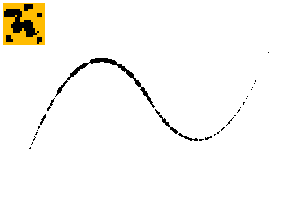
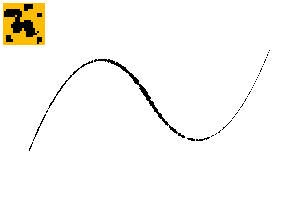
24. 음음 크런치 펜 - 실제 텍스처가 있는 유일한 펜입니다. 투명한 픽셀이 일부 있으니, 순수하게 단색으로 그려야 한다면 꼭 흑백 레이어에 그려보세요.

25. 잉키 디더 - 농담 아니에요, 스티플링이 디더링이 아니라 스티플링이라고 부르는 걸 항상 잊어요. 픽셀 아트를 너무 많이 했거든요. ; w; 어쨌든, 장식, 질감, 선을 위한 재미있는 붓이에요.
26. 이븐 디더 - 사용하기 쉬운 스티플. 입자 크기를 원하는 대로 조절하세요.
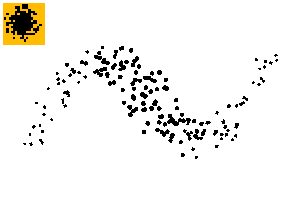
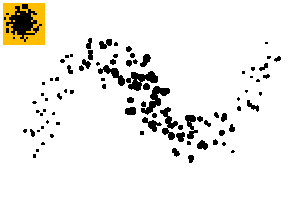
27. 잉키 디더 스프레이 - 누군가가 잉크가 가득 든 붓을 종이에 튕긴 것처럼 보이는 다양한 스프레이입니다.
28. 서투른 스프레이 - 작은 사이즈에는 거의 고정된 라인으로, 큰 사이즈에는 두꺼운 스프레이 형태로 사용할 수 있습니다. 실험해보고 어떤 게 가장 좋은지 찾아보세요.
29. 타원점 및 30. 타원선 - 갭 프레셔 - 이 부분은 선 장식, 패턴, 또는 하이라이트의 일종으로 사용될 수 있으며, 특히 30.
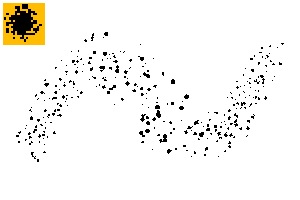
31. 타원형 스프레이 - 위의 스프레이 점점 버전입니다. 유기적이고 아주 좋습니다.

32. 스페이스 스트라이프드 - 정말 이상한 듀얼 펜입니다. 한번 써보면 얼마나 특이한지 알 수 있을 겁니다.
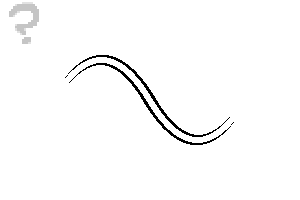
33. 윤곽선 펜 - MC - 듀얼 브러시입니다. 윗선은 브러시 크기 2에 압력 없음, 아래쪽은 브러시 2에 압력 크기 ON입니다. 그림에 필요한 부분에 맞게 조정하세요!
34. 더블러 - 그냥 더블 리본 펜입니다. 특수 효과나 기묘한 라이너에 사용할 수 있습니다.
몇 가지 예시:


찾아주셔서 감사합니다. 가능하다면 시원한 여름 보내세요!
Guess who's been working a lot with pixel art and monochromatic illustration stuff lately? Yep. These are a bunch of brushes that are good for large binary/aliased/pixel illustrations & monochrome comics.
If you want a softer look, you can modify density, anti-aliasing, and in the default tips, hardness. See what works best for you. If you want to change all the brushes to have the same setting, like stabilization, right click on the setting & click "copy to all brushes within this group". Don't like the setting you changed? Right click the tool & click "Reset Tool to Default". :D
By the way: MC = MonoChrome.
1. That's Good - A basic and easy pixel pen. Modified from the "The Girl You Want Pen" from the summer set. I've been using this to draw stuff for a project, so it's nice and simplified for easy modification.
2. Speed String - Whee! Draw fast, get a skinny line. I kind of love this pen.
3. Gap Pen - You can see with each size, the overlap gap changes. You can adjust the gap sizes to give it more or less space.
4. Square Flatly - Basic Square calligraphy, flat & angular. Set to 77 thickness, so technically a rectangle, but feel free to set it to 100 instead.
5. Rounded rectangle - A fat calligraphy pen with thin ends. The tip has round corners for a slightly less angle look. Fun for curved hatching.
6. Flexible Rectangle - This rectangle follows your line. It feels a bit like a brush pen for being so flexible in broadness.
7. Rectangle-ly - The last of the rectangular pens, great for bold bold lines with sharp edges.
8. Curvature Pen - A basic blunt flat pen. This pen is great for curves, as the name implies, and I encourage you to change the angle to fit your drawing.
9. Bite My Hip! - You can tell I started running out of names. Anyway, it's a dramatic thin to thick pen with some natural roughness. Feel free to change the pen pressure size curve.
10. Undead Brush Pen - A fat brush pen that you might want to change the pressure curve of depending on your brush pen preferences. Looks best at larger sizes.
11. Where it's at - An easy to use speed pen that feels natural to the touch. I actually like this pen a lot too.
12. Interference Fits - A bumpy, crunchy pen. Looks best at larger sizes, fun for texture adding.
13. Classic Calligraphy - The most basic pen in the pack. I just think this is the perfect flat point & pressure for pens like this.
14. Diamond Pen - Closest to a dip ink pen. Change angle & thickness to your liking.
15. Fat Rat - A rounded octagon with a very thick line thanks to tilt. Squeak, squeak.
16. Jerking Back & Forth Marker - Best used jerking back & forth on the page. A sharp line with a lot of variance. Adjust angle to your liking.
17. Bump in the Night - a spray pen with very big particles, creating a bumpy line. Try it with SD/Chibis.
18. Fake Felt - It feels like a fake felt pen. Easy to use and layer.
19. Fake Felt Bumpy - The same felt pen, but more jitter & angle variance.
20. Thick Jitter - Another spray pen. Thick pen made from tiny, crunchy particles. Adjust size & gap for different looks.
21. Overfilled Inker - A dual pen that feels like a dip nib with too much ink on it, extra ink dripping down as you draw. Feels slightly weird, but fun.
22. Ink Slice - Almost a ribbon brush, this is made of an oval that follows the line. Best at larger sizes since the thickness makes the brush smaller than it actually is.
23. Hillbilly Speedball Pen - A pen that is incredibly blotty. Great to add texture & variance.
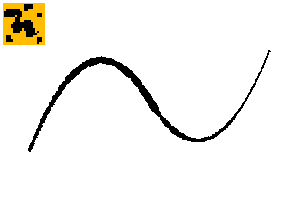
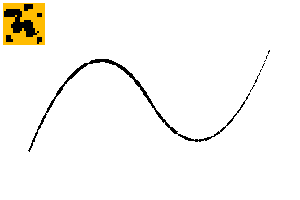
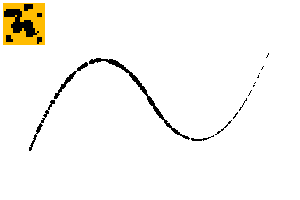
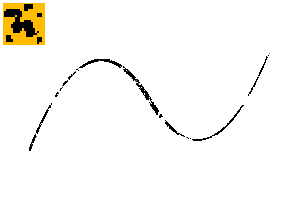
24. Mmmmm Crunch Pen - The only pen with an actual texture. It does have some transparent pixels, make sure to draw on a monochrome layer if you need it pure solid.
25. Inky Dither - I kid you not, I always forget stippling is called stippling and not dithering. I've done too much pixel art. ;w; Anyway, fun brush for decoration, texture, or line.
26. Even Dither - Easy to use stipple. Adjust the particle size to your liking.
27. Inky Dither Spray - A varied spray that looks like someone flicked a brush full of ink onto a piece of paper.
28. Clumsy Spray - Can be used as a nearly solid line on smaller sizes & a thick spray on larger sizes. Experiment and see what's best.
29. Oval Dots & 30. Oval Line - Gap Pressure - These can be used as line decoration, pattern, or as a type of highlight, particularly 30.
31. Oval Spray - A spray stipple version of the above. Nice and organic.
32. Space Striped - A really weird dual pen. Try it out and you'll see how odd it is.
33. Outline Pen - MC - A dual brush. Top line is NO pressure on brush size 2, bottom is Pressure Size ON for brush 2. Adjust to what your drawing needs!
34. Doubler - Just a double ribbon pen. Can be used for special effect or a bizarre liner.
Some illustrations:
Thanks for looking, have a cool summer if you can!
고단함 Solid
-
가짜 펠트 MC 펜 Fake Felt MC Pen
-
저킨 백 앤 포스 마커 MC Jerkin' Back and Forth Marker MC
-
뚱뚱한 쥐 우리 Fat Rat Pen
-
다이아몬드 MC 펜 Diamond MC Pen
-
클래식 칼리 MC 펜 Classic Calli MC Pen
-
펜 MC에서 어디 있어? Where it's At Pen MC
-
언데드 브러시펜 MC Undead Brushpen MC
-
내 엉덩이 물어! Bite My Hip!
-
커베이처 펜 MC Curvature Pen MC
-
직사각형 MC 펜 Rectangle-ly MC Pen
-
유연한 직사각형 MC Flexible Rectangle MC
-
둥근 직사각형 MC Rounded Rectangle MC
-
스퀘어 플랫리 MC Square Flatly MC
-
스피드 스트링 MC 펜 Speed String MC Pen
-
그거 좋네요, 펜 MC That's Good Pen MC
지저분하네요 Messy
-
갭 펜 MC Gap Pen MC
-
간섭이 펜 MC에게 맞다 Interference Fits Pen MC
-
범프 인 더 나이트 MC 펜 Bump in the Night MC Pen
-
가짜 펠트 울퉁불퉁한 MC 펜 Fake Felt Bumpy MC Pen
-
두꺼운 지터 MC 펜 Thick Jitter MC Pen
-
과잉 잉커 MC 펜 Overfilled Inker MC Pen
-
잉크 슬라이스 MC 펜 Ink Slice MC Pen
-
힐빌리 스피드볼 펜 Hillbilly Speedball Pen
-
음음 크런치 MC 펜 Mmmm Crunch MC Pen
특별 Special
-
잉키 디더 MC Inky Dither MC
-
심지어 Dither Spray MC도 마찬가지입니다 Even Dither Spray MC
-
잉키 디더 스프레이 MC Inky Dither Spray MC
-
서투른 스프레이 펜 Clumsy Spray Pen
-
타원선 점 MC Oval Line Dots MC
-
타원선 - 갭 프레션 MC Oval Line - Gap Pressure MC
-
타원형 스프레이 MC Oval Spray MC
-
간격 줄무늬 펜 Spaced Stripes Pen
-
울타인 MC 펜 Oultine MC Pen
-
더블러 MC 펜 Doubler MC Pen








'saturns_day'님의 다른 소재


'소재집'의 인기 소재


신규 소재


배지
-
 MVP ◆질문에 적절한 답변을 많이 게시하고 커뮤니티 운영에 크게 공헌한 사용자입니다. MVP는 3개월에 한 번, 그 사이에 획득한 포인트를 바탕으로 결정하고 표창을 실시하고 있습니다.
 -
 NVP(New Valuable Player) ◆MVP 다음으로 커뮤니티 운영에 공헌한 사용자입니다. 이제까지 MVP 수상 경험이 없는 분 중에서 획득한 포인트를 바탕으로 결정하여 표창을 실시하고 있습니다.
 -
 공식 엑스퍼트 ◆뛰어난 응답자의 증표인 MVP수상자 중에서 선택된 커뮤니티에서 가장 뛰어난 응답자의 증표입니다. 심사를 거쳐서 저희 회사에서 의뢰할 경우 취임되십니다.※ 옛 명칭 '에반젤리스트'
 -
 셀시스 공인 모더레이터 ◆모더레이터는 일본어와 기타 언어로 말할 수 있는 셀시스 공인 스태프입니다. 소프트웨어나 창작 전문가가 아니므로 직접 의문을 해결할 수는 없지만 여러분이 순조롭게 소통할 수 있도록 언어나 커뮤니케이션 측면에서 지원합니다.
 -
 셀시스 공식운영에 관련된 공식 계정입니다.