




친구가 다른 프로그램에서 만든 레이아웃을 기반으로 한 매우 기본적인 구성입니다.
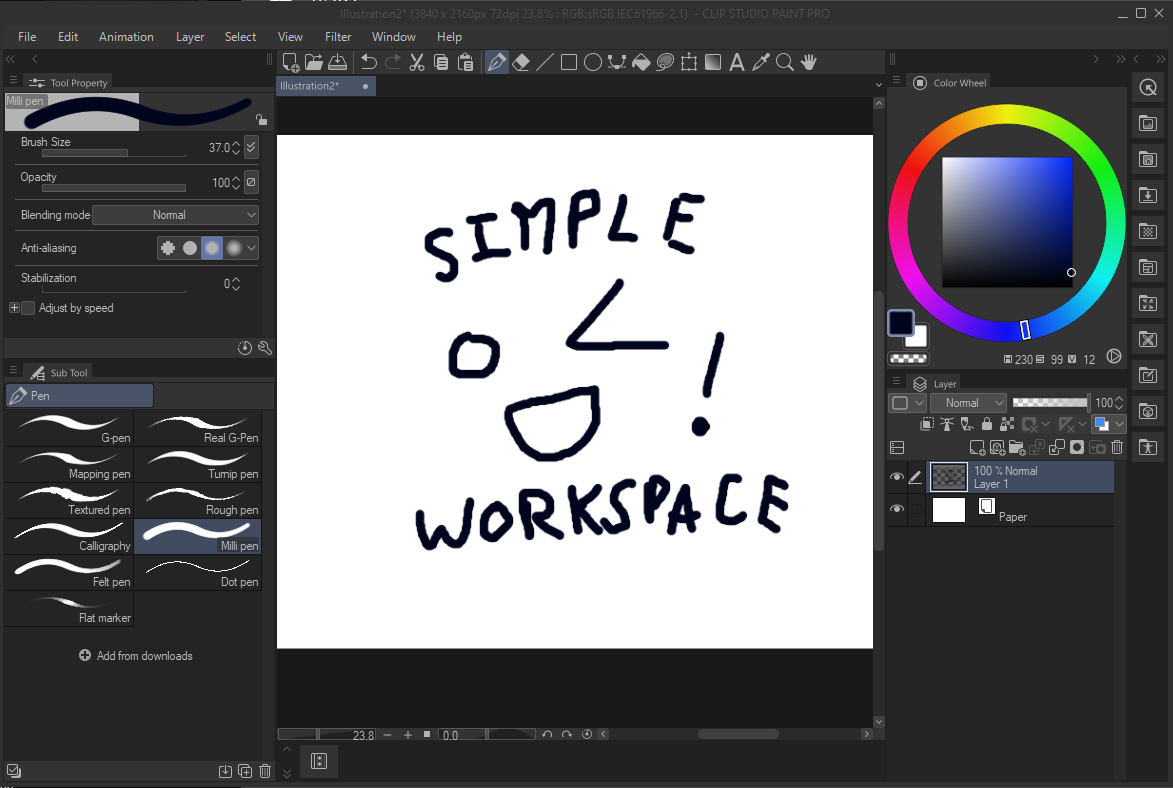
다른 프로그램의 레이아웃은 툴바가 화면 상단에 있었어요. CSP 툴바를 화면 상단으로 수평으로 스냅할 방법이 없어서, 명령어 표시줄을 사용해 다시 만들었습니다. 추가 단축키를 추가하려면(예를 들어 브러시를 여러 개의 별도 도구로 분류해 놓았다면), 명령 표시줄을 우클릭한 후 "명령어 바 설정" -> "메뉴 명령" -> "도구"를 누르면 일반 툴바에 있는 모든 것을 추가할 수 있습니다.
a very barebones setup based off of a friend's layout in another program.
the layout in the other program had the toolbar at the top of the screen. since there's no way to snap the CSP toolbar to the top of the screen horizontally, i recreated it using the command bar. in order to add additional shortcuts (for example, if you have your brushes sorted into multiple separate tools), right click the command bar, then press "command bar settings" -> "menu commands" -> "tools" and everything that would be on the normal toolbar is available to add.


'워크스페이스'의 인기 소재


신규 소재


배지
-
 MVP ◆질문에 적절한 답변을 많이 게시하고 커뮤니티 운영에 크게 공헌한 사용자입니다. MVP는 3개월에 한 번, 그 사이에 획득한 포인트를 바탕으로 결정하고 표창을 실시하고 있습니다.
 -
 NVP(New Valuable Player) ◆MVP 다음으로 커뮤니티 운영에 공헌한 사용자입니다. 이제까지 MVP 수상 경험이 없는 분 중에서 획득한 포인트를 바탕으로 결정하여 표창을 실시하고 있습니다.
 -
 공식 엑스퍼트 ◆뛰어난 응답자의 증표인 MVP수상자 중에서 선택된 커뮤니티에서 가장 뛰어난 응답자의 증표입니다. 심사를 거쳐서 저희 회사에서 의뢰할 경우 취임되십니다.※ 옛 명칭 '에반젤리스트'
 -
 셀시스 공인 모더레이터 ◆모더레이터는 일본어와 기타 언어로 말할 수 있는 셀시스 공인 스태프입니다. 소프트웨어나 창작 전문가가 아니므로 직접 의문을 해결할 수는 없지만 여러분이 순조롭게 소통할 수 있도록 언어나 커뮤니케이션 측면에서 지원합니다.
 -
 셀시스 공식운영에 관련된 공식 계정입니다.