



간단한 잉커 세트 A simple set of inkers
이 팩은 단순하지만, 자연스러운 브러시나 해칭용 브러시가 필요하면 Saturnsday에 있는 Gumroad에 좀 더 멋진 펜도 있습니다. :0
각 펜은 부드럽고 기본적인 펜으로, 대부분의 스타일에 편안하고 사용하기 편하도록 만들어졌습니다. 제가 제안하는 주요 조정점은 다음과 같습니다:
- 각도 - 왼손잡이라면 글씨 방향에 맞게 각도나 두께를 바꿔보세요. 저는 오른손잡이니 본인이 원하는 대로 조정하세요.
- 밀도/불투명도 압력 - 얇고 가늘게 보이는 선을 좋아한다면 밀도/불투명도 압력을 적용하세요.
- 안정화 - 제 기본 설정은 속도가 켜져 있고 0에서 10 사이 어딘가에 있는데, 원하는 설정으로 바꾸세요.
- 틸트 및 회전 - 제 태블릿은 틸트는 지원하지만 회전은 지원하지 않습니다. 틸트가 싫거나 태블릿을 다른 각도로 잡는 게 싫으면 조절하거나 끄세요. 펜이 회전을 지원한다면 마음에 들면 켜세요. :)
모든 펜은 색이 변할 수 있고, 흑백으로도 사용할 수 있습니다. 펜의 느낌을 보여주기 위해 여러 가지 다른 종류의 획을 시도해 보았습니다. 펜의 느낌은 설명하기 어렵기 때문입니다. 펜을 테스트할 때는 자주 그리는 도형(머리카락, 꽃, 눈, 코, 컬, 고양이 등)을 그려보세요. 등등).

(자동 번역을 사용하는 분들을 위해 위에서 아래로요:)
1. 물방울 서예
2. 서예 육수
3. 날카로운 슬라이스 펜
4. 자연 둥근 입자 펜
5. 플랫 브러시 잉크

1. 육각형 펜 (육각형 펜)
2. 리본 잉커
3. 퀼 풀 잉크
4. 분수 닙
5. 클래식 트라이앵글 펠트 팁

1. 날카로운 삼각형
2. 이지 코너
3. 트라이앵글 커터
4. 샤인 포인트 (머리카락이나 물건에 광택을 더하기에 아주 좋아요)
5. 일반 원형 펜 (제가 선호하는 게으른 기본 설정)

1. 스피드 펜, 라운드
2. 스피드 펜, 서예
3. 스피드 펜, 직사각형 (정사각형 두께 조절)
4. 스피드 펜, 평행사변형
5. 스피드 펜, 삼각형
저는 스피드 펜을 좋아해요. 실제 생활에서 쓰는 것과 비슷하거든요. 마음에 들지 않으면 사용하지 않아도 됩니다. :)
또한 영역을 '채우기' 위해 4개의 다른 펜도 포함시켰습니다. 큰 검은색 조각이 있다면 이걸로 채울 수 있습니다.

이 마커들이 단색 검은색의 큰 부분을 음영할 때 다양하고 역동적인 선을 만드는 모습을 모방합니다. 채우기 도구로 검은색 영역을 채운 후, 이걸 사용해 음영 전환을 위해 해칭을 추가할 수도 있습니다. 아래쪽 도형은 추상적인 배경 모양에도 아주 좋아요.
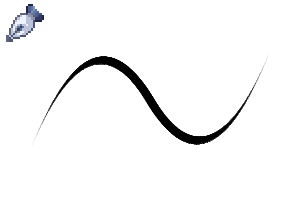
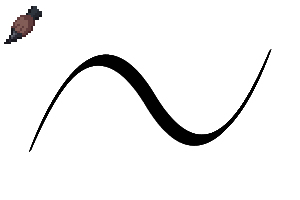
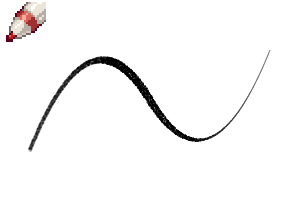
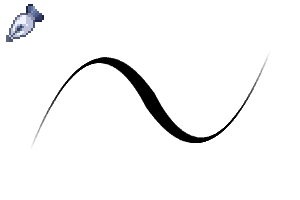
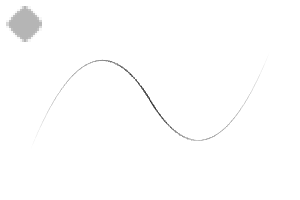
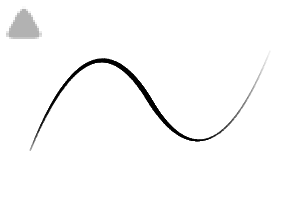
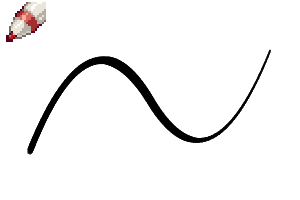
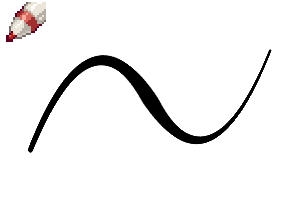
제가 만든 테스트 라인 몇 개예요. 빠르게 했기 때문에 일관성이 없어요, 뭐 어쩔 수 없죠. 각 브러시가 얼마나 다른지 조금이라도 보여줄 수 있길 바랍니다.


This is a simple pack, but I also have some fancier pens on my gumroad at saturnsday if you need some natural looking brushes or hatching brushes. :0
Each pen is a smooth, basic pen, made to be comfortable and easy to use for most styles. The main things I suggest you adjust are:
- Angle - If you are left handed, change the angle or thickness to point the way you write. I'm right handed, so adjust to your liking.
- Density/Opacity Pressure - if you like thin, wispy lines, apply density/opacity pressure.
- Stabilization - My default has speed on & somewhere between 0 and 10, go ahead change it to your preferred setting.
- Tilt & Rotation - My tablet supports tilt, but doesn't support rotation. If you hate tilt or hold your tablet at a different angle, adjust it or turn it off. If your pen supports rotation, turn it on if you like it. :)
All pens can change color, and can be used in monochrome as well. I did several different types of strokes to try and demonstrate how they feel since pen feel is harder to explain. When you test a pen, try to draw shapes you draw a lot (like hair, flowers, eyes, noses, curls, cats, etc.).
(For those using the auto-translate, top to bottom:)
1. Teardrop Calligraphy
2. Calligraphy Hex
3. Sharp Slice Pen
4. Natural Round Particle Pen
5. Flat Brush Ink
1. Hex Pen (Hexagon Pen)
2. Ribbon Inker
3. Quill Pull Ink
4. Fountain Nib
5. Classic Triangle Felt Tip
1. Sharp Triangle
2. Easy Corners
3. Triangle Cutter
4. Shine Point (great for adding shine to hair or objects)
5. Regular Round Pen (my preferred lazy default settings)
1. Speed Pen, Round
2. Speed Pen, Calligraphy
3. Speed Pen, Rectangle (adjust thickness for a square)
4. Speed Pen, Parallelogram
5. Speed Pen, Triangle
I'm a fan of speed pens myself since they're close to what I use in real life. If you don't like them, feel free not to use them. :)
I also included 4 different pens for "filling" an area. If you have a big segment of solid black, you can use these to fill it in.
They mimic the look of markers that can make varied, dynamic lines when shading big sections of solid black. You can also fill in a solid black area with the fill tool, then use these to add hatching for shading transition. The bottom one is great for abstract background shapes as well.
Here's some test lines I did. I did them fast, so they have no consistency, oh well. Hopefully it shows a bit of how different each brush is.
기본 Basic
-
샤인 포인트 Shine Point
-
일반 원형 펜 Regular Round Pen
-
트라이앵글 커터 Triangle Cutter
-
이지 코너스 Easy Corners
-
샤프 트라이앵글 Sharp Triangle
-
클래식 트라이앵글 펠트 팁 Classic Triangle Felt Tip
-
분수 닙 Fountain Nib
-
퀼 풀 잉크 Quill Pull Ink
-
리본 잉커 Ribbon Inker
-
헥스 포인트 Hex Point
-
플랫 브러시 잉크 Flat Brush Ink
-
내추럴 라운드 입자 펜 Natural Round Particle Pen
-
샤프 슬라이스 펜 Sharp Slice Pen
-
서예 헥스 Calligraphy Hex
-
물방울 서예 Teardrop Calligraphy






속도 Speed


솔리드 필 Solid Fill







'saturns_day'님의 다른 소재


'소재집'의 인기 소재


신규 소재




배지
-
 MVP ◆질문에 적절한 답변을 많이 게시하고 커뮤니티 운영에 크게 공헌한 사용자입니다. MVP는 3개월에 한 번, 그 사이에 획득한 포인트를 바탕으로 결정하고 표창을 실시하고 있습니다.
 -
 NVP(New Valuable Player) ◆MVP 다음으로 커뮤니티 운영에 공헌한 사용자입니다. 이제까지 MVP 수상 경험이 없는 분 중에서 획득한 포인트를 바탕으로 결정하여 표창을 실시하고 있습니다.
 -
 공식 엑스퍼트 ◆뛰어난 응답자의 증표인 MVP수상자 중에서 선택된 커뮤니티에서 가장 뛰어난 응답자의 증표입니다. 심사를 거쳐서 저희 회사에서 의뢰할 경우 취임되십니다.※ 옛 명칭 '에반젤리스트'
 -
 셀시스 공인 모더레이터 ◆모더레이터는 일본어와 기타 언어로 말할 수 있는 셀시스 공인 스태프입니다. 소프트웨어나 창작 전문가가 아니므로 직접 의문을 해결할 수는 없지만 여러분이 순조롭게 소통할 수 있도록 언어나 커뮤니케이션 측면에서 지원합니다.
 -
 셀시스 공식운영에 관련된 공식 계정입니다.