



마법진을 쉽게 만들 수 있는 레이어 템플릿. Layer template for easily making magic circles.
이 책은 제 비주얼 노벨의 마법진을 디자인하면서 만든 레이어와 자 세트입니다. 통치자는 가능한 한 보존됩니다. 원을 제외한 모든 층을 벗은 상태에서 시작해요. 원하는 효과를 켜고, 새 레이어로 병합한 다음, 원하는 효과를 사용하세요. 더 재미있는 요소를 더하려면 원형 텍스트, 패턴 브러시 등을 추가할 수 있습니다. "스마트 셰이프"는 더 세부적인 그림을 그리기에 좋습니다.
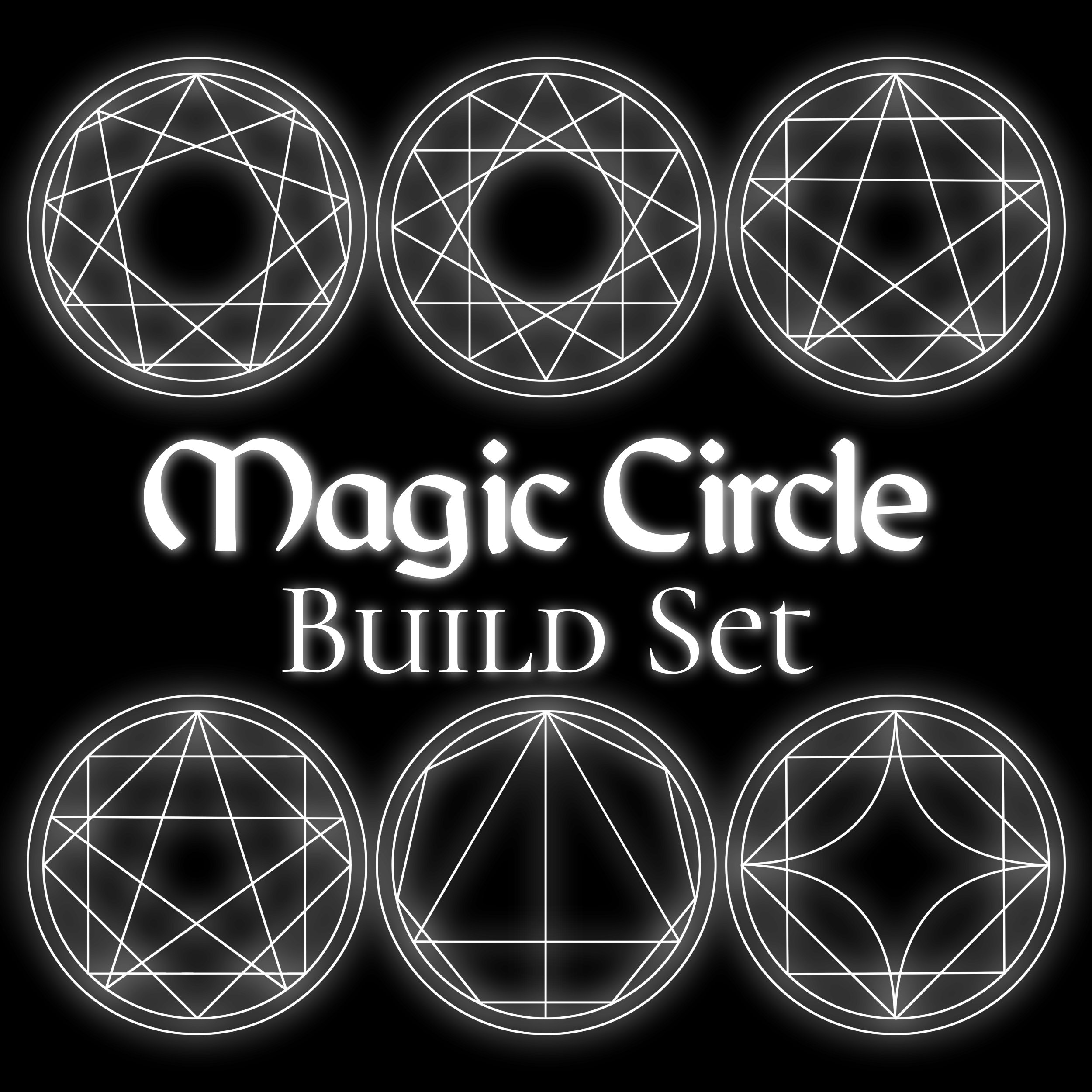
깔끔하게 하려고 했지만, 이것들은 수학적으로 완벽하지 않아요. 처음에는 일부 형태 조합이 약간 어긋날 수 있지만, 모든 것이 벡터 레이어라 조정이 쉬울 것입니다. 프로 팁: "수직/수평 중심 정렬"을 사용해서 사물을 깔끔하게 정렬하세요.
빛을 더하려면 마법진을 복제하고 흐리게 하세요. 가우시안 블러와 방사형 블러가 잘 작동합니다.
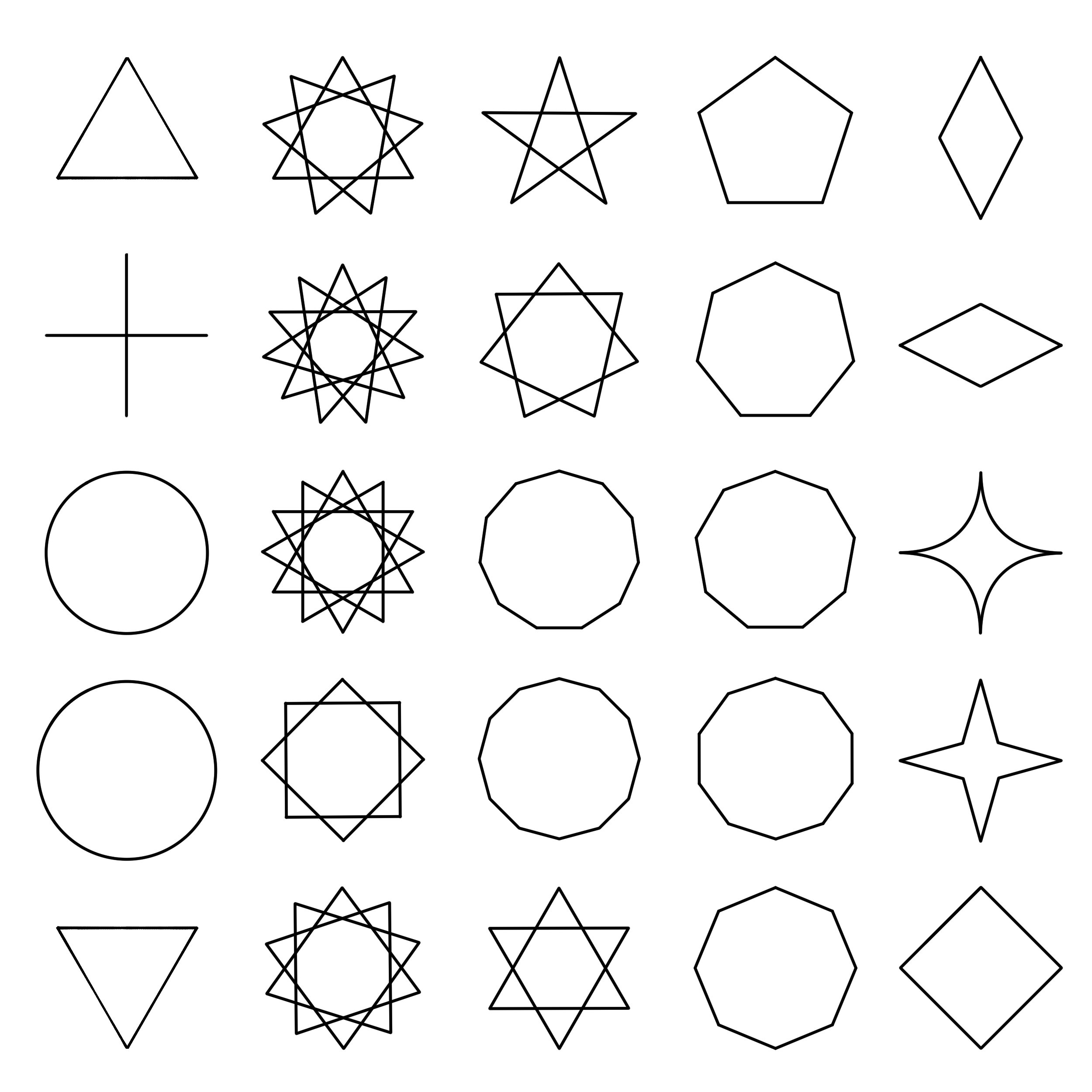
포함된 도형들(아래 사진):
원, 삼각형, 다이아몬드, 정사각형
5개에서 12개의 뾰족한 별 다각형
5개에서 12개의 뾰족 다각형
원, 삼각형, 다이아몬드, 정사각형
5개에서 12개의 뾰족한 별 다각형
5개에서 12개의 뾰족 다각형
즐거운 시간 보내세요! 도움이 되길 바랍니다. :)
It's a set of layers and rulers I set up while designing magic circles for my visual novel. Rulers are preserved where possible. It starts with all the layers off except the circles. Just turn on the ones you want, merge to a new layer, and then use whatever effects you'd like. To add more fun elements, you could add circular text, patterned brushes, etc. "Smart Shape" is great for drawing in more details.
I tried to be tidy, but these are not mathematically perfect. Some combinations of shapes might come out slightly mis-aligned at first, but everything is vector layers so it should be easy to adjust. Pro tip: Use "Align Vertical/Horizontal Centers" to help line things up neatly.
To add a glow, duplicate your magic circle and blur it. Gaussian and radial blurs work well.
Shapes included (pictured below):
Circles, triangles, diamonds and squares
5 to 12 pointed star polygons
5 to 12 pointed polygons
Circles, triangles, diamonds and squares
5 to 12 pointed star polygons
5 to 12 pointed polygons
Have fun! I hope it's useful. :)






'doodlemancy'님의 다른 소재


'레이어 템플릿'의 인기 소재



신규 소재









배지
-
 MVP ◆질문에 적절한 답변을 많이 게시하고 커뮤니티 운영에 크게 공헌한 사용자입니다. MVP는 3개월에 한 번, 그 사이에 획득한 포인트를 바탕으로 결정하고 표창을 실시하고 있습니다.
 -
 NVP(New Valuable Player) ◆MVP 다음으로 커뮤니티 운영에 공헌한 사용자입니다. 이제까지 MVP 수상 경험이 없는 분 중에서 획득한 포인트를 바탕으로 결정하여 표창을 실시하고 있습니다.
 -
 공식 엑스퍼트 ◆뛰어난 응답자의 증표인 MVP수상자 중에서 선택된 커뮤니티에서 가장 뛰어난 응답자의 증표입니다. 심사를 거쳐서 저희 회사에서 의뢰할 경우 취임되십니다.※ 옛 명칭 '에반젤리스트'
 -
 셀시스 공인 모더레이터 ◆모더레이터는 일본어와 기타 언어로 말할 수 있는 셀시스 공인 스태프입니다. 소프트웨어나 창작 전문가가 아니므로 직접 의문을 해결할 수는 없지만 여러분이 순조롭게 소통할 수 있도록 언어나 커뮤니케이션 측면에서 지원합니다.
 -
 셀시스 공식운영에 관련된 공식 계정입니다.