AI 교란 구배 (AI Disturbance Gradient) AI Disturbance Gradient

콘텐츠 ID:2250089

  • 145
  • 무료
이 소재집은 CLIP STUDIO PAINT Ver.2.3.0 이상의 버전에서 사용할 수 있습니다. ( CLIP STUDIO PAINT Ver.2.3.0 설치 )
이 소재집에는 스튜디오 모드에서 이용하실 수 있는 소재가 포함되어 있습니다. (스튜디오 모드란?)

요즘은 인스타그램이나 틱톡에 제 작품을 올리는 게 더 불안해졌지만, 이미지 오버레이를 찾거나 나이트쉐이드를 다운로드하거나 직접 재질 이미지를 만드는 게 너무 귀찮아서 대신 그라데이션을 만들었어요.

이비스 페인트와 온라인에서 아티스트들이 어떻게 하는지 보고 영감을 받았어요.
I've been feeling more anxious about posting my art online to instagram or tiktok nowadays, but I was always too lazy to try to find a image overlay, download nightshade, or make a material image myself, so I made a gradient instead.

I saw how ibis paint and artists online did it so I took some inspiration from them.

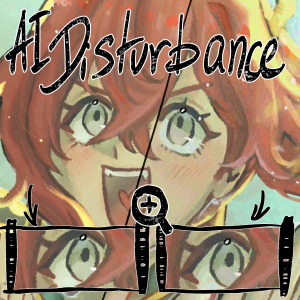
썸네일에서는 차이가 없어 보이지만, 이 이미지를 확대하면 약 5~10% 불투명도에서 약간의 색채 현상이 나타납니다

방해 없음                                                                                                                         5% 불투명도 교란가지 변화가 보이긴 하지만, 그 변화가 크지 않:) 

여기 약 10% 불투명도(썸네일에 사용한 표현)에서 발생하는 방해 현상입니다.

방해 없음                                                                                                                         10% 불투명도 교란

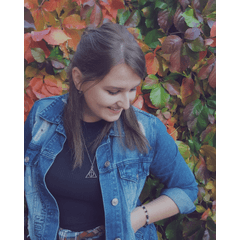
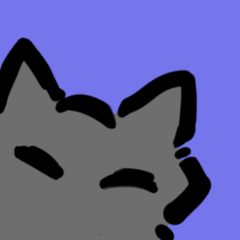
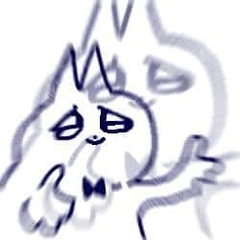
재미로 다른 그라데이션도 만들어봤어요 (다운로드할 때 단일 그라데이션이 아니도록 하려고요)

각각 "Disturbance", "Warm Disturbance", "Cool Disturbance", "TV Stereo"입니다. 처음 쓸 때는 좀 무서워 보여...
개인적으로는 5%가 10%보다 더 잘 보이는데, 최대한 눈에 띄지 않게 만들고 싶기 때문입니다. 하지만 10%는 실제로 더 잘 보일 때 어떻게 보이는지 보여주기 위해 표시한 거예요.

차이는 아주 가까이서 봐야만 느껴져요(자유롭게 확대해도 됩니다). 
이제 진짜 질문 은 , 제가 이 영상을 물질 이미지 대신 그라데이션으로 만들었으니 제가 조언한 대로 작동하는지입니다... 실제로 효과가 있는지는 말씀드릴 수 없지만(AI 훈련 방법을 몰라서), 강화할 방법을 알려드릴 수 있습니다^^

1) liquidfy ->


제가 본 AI 디스멀번스 필터는 모두 이미지였기 때문에, 그림과 완벽하게 일치하는 그라데이션이 얼마나 잘 작동할지 몰랐어요, 그래서... 원한다면 LiquidFy를 사용해 완전히 독특한 색 혼합물을 만들 수도 있습니다. 이미지 가져오는 것보다 이게 더 쉽다는 느낌도 들어요... --;;

2) 상단에 무언가를 그리기 전에 그라디언트를 추가한 뒤, 보이는 모든 것을 새로운 레이어로 합치는 ->


(특히 그라데이션의 영향을 받지 않는 영역이 있을 때 특히 효과적입니다.)
이건 뭐든 할 수 있어요. 직접 그릴 수도 있고, 무작위로 낙서할 수도 있고, 며칠 전에 제가 만든 것처럼 디자인일 수도 있어요...


(10%)

콘텐츠 ID: 2246101


텍스트도 사용할 수 있는데, 꽤 멋진 효과를 주^^ 보는 사람들에게 이스터에그 역할을 할 수도 있어요 ->
(참고로 여기서 5% 불투명도를 사용했습니다)

...

결국 효과가 없다면, 이걸 부드러운 조명에 색감 강화제처럼 적용해서 좀 더 화려하거나 보기 좋게 만드는 방법도 ^o^ 제 생각에는 효과가 있을 거예요

도움이 되었길 바랍니다...
On the thumbnail, it looks like there's no difference, but if you zoom in to this image, you can see there's a small amount of colorization (at about 5~10% opacity)

No Disturbance                                                                                                                        5% Opacity DisturbanceYou can see there's some changes, but the changes aren't very big :) 

Here is the disturbance at about 10% opacity (what I used on the thumbnail)

No Disturbance                                                                                                                        10% Opacity Disturbance

I've also made other gradients for fun (so that when you download this it isn't just a singular gradient)

It's "Disturbance", "Warm Disturbance", "Cool Disturbance", and "TV Stereo" respectively. It kind of look scary when you first use it...
I personally think 5% looks better than 10% since I want it to be as invisible as possible, but I showed 10% just to show how it actually looks when it's more visible.

You only really see the difference when you zoom in really close (feel free to zoom in) 
Now the real question  is whether this works as I advised, since I made this a gradient instead of a material image... I can't speak on whether it actually works or not (because I don't know how to train AI), but I can give you ways to enhance it ^^

1) Using liquidfy ->


Because all the AI Disturbance filters I saw were images, I didn't know how well a gradient that's perfectly aligned to the drawing would work, so... if you felt up for it, you could use liquidfy to make a completely unique mess of colors. I also feel like it's easier to do than importing an image... --;;

2) Drawing something on top before adding the gradient, then merging all visible to new layer ->


(It works especially well when you have an area that looks really unaffected by the gradient.)
You can do this with anything, you could draw it yourself, make random scribbles, or it could be a design, like what I made a few days ago...


(10%)

Content ID: 2246101


You can also use text, it gives a pretty cool effect ^^ it could act like an easter egg for anyone who's looking at it as well ->
(I used 5% opacity here btw)

...

In the end, if it doesn't work, you could just treat this as like a color enhancer that you put on soft light so that it's a bit more colorful or more interesting to look at ^o^ I think it should work though

I hope I helped...

구배 Gradient

콘텐츠 ID:2250089

공개일 : 4 hours ago

갱신일 : 4 hours ago

Danabochi 님의 프로필 ...자세히 보기