



스티커에 보송보송, 반짝임, 홀로그램 같은 느낌을 더할 수 있는 25가지 재료! Twenty five materials that can add to your stickers for a fuzzy, glittery, or holographic look!
이 자료들을 사용하는 방법이 여러 가지라서 조금 길어질 수 있습니다. 원하시면 자유롭게 아래로 스크롤해서 자료를 있는 그대로 살펴보셔도 좋습니다.
반짝이 질감을 원하나요? 색종이 조각 질감을 원하나요? 보송보송한 질감이나 천 같은 질감을 원하나요? 이것들을 한번 시도해 보세요! 4개의 브러시와 21개의 이미지가 준비되어 있어요. 스티커나 작품에 활력을 더할 수 있어요. :D

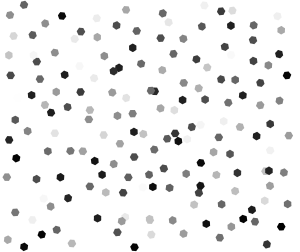
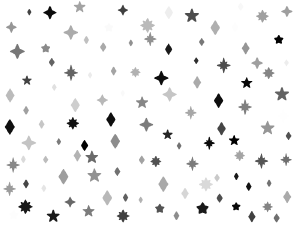
먼저, 브러시들입니다:

이 모든 브러시는 일반 블렌딩 모드로 설정되어 있습니다. 저는 글리터를 별도의 레이어에 추가하고 그 레이어에 블렌딩 모드를 적용하는 것을 좋아합니다. 색상, 스프레이, 블렌딩 모드 등에서 자유롭게 수정하세요. 이것들은 기본적이고 귀여운 모양 브러시로도 사용할 수 있습니다.
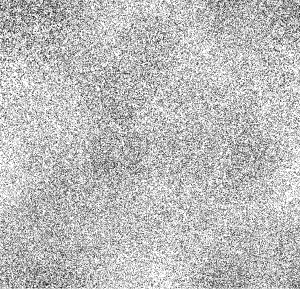
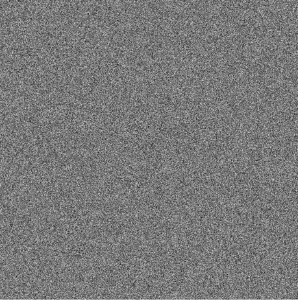
유기농 텍스처:

상단: 오리지널 및 유기농 점들.
중간 작품: 펠트와 라이트 퍼즈.
아래: 도츠와 클래식 노이즈, 흐림.
저는 레이어 속성 "오버레이" 모드를 사용했지만, 직접 실험해보고 본인의 작품에 더 잘 맞는 방법을 찾아보세요. https://help.clip-studio.com/en-us/manual_en/180_layers/Layer_properties.htm#1364172
펠트나 천 같은 느낌을 원하면, 질감을 붙이기 전에 이미지를 흐리게 하는 걸 좋아해요. 그렇게 하면 더 부드럽고 보송보슬해 보입니다.

(왼쪽: 흐림 없음, 오른쪽: 흐림)
텍스처/패턴에 대해 말씀드리겠습니다. 아래에 제가 사용한 레이어 설정을 추가하겠습니다. 제 설정을 복사할 필요는 없으니, 각 패턴은 색상에 따라 다르게 보입니다. 예를 들어, 어두운 오버레이는 어두운 색상과 밝은 색상에 잘 어울리지만, 밝은 색상은 두 가지 모두에서 까다로울 수 있습니다. 원하는 대로 조정하세요.
저는 이런 것들에 클리핑 기능을 사용하는 걸 좋아하지만, 마스킹 기능도 사용할 수 있어요.
클리핑: https://help.clip-studio.com/en-us/manual_en/180_layers/Other_layer_settings.htm#1364239
마스킹: https://help.clip-studio.com/en-us/manual_en/180_layers/Layer_masks.htm
(영어 매뉴얼만 올려서 죄송합니다. 다른 언어로 변환하는 건 쉬울 거예요)

1. 기본 삼각형 그리드 - 레이어 속성 "오버레이". 원래 색상을 어둡게 했습니다.
2. 기본 삼각형 그리드 - BLENDING 모드 "오버레이", 그라데이션 적용.
3. 삼각형 격자 - 더 많은 삼각형. 모드: 글로우 추가.
4. 야생 유리 파동. 모드: 포화.
5. 삼각형 그리드 - 우아한 색상. 모드: 오버레이, 불투명도 44%.
6. 삼각형 그리드 - 홀로그램 오버레이. 모드: 오버레이, 불투명도 70%.

7. 야생 유리 파동. 모드: 오버레이, 100%.
8. 원형 글리터 - 홀로그램 텍스처. 모드: 오버레이, 100%. 원본 이미지의 대비 조정.
9. 원형 글리터 어커. 모드: 분할, 85%.
10. 서클 글리터 어커. 모드: 글로우 도지, 38%.
11. 반짝이 시작 - 홀로그램. 모드: 오버레이, 72%.
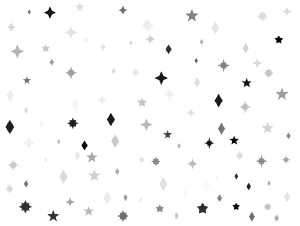
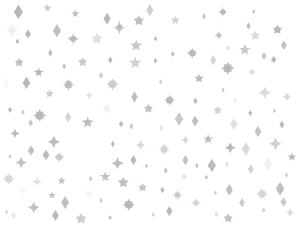
12. 별 반짝임 어두움. 모드: 선형 빛, 100%.

13. 별 글리터 패턴과 그라디언트 패턴 모두.
14. 무늬에만 적용되는 그라데이션이 있는 육각형 패턴.
블렌딩 모드와 조정 레이어로 실험할 수 있는 것은 끝이 없습니다. 색상을 바꾸고 싶다면 그라데이언트 레이어를 사용하거나 이미지 재질을 우클릭한 후 "래스터라이즈"를 눌러 수동으로 조정할 수 있습니다. 그라데이션 레이어에 익숙하지 않으신가요? 여기를 보세요: https://help.clip-studio.com/en-us/manual_en/390_filters/Tonal_Correction_Effects.htm#1364051
반짝이는 스티커에 그라데이션이 필요하신가요? 아래에 여러 개를 만들었어요. 아래 콘텐츠 ID 번호를 복사해서 검색창에 붙여넣으시면 찾을 수 있습니다. :D

하나: 2106625 | 둘: 1963105 | 셋: 2167418 | 넷: 2209830
더 반짝임과 광택이 필요하다면, 예전에 만든 브러시들도 여기 있어요:

1: 1980728 | 2: 2026033 | 3: 2125947 | 4: 2126273
.... 저는 수년간 너무 많은 자산을 올린 것 같아요. 적어도 여러분은 즐기고 있잖아요. ; w; ♥
어쨌든, 즐겁게 보내고 즐기시길 바랍니다!
This is going to be a little long since there's multiple ways to use these materials. Feel free to scroll down and look at the material as-is if you want.
Want a glitter texture? Want a confetti texture? Want a fuzzy or cloth texture? Try these out! There are 4 brushes & 21 images for you to use to give pizazz to your stickers or your art. :D
First, the brushes:
All of these brushes are set to normal blending mode. I like to add the glitter on a separate layer & apply a blending mode to that instead. Feel free to modify them on color, spray, blending mode, etc.. You can also use these as basic cute shape brushes.
The organic textures:
Top: Original & Organic dots.
Middle: Felt & Light Fuzz.
Bottom: Dots & Classic Noise, blurred.
I used the Layer Property "Overlay" mode, but feel free to experiment and see if something works better for your art. https://help.clip-studio.com/en-us/manual_en/180_layers/Layer_properties.htm#1364172
For a Felt or Cloth-like feeling, I like to blur the image before I put the texture on it. That way, it looks softer and fuzzier.
(Left: No blur, Right: Blur)
The textures/patterns. I'll add what layer settings I used below. You don't have to copy my settings as each pattern will look different on different colors. For example, the darker overlays work great with darker colors and lighter colors, while the lighter colors can be finicky on both. Adjust them to your liking.
I like using the clipping function for these, but you can also use the masking function.
Clipping: https://help.clip-studio.com/en-us/manual_en/180_layers/Other_layer_settings.htm#1364239
Masking: https://help.clip-studio.com/en-us/manual_en/180_layers/Layer_masks.htm
(Apologies as usual for only posting the English manual, it should be easy to convert to other languages)
1. Basic Triangle Grid - Layer Property "Overlay". Darkened original colors.
2. Basic Triangle Grid - BLENDING Mode "overlay", gradient applied.
3. triangle grid - more triangles. Mode: Add glow.
4. Wild Glass Wave. Mode: Saturation.
5. Triangle Grid - Elegant Color. Mode: Overlay, 44% opacity.
6. Triangle Grid - Holographic Overlay. Mode: Overlay, 70% opacity.
7. Wild glass wave. Mode: Overlay, 100%.
8. Circle Glitter - Holographic Texture. Mode: overlay, 100%. Adjusted contrast of original image.
9. Circle Glitter Darker. Mode: Divide, 85%.
10. Circle Glitter Darker. Mode: Glow Dodge, 38%.
11. Start Glitter - Holographic. Mode: Overlay, 72%.
12. Star Glitter Darker. Mode: Linear Light, 100%.
13. Star Glitter Pattern with Gradient over both.
14. Hexagon Pattern with gradient, only applied to pattern.
The experimentation you can do with blending modes and adjustment layers are endless. If you want to change the colors, you can use a gradient layer or adjust them manually by right clicking the image material, then clicking "rasterize". Unfamiliar with gradient layers? Look here: https://help.clip-studio.com/en-us/manual_en/390_filters/Tonal_Correction_Effects.htm#1364051
Need some gradients for your shiny stickers? I've made several below. Just copy & paste the content ID numbers below into the search bar to find them. :D
One: 2106625 | Two: 1963105 | Three: 2167418 | Four: 2209830
If you need more sparkles & shine, here's some brushes I made a while back as well:
One: 1980728 | Two: 2026033 | Three: 2125947 | Four: 2126273
....I think I've posted way too many assets over the years. At least you guys enjoy them. ;w; ♥
Anyway, hope you have fun and enjoy!
브러시 Brushes


텍스처 및 패턴 Textures & Patterns
-
펠트 텍스트 felt text
-
유기 점들 organic dots
-
가벼운 플러프 텍스트 light fluff txt
-
점 텍스처 dot texture
-
클래식 노이즈가 부드럽게 classic noise smoothed
-
삼각형 격자 - 리본 triangle grid - ribbon
-
삼각형 그리드 - 흑백 triangle grid - black & white
-
헥스 샤인 hex shine
-
헥스 샤이니 2 hex shiny 2
-
별 글리터 패턴 1 star glitter pattern 1
-
별 반짝이 패턴 페이드 1 star glitter pattern fade 1
-
스타 페이드 글리터 2 star fade glitter 2
-
별 글리터 패턴 2 star glitter pattern 2
-
별 반짝이 무늬 star glitter pattern







색상 패턴 Color Patterns
-
서클 글리터 - 홀로그램 텍스처 circle glitter - holographic texture
-
서클 글리터 - 홀로그램 오버레이 더 어둡게 circle glitter - holographic overlay darker
-
삼각형 격자 - 홀로그램 오버레이 triangle grid - holographic overlay
-
삼각형 그리드 - 우아한 색상 오버레이 triangle grid - elegant color overlay
-
별 반짝이 - 홀로그램 오버레이 star glitter - holographic overlay
-
스타 글리터 - 오버레이 2 star glitter - overlay 2
-
야생 유리 파동 오버레이 wild glass wave overlay






'saturns_day'님의 다른 소재


'소재집'의 인기 소재


신규 소재


배지
-
 MVP ◆질문에 적절한 답변을 많이 게시하고 커뮤니티 운영에 크게 공헌한 사용자입니다. MVP는 3개월에 한 번, 그 사이에 획득한 포인트를 바탕으로 결정하고 표창을 실시하고 있습니다.
 -
 NVP(New Valuable Player) ◆MVP 다음으로 커뮤니티 운영에 공헌한 사용자입니다. 이제까지 MVP 수상 경험이 없는 분 중에서 획득한 포인트를 바탕으로 결정하여 표창을 실시하고 있습니다.
 -
 공식 엑스퍼트 ◆뛰어난 응답자의 증표인 MVP수상자 중에서 선택된 커뮤니티에서 가장 뛰어난 응답자의 증표입니다. 심사를 거쳐서 저희 회사에서 의뢰할 경우 취임되십니다.※ 옛 명칭 '에반젤리스트'
 -
 셀시스 공인 모더레이터 ◆모더레이터는 일본어와 기타 언어로 말할 수 있는 셀시스 공인 스태프입니다. 소프트웨어나 창작 전문가가 아니므로 직접 의문을 해결할 수는 없지만 여러분이 순조롭게 소통할 수 있도록 언어나 커뮤니케이션 측면에서 지원합니다.
 -
 셀시스 공식운영에 관련된 공식 계정입니다.