


REACTION DIFFUSION 액션 팩 (REACTION DIFFUSION action pack) REACTION DIFFUSION action pack
콘텐츠 ID:2142803
-
943
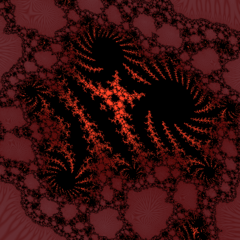

실제 반응 확산을 기반으로 하는 절차적 필터의 액션 팩입니다. 멋지지 않나요? An action pack of procedural filters that based on actual reaction deffusion. Cool, right?

REACTION DIFFUSION 액션 팩을 소개합니다!
당신은 만화가이거나 일러스트레이터인데, 유기적인 패턴을 그리는 거죠... 유기농은 때때로 매우 답답하고 반복적일 수 있습니다. 이러한 행동을 통해 산호, 동물, 식물, 모래 등 자연에서 나타나는 자연의 패턴을 쉽게 구현할 수 있습니다!
내장 클립 스튜디오 페인트 필터와 약간의 조정도 가능합니다! 완전히 수학과 AI 없이!
이 과정은 자원을 많이 소모하기 때문에 필터 적용 시 PC가 어려움을 겪을 수 있고, 심지어 소프트웨어가 너무 무너질 수도 있으니 2000 px 이하의 이미지에는 사용하세요.


어떻게 작동하나요?
행동 목록이 길고, 그 중 일부는 SPOT GEN 도구처럼 자체 기능을 가지고 있습니다.
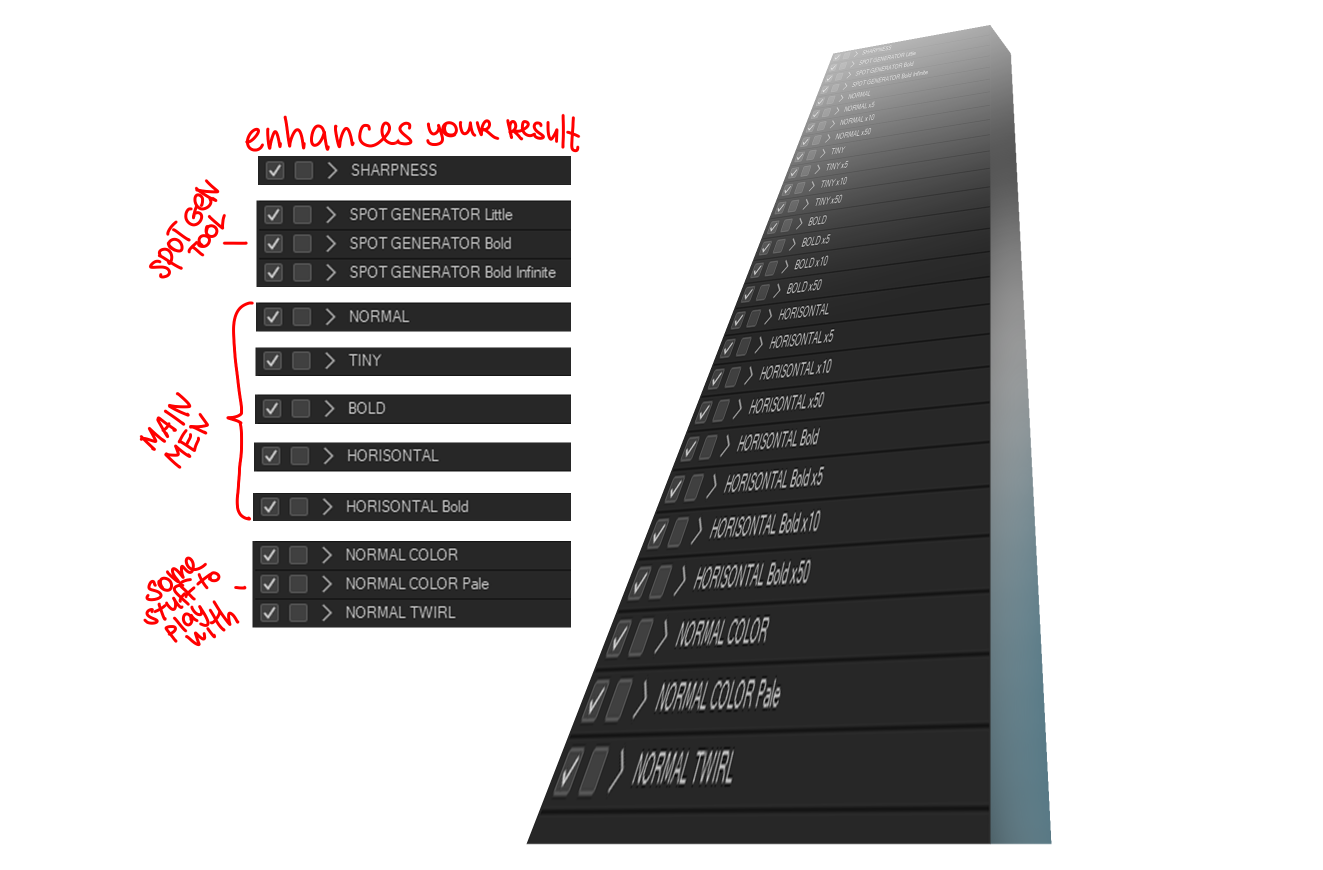
이 동작들을 효율적으로 사용하는 방법에 대한 간단한 튜토리얼이 있습니다:
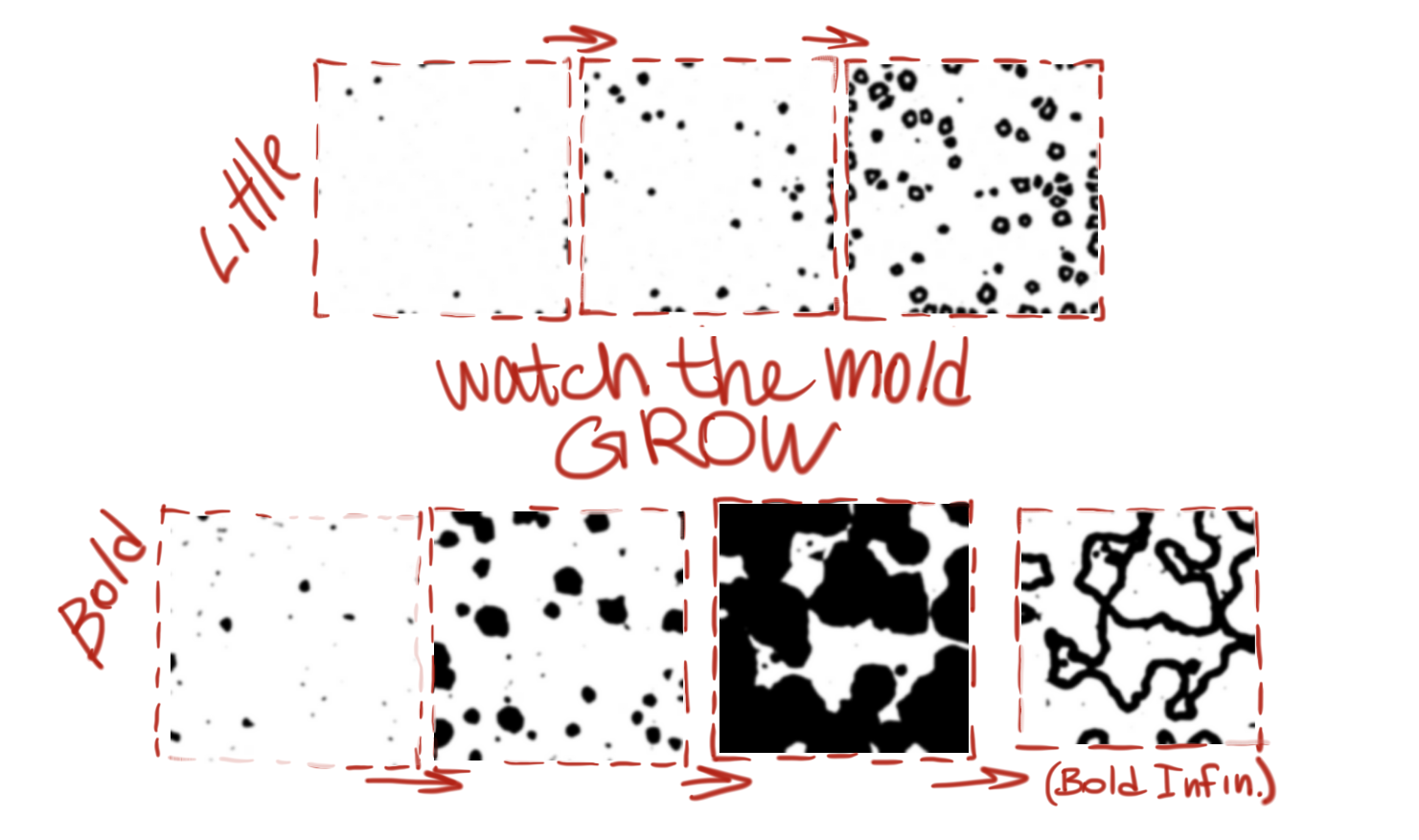
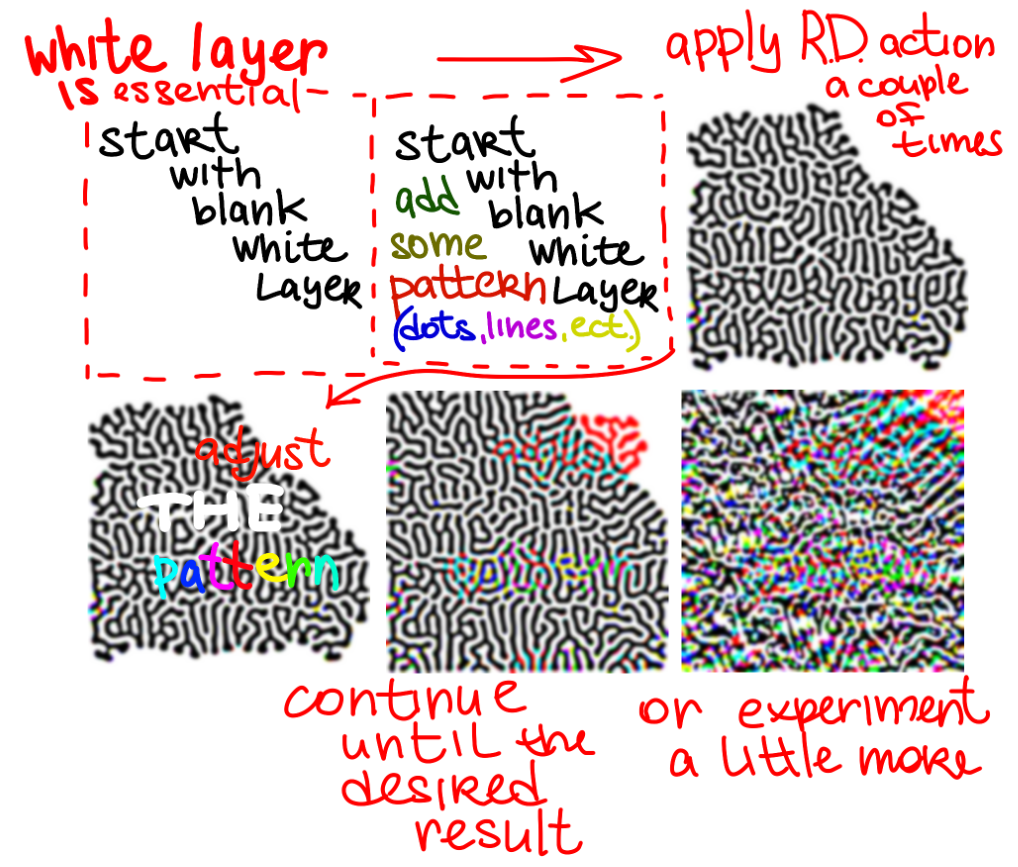 필요한 것은 흰색(투명이 아닌) 레이어와 손으로 그리거나 스팟 생성 도구로 생성한 패턴 몇 가지뿐입니다. 패턴은 귀여운 작은 점액 곰팡이처럼 '자라는' 기반이 필요합니다.
행동 목록이 길고, 그 중 일부는 SPOT GEN 도구처럼 자체 기능을 가지고 있습니다.
이 동작들을 효율적으로 사용하는 방법에 대한 간단한 튜토리얼이 있습니다:
SPOT GENERATOR 도구는 어떻게 작동하나요? 항상 똑같은 흰색 레이어를 사용하고 그 활성 레이어에서 액션을 실행하면 됩니다. 보는 재미가 꽤 있어요.
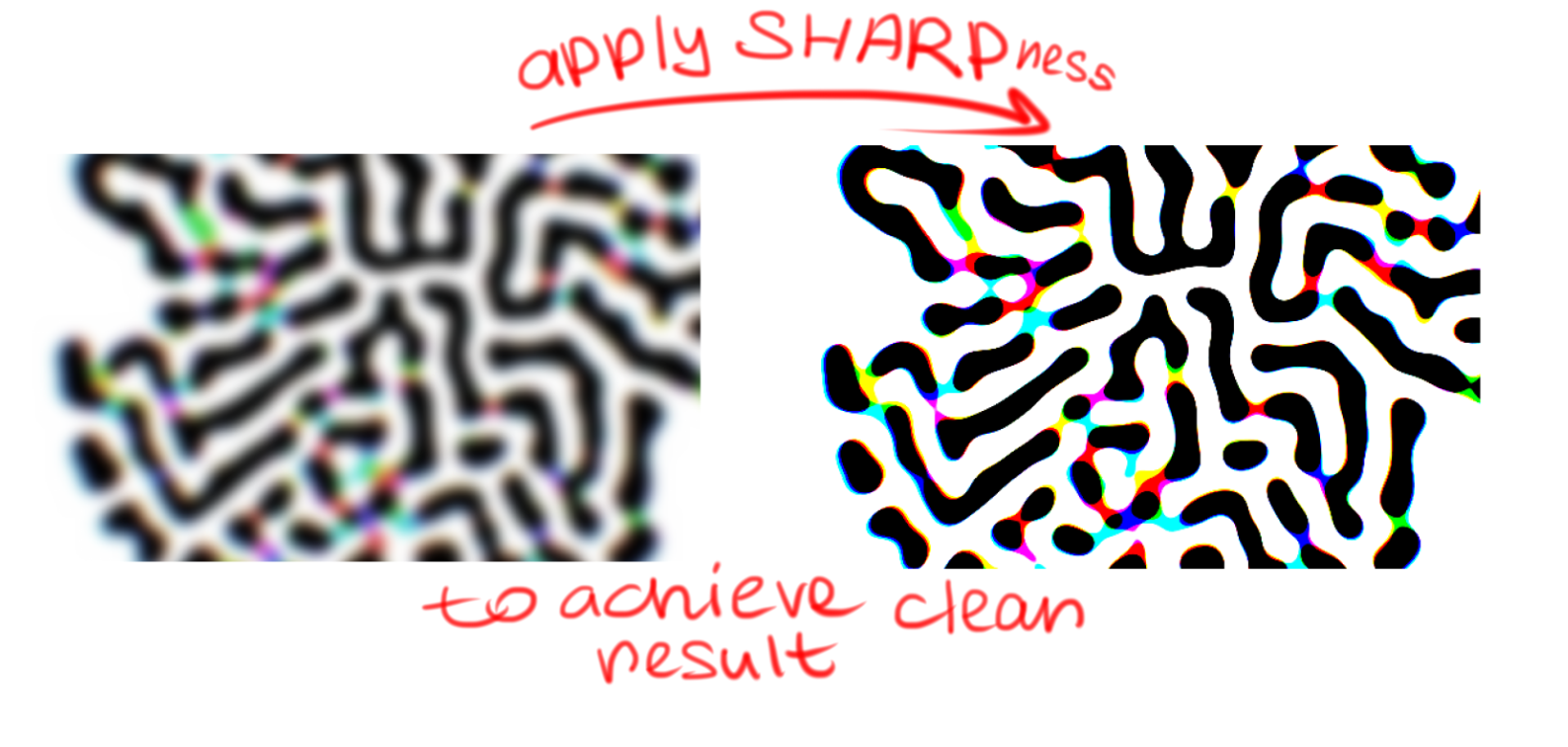
모든 동작이 흐릿한 이미지를 생성하는데, 알고리즘이 확산에 기반하고 있어서 이름에도 그렇습니다. 짜증나는(아름답은) 흐림을 피하려면 SHARPNESS를 사용하세요.
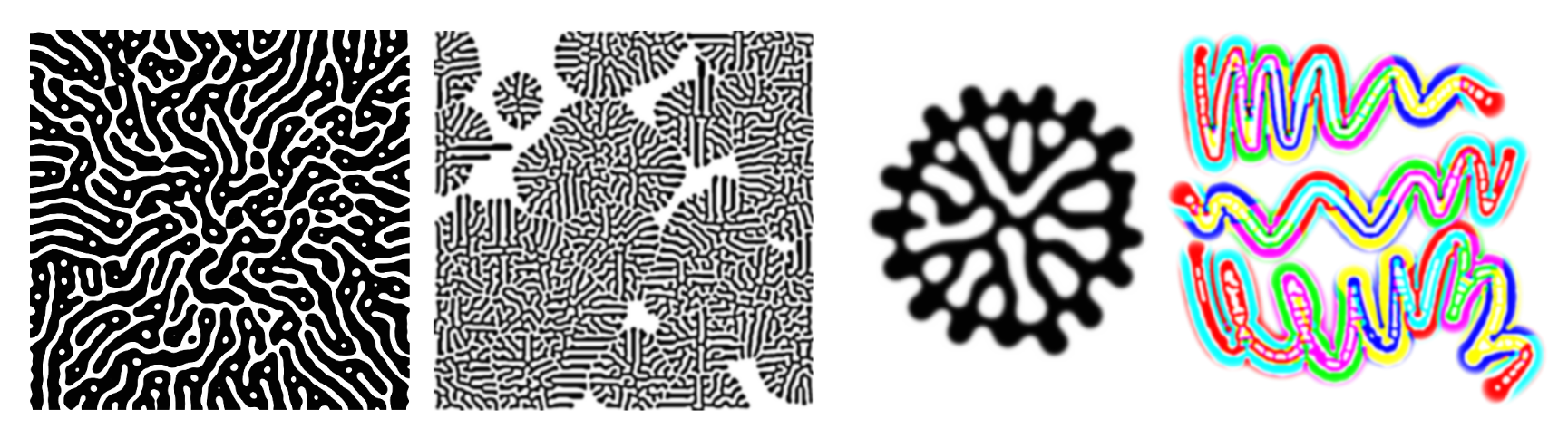
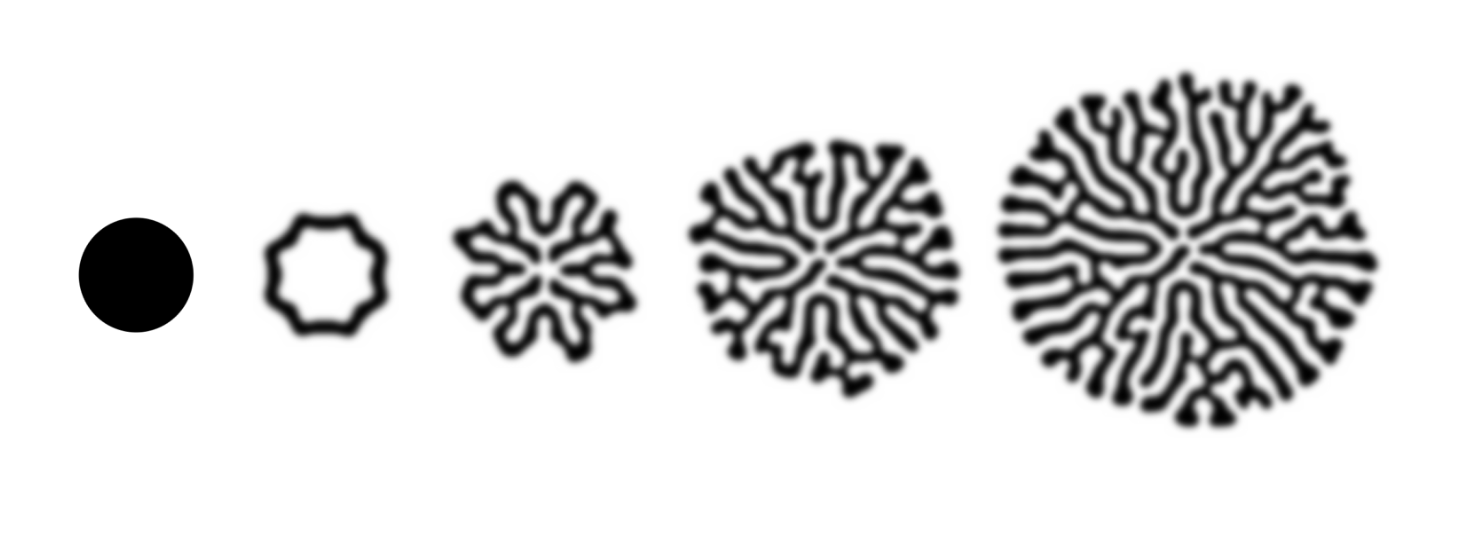
다음은 그 행동들을 어떻게 활용할 수 있는지에 대한 몇 가지 예시입니다:
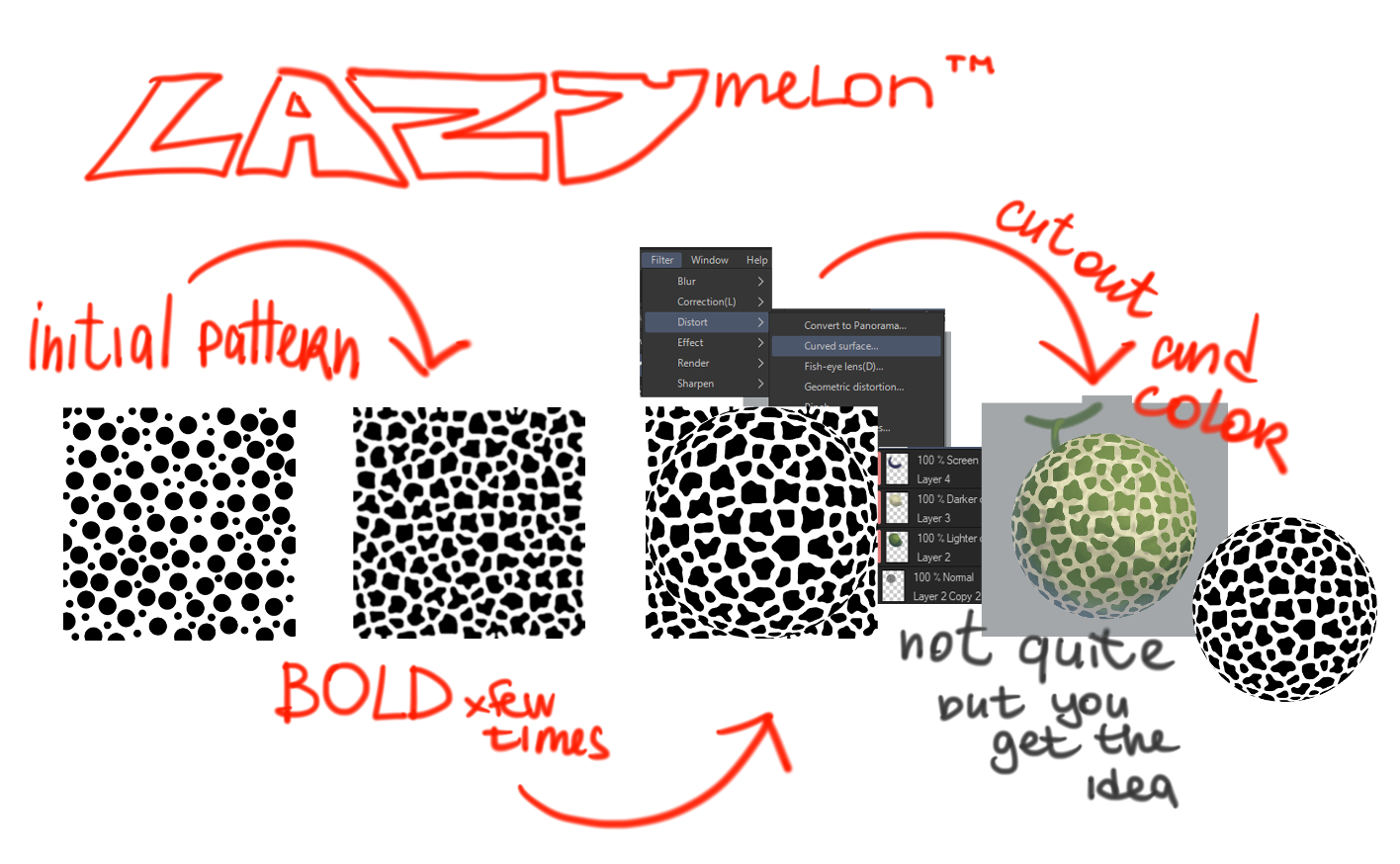
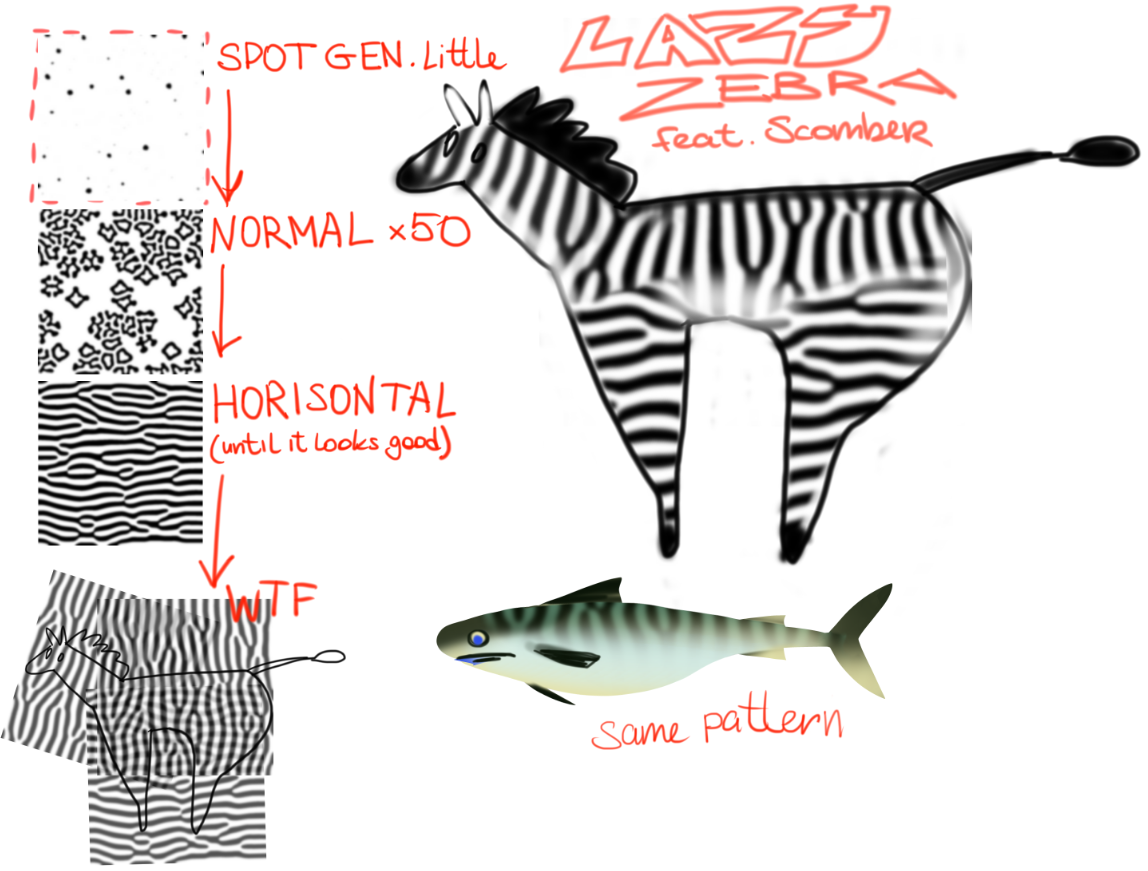
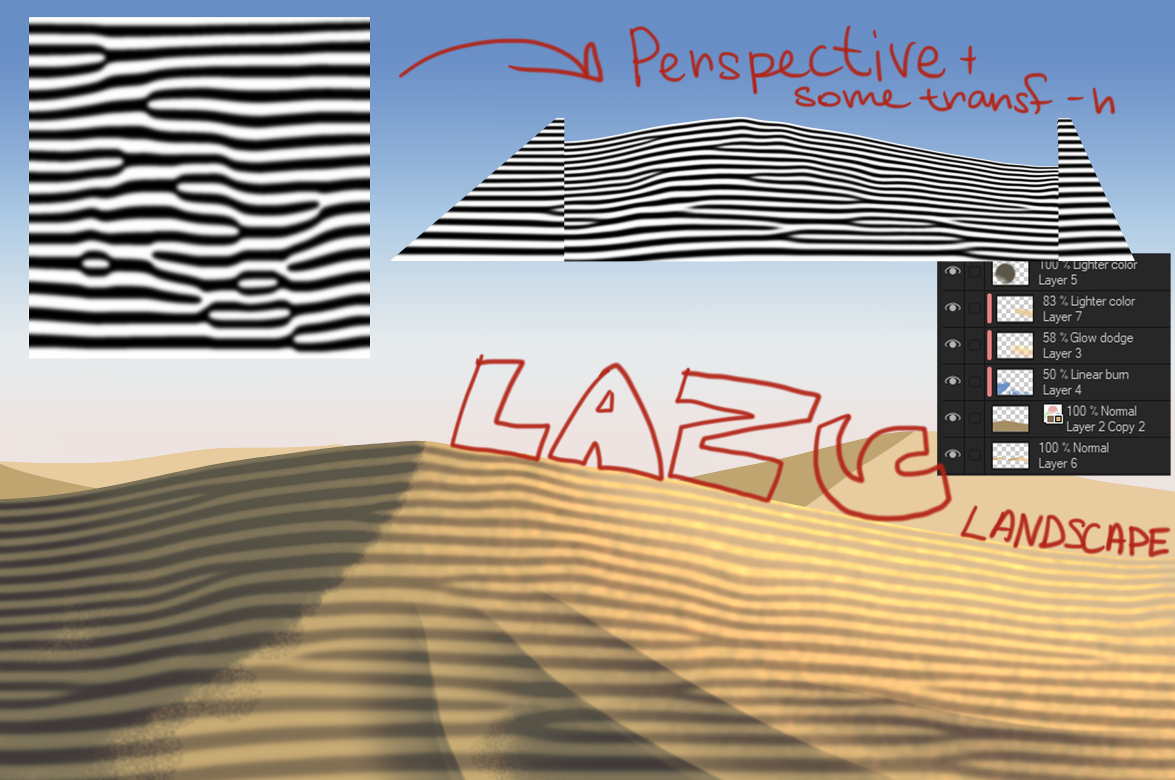
필터를 여러 번 시도해보고 어디로 이어지는지 지켜보세요. 직접 패턴, 텍스처, 브러시 등을 만드는 데 사용하세요. 부디 즐기세요!
Introducing REACTION DIFFUSION action pack!
Either you're a manga artist or an illustrator, drawing organic patterns that look... organic is sometimes very frustrating and repetitive. With these actions you can easily achieve natural patterns that appear in nature such as corals, animals, plants, sands, all our friends!
It works on build-in Clip Studio Paint filters and some tweaks! Completely math-free and AI-free!
Since it's a resource-intensive process, your PC might struggle during filter application, it could even crush the software, so use it on image below 2000 px.
How does it work?
You have a long list of actions, some of them have their own functions, like SPOT GEN tools.
Here's a little tutorial on how to use those actions efficiently:
All you need is a white (not a transparent) layer and some pattern, either drawen by hand or generated with spot gen tools. A pattern needs a base to 'grow' from, like a cute little slime mold.
You have a long list of actions, some of them have their own functions, like SPOT GEN tools.
Here's a little tutorial on how to use those actions efficiently:
How does SPOT GENERATOR tools work? You need the same old white layer and just play the action on that active layer. It's pretty fun to watch.
All of the actions are generating blurry images, because of their algorithm is based on diffusing, it's in the name. To avoid annoying (beautiful) blur, use SHARPNESS.
Here's a few examples on how you could use those actions:
Play around with filters and see where it leads you. Use it to create your own patterns/textures/brushes ect. Please, enjoy!


'aqoolka'님의 다른 소재


'오토 액션'의 인기 소재


신규 소재




배지
-
 MVP ◆질문에 적절한 답변을 많이 게시하고 커뮤니티 운영에 크게 공헌한 사용자입니다. MVP는 3개월에 한 번, 그 사이에 획득한 포인트를 바탕으로 결정하고 표창을 실시하고 있습니다.
 -
 NVP(New Valuable Player) ◆MVP 다음으로 커뮤니티 운영에 공헌한 사용자입니다. 이제까지 MVP 수상 경험이 없는 분 중에서 획득한 포인트를 바탕으로 결정하여 표창을 실시하고 있습니다.
 -
 공식 엑스퍼트 ◆뛰어난 응답자의 증표인 MVP수상자 중에서 선택된 커뮤니티에서 가장 뛰어난 응답자의 증표입니다. 심사를 거쳐서 저희 회사에서 의뢰할 경우 취임되십니다.※ 옛 명칭 '에반젤리스트'
 -
 셀시스 공인 모더레이터 ◆모더레이터는 일본어와 기타 언어로 말할 수 있는 셀시스 공인 스태프입니다. 소프트웨어나 창작 전문가가 아니므로 직접 의문을 해결할 수는 없지만 여러분이 순조롭게 소통할 수 있도록 언어나 커뮤니케이션 측면에서 지원합니다.
 -
 셀시스 공식운영에 관련된 공식 계정입니다.