



오토 액션이 높은 키 값으로 사진을 보정하는 기능입니다! It is the auto action that corrects the picture with high key value!
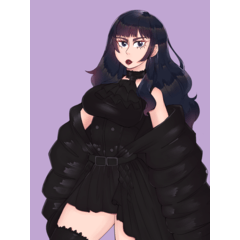
아래 모든 캐릭터와 아트워크는 제 작품입니다
사용 방법:
상단 레이어를 선택한 후 이 자동 행동을 실행하세요


위 예시처럼 완전한 음영, 높은 대비, 칙칙한 색상의 그림에 추천 합니다
셀 셰이딩보다 부드러운 음영이 더 잘 맞습니다
3번째 레이어에서 그라디언트 맵과 블렌드모드를 변경할 수 있어 더 많은 옵션을 얻을 수 있습니다
결과가 너무 채도가 높으면 2층에서 밝기를 높이고 대비를 줄이세요

All characters and artworks below are mine
How to use:
Select the top layer then run this auto action
Recommend for the paintings with full shading, high contrast, dull color like the example above
Works better with soft shading than cel shading
You can change gradient map and blendmode in the 3rd layer for more options
If the result is too saturated, increase brightness and reduce contrast in the 2nd layer
구 버전






'DuoLyly'님의 다른 소재


'오토 액션'의 인기 소재


신규 소재



배지
-
 MVP ◆질문에 적절한 답변을 많이 게시하고 커뮤니티 운영에 크게 공헌한 사용자입니다. MVP는 3개월에 한 번, 그 사이에 획득한 포인트를 바탕으로 결정하고 표창을 실시하고 있습니다.
 -
 NVP(New Valuable Player) ◆MVP 다음으로 커뮤니티 운영에 공헌한 사용자입니다. 이제까지 MVP 수상 경험이 없는 분 중에서 획득한 포인트를 바탕으로 결정하여 표창을 실시하고 있습니다.
 -
 공식 엑스퍼트 ◆뛰어난 응답자의 증표인 MVP수상자 중에서 선택된 커뮤니티에서 가장 뛰어난 응답자의 증표입니다. 심사를 거쳐서 저희 회사에서 의뢰할 경우 취임되십니다.※ 옛 명칭 '에반젤리스트'
 -
 셀시스 공인 모더레이터 ◆모더레이터는 일본어와 기타 언어로 말할 수 있는 셀시스 공인 스태프입니다. 소프트웨어나 창작 전문가가 아니므로 직접 의문을 해결할 수는 없지만 여러분이 순조롭게 소통할 수 있도록 언어나 커뮤니케이션 측면에서 지원합니다.
 -
 셀시스 공식운영에 관련된 공식 계정입니다.