


by
 ◆
◆
◆

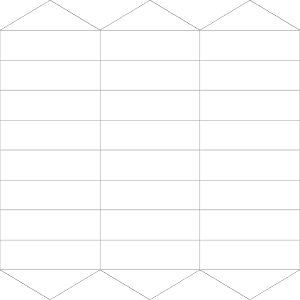
다양한 미리 만들어진 빈 프리미티브 텍스처가 있는 심플한 이미지 소재 팩. A simple image material pack with various premade blank primitives texture.
안녕 모두!
나는 새로운 CSP 업데이트, 특히 3D 업데이트에 매우 흥분. 나는 CSP에 대한 전체 kitbash 키트를 만들었습니다, 상상 ...
여기에서 무료로 찾을 수 있습니다.
https://lennybunny.gumroad.com/l/duhok
정말 나를 공격 뭔가 단순히 클릭하고 재료 폴더에서 드래그하여 원시에 텍스처를 추가 할 수 있다는 사실이다. 하지만 다음을 수행해야 합니다.
- 원시의 기본 맵 내보내기
- 컴퓨터에 저장
- 컴퓨터에서 찾기
- 그거 여세요
- 그것에 그리기
- 저장
- 사용
이 간단한 빈 이미지 팩을 만들어 모든 단계를 간단하게 줄입니다.
- 새 캔버스 만들기
- 캔버스에서 이미지를 클릭하고 드래그합니다.
- 그것에 그리기
- 재료에 저장
그리고 당신은 그것을 사용할 수 있습니다,이 방법으로 당신은 당신의 컴퓨터에 폴더를 열지 않고 클립 스튜디오 페인트 내부의 전체 프로세스에 남아있을 수 있습니다.
이 간단한 이미지 자료는 다음과 같은 것으로 구성됩니다.
- 큐브 베이스 맵
- 평면 베이스 맵
- 프리즘 3 사이드 맵
- 프리즘 5 사이드 맵
- 프리즘 7 사이드 맵
- 프리즘 8 사이드 맵
- 프리즘 9 사이드 맵
- 프리즘 10 사이드 맵
- 프리즘 베이스 맵
- 프리즘 서클 맵
- 구 3x2 맵
- 구 3x10 맵
- 구 10x2 맵
- 구 10x10 맵
- 구 베이스 맵
모든 텍스처는 1024px 의 큰. 텍스처 크기를 늘리려면 [편집] > [ 이미지 해상도 변경]으로 이동합니다. 2를 곱하면 2K 텍스처가 있으며, 4k 텍스처를 곱하면 4K 텍스처가 있습니다.
Hi everybody!
I'm pretty excited with the new CSP update, especially for the 3D one. I've even made a full kitbash kit for CSP, imagine that...
You can find it here for free
https://lennybunny.gumroad.com/l/duhok
Something that really striked me it's the fact that you can add textures to the primitives by simply clicking and dragging from your material folder. But you need to:
- Export the Base map of your primitive
- Save it in your computer
- Find it in your computer
- Open it
- Draw on it
- Save it
- Use it
I've created this simple blank image pack to reduce all the steps to merely
- Create a new canvas
- Click and drag the image on the canvas
- Draw on it
- Save it on your materials
And you can use it, in this way you can remain for the whole process inside Clip Studio Paint without opening folders in your computer.
This simple image material it's composed of:
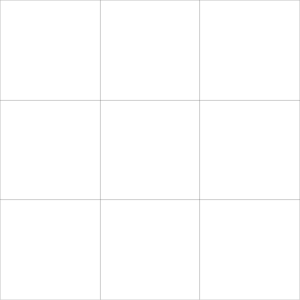
- Cube base map
- Plane base map
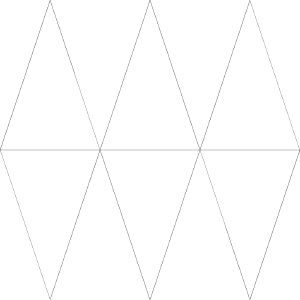
- Prism 3 side map
- Prism 5 side map
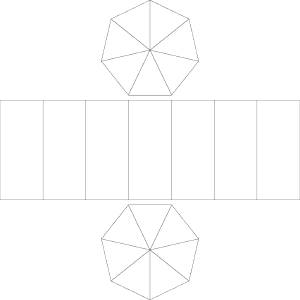
- Prism 7 side map
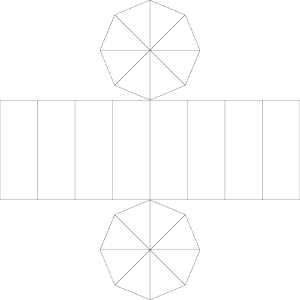
- Prism 8 side map
- Prism 9 side map
- Prism 10 side map
- Prism base map
- Prism circle map
- Sphere 3x2 map
- Sphere 3x10 map
- Sphere 10x2 map
- Sphere 10x10 map
- Sphere base map
Every texture it's 1024px large. To increase the texture size just go to [ Edit ] > [ Change image resolution ]. If you multiply for 2 you will have a 2k texture, if you multiply it for 4 you will have a 4k texture and so on
카테고리 1 Category 1
-
프리즘 9 사이드 맵 Prism 9 side map
-
큐브 베이스 맵 Cube base map
-
평면 베이스 맵 Plane base map
-
프리즘 3 사이드 맵 Prism 3 side map
-
프리즘 5 사이드 맵 Prism 5 side map
-
프리즘 7 사이드 맵 Prism 7 side map
-
프리즘 8 사이드 맵 Prism 8 side map
-
프리즘 10 사이드 맵 Prism 10 side map
-
프리즘 베이스 맵 Prism base map
-
프리즘 서클 맵 Prism circle map
-
구 3x2 맵 Sphere 3x2 map
-
구 3x10 맵 Sphere 3x10 map
-
구 10x2 맵 Sphere 10x2 map
-
구 10x10 맵 Sphere 10x10 map
-
구 베이스 맵 Sphere base map








'Lennybunny'님의 다른 소재


'소재집'의 인기 소재


신규 소재




배지
-
 MVP ◆질문에 적절한 답변을 많이 게시하고 커뮤니티 운영에 크게 공헌한 사용자입니다. MVP는 3개월에 한 번, 그 사이에 획득한 포인트를 바탕으로 결정하고 표창을 실시하고 있습니다.
 -
 NVP(New Valuable Player) ◆MVP 다음으로 커뮤니티 운영에 공헌한 사용자입니다. 이제까지 MVP 수상 경험이 없는 분 중에서 획득한 포인트를 바탕으로 결정하여 표창을 실시하고 있습니다.
 -
 공식 엑스퍼트 ◆뛰어난 응답자의 증표인 MVP수상자 중에서 선택된 커뮤니티에서 가장 뛰어난 응답자의 증표입니다. 심사를 거쳐서 저희 회사에서 의뢰할 경우 취임되십니다.※ 옛 명칭 '에반젤리스트'
 -
 셀시스 공인 모더레이터 ◆모더레이터는 일본어와 기타 언어로 말할 수 있는 셀시스 공인 스태프입니다. 소프트웨어나 창작 전문가가 아니므로 직접 의문을 해결할 수는 없지만 여러분이 순조롭게 소통할 수 있도록 언어나 커뮤니케이션 측면에서 지원합니다.
 -
 셀시스 공식운영에 관련된 공식 계정입니다.