



전보 스티커에 대한 스트로크와 그림자를 만들기위한 원 클릭 솔루션! A one-click solution to making the stroke and drop shadow for your Telegram stickers!
나는 내 전보 스티커를 만들기위한 움직임을 통해 가는 피곤, 그래서 나는 당신과 함께이것을 공유하기로 결정했다!
이것은 쉽게 당신이 길 잃은 라인이없는 것을 다시 확인하거나, 당신이 원하는 곳 드롭 그림자를 확인하기 위해 한 층 (바람직하게는 회색)와 512x512 캔버스에서 이루어집니다!
이것은 당신의 이미지를 병합, 주위에 스트로크를 넣어, 드롭 그림자를 확인하고, 대부분의 전보 스티커처럼 보이도록 아래로 이동!


I got tired of going through the motions for making my Telegram stickers, so I decided to share this with you!
This is easily done on a 512x512 canvas with one layer (preferably gray) to double check that you don't have stray lines, or to make sure the drop shadow is where you want it!
This will merge your image, put a stroke around it, make a drop shadow, and move it down so it looks like most Telegram stickers!





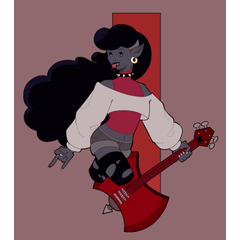
'MattsyKun'님의 다른 소재

'오토 액션'의 인기 소재





신규 소재


배지
-
 MVP ◆질문에 적절한 답변을 많이 게시하고 커뮤니티 운영에 크게 공헌한 사용자입니다. MVP는 3개월에 한 번, 그 사이에 획득한 포인트를 바탕으로 결정하고 표창을 실시하고 있습니다.
 -
 NVP(New Valuable Player) ◆MVP 다음으로 커뮤니티 운영에 공헌한 사용자입니다. 이제까지 MVP 수상 경험이 없는 분 중에서 획득한 포인트를 바탕으로 결정하여 표창을 실시하고 있습니다.
 -
 공식 엑스퍼트 ◆뛰어난 응답자의 증표인 MVP수상자 중에서 선택된 커뮤니티에서 가장 뛰어난 응답자의 증표입니다. 심사를 거쳐서 저희 회사에서 의뢰할 경우 취임되십니다.※ 옛 명칭 '에반젤리스트'
 -
 셀시스 공인 모더레이터 ◆모더레이터는 일본어와 기타 언어로 말할 수 있는 셀시스 공인 스태프입니다. 소프트웨어나 창작 전문가가 아니므로 직접 의문을 해결할 수는 없지만 여러분이 순조롭게 소통할 수 있도록 언어나 커뮤니케이션 측면에서 지원합니다.
 -
 셀시스 공식운영에 관련된 공식 계정입니다.