



背景に異なる種類の低木を作るために、3枚の葉の形をまとめたパックです。 A pack of 3 leaf shapes to create different types of bushes for backgrounds.
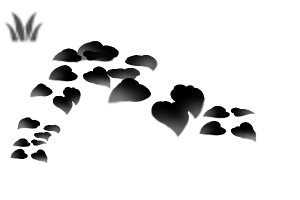
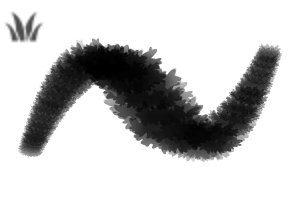
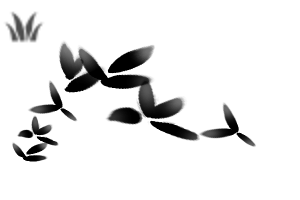
ここには3種類の葉の形があります。

ブラシの種類は


同じ方法で 木の葉を作ることができます。

There are 3 different types of leaf shapes in here.
The different types of brushes are a
You can follow this same method to create tree leaves.
背景 Background
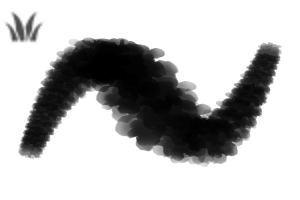
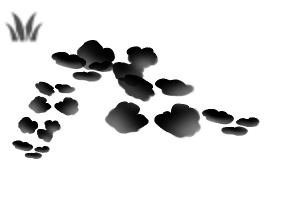
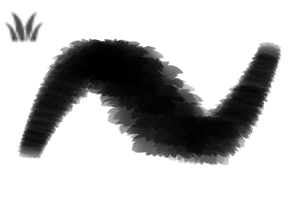
葉 Leaf
フォイル Foilage
ブラッシュパック Brush Pack


"soxxyhorror"さんの別の素材


"素材集"の人気素材


新着素材


-
 MVP ◆質問に対して適切な回答を数多く投稿し、コミュニティの運営に大きく貢献したユーザーです。MVPは3ヶ月に一度、その間に獲得したポイントを元に決定し、表彰を行っています。
 -
 NVP (New Valuable Player) ◆MVPに次いでコミュニティの運営に貢献したユーザーです。これまでMVPの受賞経験のない方から、獲得したポイントを元に決定し、表彰を行なっています。
 -
 公式エキスパート ◆優れた回答者の証であるMVP受賞者の中からさらに選ばれた、コミュニティで最も優良な回答者の証です。審査を経て当社から依頼し就任いただいています。※旧名称「エバンジェリスト」
 -
 セルシス公認モデレーター ◆モデレーターは、日本語とその他の言語が話せるセルシス公認のスタッフです。ソフトウェアや創作のエキスパートではないので、直接疑問を解決することはできませんが、みなさんがスムーズにコミュニケーションできるように、言葉やコミュニケーションの側面からサポートします。
 -
 セルシス公式運営に関連した公式アカウントです。