


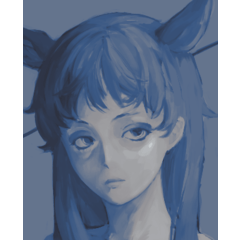

グラデーションマップ用のグラデーションセット! Gradient set for gradient maps!
個人的には元の図面の上にグラデーションマップを重ねて使うのが好きですが、適切な値を決めた後に絵の色付けにも使うことが可能です。
色の範囲が自分の数値に合わなければ調整することは可能です。
そのため、「編集」→「トーン補正」→>>「グラデーションマップ」→、希望するグラデーションセットを選択してください。イラストに合わせて色を動かせるようにできるはずです。
ダウンロードしたグラデーションセットを追加するには、グラデーションセットバーの横にあるレンチ(ツール)をクリックしてください。「グラデーションセットを追加」のオプションをクリックしてください。
準備は万端です!
この例では、オーバーレイにグラデーション 「Luminous」を使い、リニアバーンを20%追加しました。


再アップロード
Personally I like to use gradient maps on overlay over the original drawing, but it's possible to use them to color your drawing after figuring out suitable values.
It's possible to adjust the color range if they don't fit your values.
For that go to "Edit"-> "Tonal correction"-> "Gradient map" and choose the gradient set you want. You should be able to move around the colors to better match your illustration.
To add your downloaded gradient set, click on the wrench (tool) next to the gradient set bar. Click on the option "Add gradient set".
You are all set!
For this example I used gradient "Luminous"on overlay and added linear burn 20%.
Re-upload


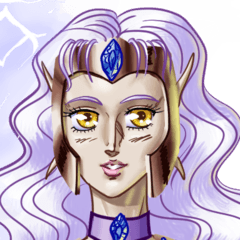


"グラデーションセット"の人気素材


新着素材


バッジ
-
 MVP ◆質問に対して適切な回答を数多く投稿し、コミュニティの運営に大きく貢献したユーザーです。MVPは3ヶ月に一度、その間に獲得したポイントを元に決定し、表彰を行っています。
 -
 NVP (New Valuable Player) ◆MVPに次いでコミュニティの運営に貢献したユーザーです。これまでMVPの受賞経験のない方から、獲得したポイントを元に決定し、表彰を行なっています。
 -
 公式エキスパート ◆優れた回答者の証であるMVP受賞者の中からさらに選ばれた、コミュニティで最も優良な回答者の証です。審査を経て当社から依頼し就任いただいています。※旧名称「エバンジェリスト」
 -
 セルシス公認モデレーター ◆モデレーターは、日本語とその他の言語が話せるセルシス公認のスタッフです。ソフトウェアや創作のエキスパートではないので、直接疑問を解決することはできませんが、みなさんがスムーズにコミュニケーションできるように、言葉やコミュニケーションの側面からサポートします。
 -
 セルシス公式運営に関連した公式アカウントです。