



■ Overview
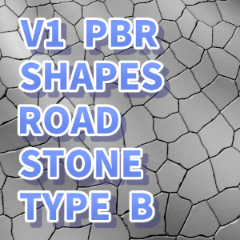
It is a cobblestone 3D model material with irregular patterns that is easy to use not only for fantasy worlds and European cityscapes, but also for expressing wilderness and dried up waterfronts. I hope it will be useful for shortening the time and improving the quality of background drawing.
■ Features
[Terrain can be adjusted with 16 types of shape keys]
Just by moving the slider, you can easily create an uphill or downhill slope or a curve of the road. Since multiple shape keys can also be combined, it is possible to respond to various terrain variations according to the scene, such as "bends" and "undulating slopes" that are troublesome to take perspective.
[Silhouette that is easy to use even if you are close]
When used in close-up frames at the feet, the polygons are appropriately divided and smoothed so that the outer contour line does not become stuttered. You can use it without discomfort even when you close up your shoes.
【Commitment to lightness of operation】
Although it has as many as 16 types of shape keys, the data capacity was reduced by using a normal map (normal map) for fine irregularities on the surface. It has been adjusted so that even if it is placed on the canvas, the movement will not be heavy.
[Design that can be used with both stone and soil (Type B)]
It is a versatile design that can be used not only as a natural "road of random stones" that cracks irregularly, but also as a "dry earth" that has lost its moisture and cracked.
■ One-point advice when using
Adjusting ambient light
If you keep the default ambient light settings of the CLIP STUDIO PAINT, bright areas may be a little blown out. Please adjust the intensity of the ambient light according to the atmosphere of the scene and your preference.Fisheye perspective reproduction technique
If you want to create an extremely distorted space such as a wide angle or fish-eye lens, try combining the shape keys "Slope" and "Bump". Cobblestones with a special perspective, which is difficult to draw by hand, can be easily expressed just by adjusting the slider (GIF 1st).* All explanatory images are displayed in "PBR version".
■ 3D Model Information
Vertices : 533


■ 概要
ファンタジーの世界観やヨーロッパの街並みはもちろん、荒野や干上がった水辺などの表現にも使いやすい、不規則なパターンの石畳の3Dモデル素材です。背景作画の時短やクオリティアップに役立てていただければと思います。
■ 特徴
【16種類のシェイプキーで地形を調整可能】
スライダーを動かすだけで、上り坂・下り坂(Slope)や、道のカーブ(Curve)などを簡単に作ることができます。 複数のシェイプキーを組み合わせることもできるため、パースを取るのが面倒な「曲がり角」や「うねりのある坂道」など、シーンに合わせた様々な地形のバリエーションに対応可能です。
【寄りでも使いやすいシルエット】
足元の接写コマなどで使用した際に、外側の輪郭線がカクカクしてしまわないよう、ポリゴンを適切に割って滑らかにしています。靴元のアップなどでも違和感なくお使いいただけます。
【動作の軽さへのこだわり】
16種類ものシェイプキーを持たせつつも、表面の細かな凹凸はノーマルマップ(法線マップ)を活用してデータ容量を抑えました。キャンバス上に配置しても動作が重くなりづらいよう調整しています。
【石・土のどちらにも使えるデザイン(Type B)】
不規則に割れた自然な「乱形石の道」としてはもちろん、水気がなくなってひび割れた「乾燥した大地」としても見立てることができる汎用性の高いデザインです。
■ ご利用時のワンポイントアドバイス
環境光の調整について
CLIP STUDIO PAINTのデフォルトの環境光設定のままだと、明るい部分が少し白飛びしやすい場合があります。シーンの雰囲気やお好みに合わせて、環境光の強度を調整してご使用ください。魚眼風パースの再現テクニック
広角や魚眼レンズのような極端に歪んだ空間を作りたい時は、シェイプキーの「Slope(傾斜)」と「Bump(隆起)」を組み合わせてみてください。手描きでは難しい特殊なパースの石畳も、スライダーの調整だけで簡単に表現可能です(GIF1枚目)。※説明用の画像は、すべて「PBR版」で表示したものです。
■ 3Dモデル情報
頂点数 : 533Category 1 カテゴリ1


Other materials by 芙美乃


Popular “Material catalog” materials


New materials





-
 MVP ◆This user has contributed greatly to the management of the community, by posting many great responses to the questions asked. Once every three months, MVPs are determined based on the points earned during that period and will be recognized accordingly.
 -
 New Valuable Player (NVP) ◆These are the next-best contributors to the community after MVPs. This is awarded to users who have not yet won an MVP award, based on the number of points they have earned.
 -
 Official Expert ◆Chosen out of all MVP awardees, who are already proof of excellence, this is a testimony of outstanding correspondence in the community. After careful screening, they are appointed by CELSYS and assume their position.Note: Formally called “Evangelists”
 -
 Official Moderator of CELSYS ◆Moderators are official CELSYS staff members who are fluent in Japanese as well as various other languages. Moderators are not experts on the software or illustration, so they are not able to directly answer your questions. However, moderators provide communication and language support to ensure that everyone can smoothly communicate with each other.
 -
 CELSYS official accountThe Official Administrator Account