


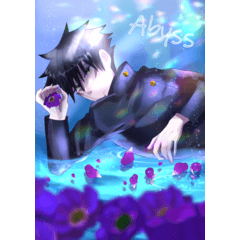

I tried using various workspace and made it as my own optimal solution. 水華いろが色々なワークスペースを使ってみて、自分なりの最適解として作りました。

It may be suitable for those who often use sub view.
The left placement of the brush is always in a position where I can check it because I often inadvertently change the brush size when using the left hand device.
The navigator is small because it only uses left-right flipping.
Please adjust accordingly.
Also, since I often design in CLIP STUDIO, I think it is also suitable for those who work CLIP STUDIO graphic design.
It is for those who have a large liquid tab work screen.
Usage Environment
windows11
X-PEN Artist22E Second
よくサブビューを使う方には向いているかもしれません。
ブラシの左配置は、私が左手デバイス使用時に、よくうっかりブラシサイズを変えてしまう為、常に確認出来る位置に置いています。
ナビゲーダーは左右反転しか使用しないので小さいです。
適宜調整してください。
また、クリスタでデザインする事も多い為、グラフィックデザインをクリスタで作業する方にも向いていると思います。
それなりに液タブの作業画面が大きい方向けです。
使用環境
windows11
X-PEN Artist22E セカンド


Popular “Workspace” materials


New materials








Badges
-
 MVP ◆This user has contributed greatly to the management of the community, by posting many great responses to the questions asked. Once every three months, MVPs are determined based on the points earned during that period and will be recognized accordingly.
 -
 New Valuable Player (NVP) ◆These are the next-best contributors to the community after MVPs. This is awarded to users who have not yet won an MVP award, based on the number of points they have earned.
 -
 Official Expert ◆Chosen out of all MVP awardees, who are already proof of excellence, this is a testimony of outstanding correspondence in the community. After careful screening, they are appointed by CELSYS and assume their position.Note: Formally called “Evangelists”
 -
 Official Moderator of CELSYS ◆Moderators are official CELSYS staff members who are fluent in Japanese as well as various other languages. Moderators are not experts on the software or illustration, so they are not able to directly answer your questions. However, moderators provide communication and language support to ensure that everyone can smoothly communicate with each other.
 -
 CELSYS official accountThe Official Administrator Account