


Creative Mapping Brush Making World map (창작 지도 제작 브러쉬 Making World map) 창작 지도 제작 브러쉬 Making World map
Content ID:2237795
-
12,134


*It will be distributed free of charge for a certain period of time, and will then be converted to a paid (50cp).
*We would like to clarify that no AI or AI generation has been used in the production of the material.
This brush is designed to draw a map of the world by taking advantage of complex and subtle coastlines.
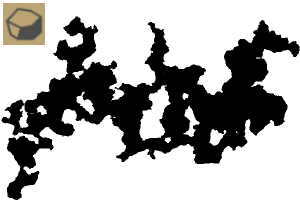
Making World map 1 - Large (long) island (500px recommended)
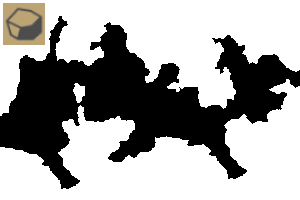
Making World map 2 - Island with a short area (200px recommended)
Making World map 3 - Very Small Island (20px Recommended)
Production example

Canvas Environment 1500*1500px
Auto Actions List
1. Painting continent
Color the continent based on the color you are choosing.

2. Painting sea
Paint the ocean based on the color you are choosing.
*Continental layer must be selected for normal operation. Be careful not to create new layers.

3. Making old tone
Add a faded effect.

We recommend adjusting the gradation area through the preview.

※일정 기간동안 무료로 배포하며, 이후 유료(50cp)로 전환됩니다.
※해당 소재 제작에 AI 및 AI생성이 일절 이루어지지 않았음을 밝힙니다.
복잡미묘한 해안선을 살려 세계 지도를 그릴 수 있도록 제작한 브러쉬입니다.
Making World map 1 - 면적이 넓은(긴) 섬 (500px 추천)
Making World map 2 - 면적이 짧은 섬 (200px 추천)
Making World map 3 - 아주 작은 섬 (20px 추천)
제작 예시
캔버스 환경 1500 * 1500px
오토액션 목록
1. Painting continent
선택중인 색상을 기반으로 대륙에 색상을 입힙니다.
2. Painting sea
선택중인 색상을 기반으로 바다를 칠합니다.
*대륙 레이어를 선택하고 있어야 정상 작동됩니다. 신규 레이어를 생성하지 않도록 주의하세요.
3. Making old tone
빛 바랜 효과를 추가합니다.
미리보기를 통해 계조화 영역 조정을 추천드립니다.
making world map making world map





Popular “Material catalog” materials


New materials


Badges
-
 MVP ◆This user has contributed greatly to the management of the community, by posting many great responses to the questions asked. Once every three months, MVPs are determined based on the points earned during that period and will be recognized accordingly.
 -
 New Valuable Player (NVP) ◆These are the next-best contributors to the community after MVPs. This is awarded to users who have not yet won an MVP award, based on the number of points they have earned.
 -
 Official Expert ◆Chosen out of all MVP awardees, who are already proof of excellence, this is a testimony of outstanding correspondence in the community. After careful screening, they are appointed by CELSYS and assume their position.Note: Formally called “Evangelists”
 -
 Official Moderator of CELSYS ◆Moderators are official CELSYS staff members who are fluent in Japanese as well as various other languages. Moderators are not experts on the software or illustration, so they are not able to directly answer your questions. However, moderators provide communication and language support to ensure that everyone can smoothly communicate with each other.
 -
 CELSYS official accountThe Official Administrator Account