


★ ☆Free for a limited time☆ ★ Wooden school building and classrooms (★☆期間限定無料☆★ 木造の学校校舎と教室) ★☆期間限定無料☆★ 木造の学校校舎と教室
Content ID:2000232
-
8,849


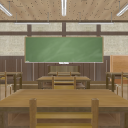
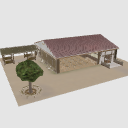
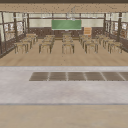
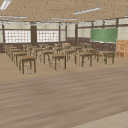
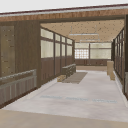
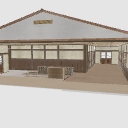
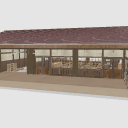
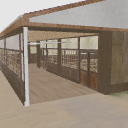
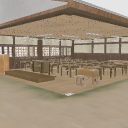
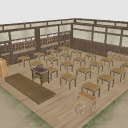
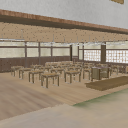
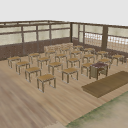
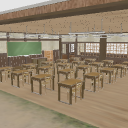
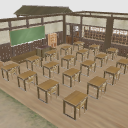
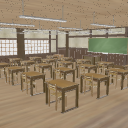
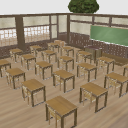
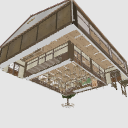
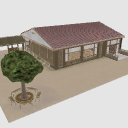
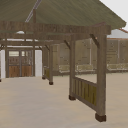
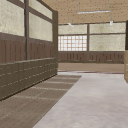
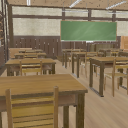
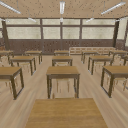
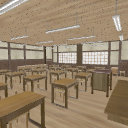
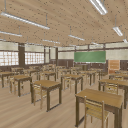
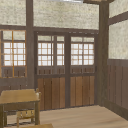
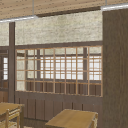
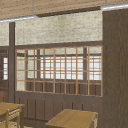
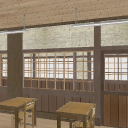
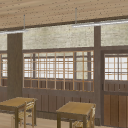
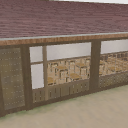
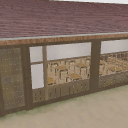
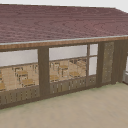
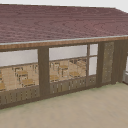
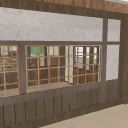
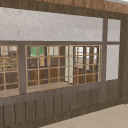
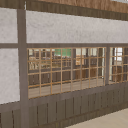
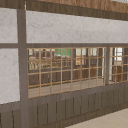
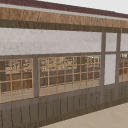
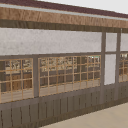
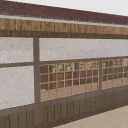
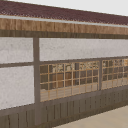
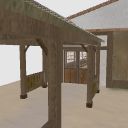
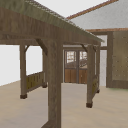
It is a wooden school building. Indoors are also available.
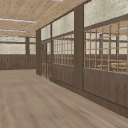
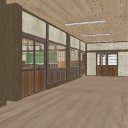
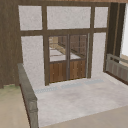
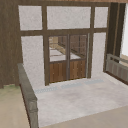
There are classrooms, corridors, shoe boxes, etc. in the room.
CLIP STUDIO ASSETS materials are used in various ways, so we made them free for a limited time as a token of our gratitude.
Please use it (*^_^* if you like)
木造の校舎です。室内もあります。
室内は教室・廊下・下駄箱等があります。
CLIP STUDIO ASSETSの素材はいろいろ使わせていただいているので、感謝の気持ちを込めて期間限定でフリーにしました。
よろしければお使いください(*^_^*)


Material マテリアル
-
Texture テクスチャ
disposition 配置
-
Full representation 全表示
-
Roofs-Hidden 屋根 - 非表示
-
WALL-classroom front side (hidden) 壁 - 教室前側 (非表示)
-
WALL-classroom ground side (hidden) 壁 - 教室グランド側 (非表示)
-
WALL-classroom back side (hidden) 壁 - 教室後ろ側 (非表示)
-
Wall-Classroom Corridor side (hidden) 壁 - 教室廊下側 (非表示)
-
Wall-Entrance side (hidden) 壁 - 玄関側 (非表示)
-
Wall-Schoolhouse shoe Box side (hidden) 壁 - 校舎下駄箱側 (非表示)
-
Wall-Schoolhouse Corridor side (hidden) 壁 - 校舎廊下側 (非表示)
-
Wall-Schoolhouse back side (hidden) 壁 - 校舎裏口側 (非表示)
-
Featured-A Roof おすすめ - A屋根あり
-
Featured-A No roof おすすめ - A屋根なし
-
Featured-B Roof おすすめ - B屋根あり
-
Featured-B without roof おすすめ - B屋根なし
-
Recommended-C with roof おすすめ - C屋根あり
-
Featured-C No roof おすすめ - C屋根なし
-
Recommended-D Roof おすすめ - D屋根あり
-
Featured-D No roof おすすめ - D屋根なし
-
Bed - non-indicated 床 - 非表示
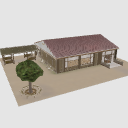
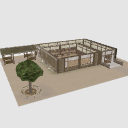
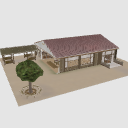
Angle アングル
-
Initial angle 初期アングル
-
Back 裏口
-
Hallway-Back side 廊下 - 裏口側
-
Hallway-Front side 廊下 - 玄関側
-
Entrance 玄関
-
Classroom-The main character perspective 教室 - 主人公視点
-
Classroom-Teacher's point of view 教室 - 先生視点
-
Classroom-Front Entrance 教室 - 前側入り口
-
Classroom-Rear Entrance 教室 - 後側入り口
-
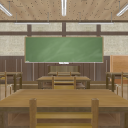
Classroom - Front 教室 - 正面
pose parts 可動パーツ
-
Classroom Front Door-A1 教室前ドア - A1
-
Classroom Front Door-A2 教室前ドア - A2
-
Classroom Rear Door-A1 教室後ろドア - A1
-
Classroom Rear Door-A2 教室後ろドア - A2
-
Classroom window-Corridor side A1 教室窓 - 廊下側A1
-
Classroom window-Corridor side A2 教室窓 - 廊下側A2
-
Classroom window-Hallway side B1 教室窓 - 廊下側B1
-
Classroom window-Corridor side B2 教室窓 - 廊下側B2
-
Classroom window-ground side A1 教室窓 - グランド側A1
-
Classroom window-ground side A2 教室窓 - グランド側A2
-
Classroom window-ground side B1 教室窓 - グランド側B1
-
Classroom window-ground side B2 教室窓 - グランド側B2
-
Corridor Window-A1 廊下窓 - A1
-
Corridor Window-A2 廊下窓 - A2
-
Corridor Window-B1 廊下窓 - B1
-
Corridor Window-B2 廊下窓 - B2
-
Corridor Window-C1 廊下窓 - C1
-
Corridor Window-C2 廊下窓 - C2
-
Corridor Window-D1 廊下窓 - D1
-
Corridor Window-D2 廊下窓 - D2
-
Entrance Door-A1 玄関ドア - A1
-
Entrance Door-A2 玄関ドア - A2
-
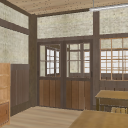
Backdoor Door-A1 裏口ドア - A1
-
Backdoor Door-A2 裏口ドア - A2



Other materials by Telisia


Popular “3D object” materials





New materials











-
 MVP ◆This user has contributed greatly to the management of the community, by posting many great responses to the questions asked. Once every three months, MVPs are determined based on the points earned during that period and will be recognized accordingly.
 -
 New Valuable Player (NVP) ◆These are the next-best contributors to the community after MVPs. This is awarded to users who have not yet won an MVP award, based on the number of points they have earned.
 -
 Official Expert ◆Chosen out of all MVP awardees, who are already proof of excellence, this is a testimony of outstanding correspondence in the community. After careful screening, they are appointed by CELSYS and assume their position.Note: Formally called “Evangelists”
 -
 Official Moderator of CELSYS ◆Moderators are official CELSYS staff members who are fluent in Japanese as well as various other languages. Moderators are not experts on the software or illustration, so they are not able to directly answer your questions. However, moderators provide communication and language support to ensure that everyone can smoothly communicate with each other.
 -
 CELSYS official accountThe Official Administrator Account