



一張三維可變六點雷達圖。 A 3D variable 6 pointed Radar Chart.
幾個月前,我也看過類似的圖表,但那是5點。我玩的桌上角色扮演遊戲有6個屬性,所以我決定自己做一個。我終於決定發表這篇文章,不過因為這是我第一次接觸形狀鍵,所以會永遠免費。
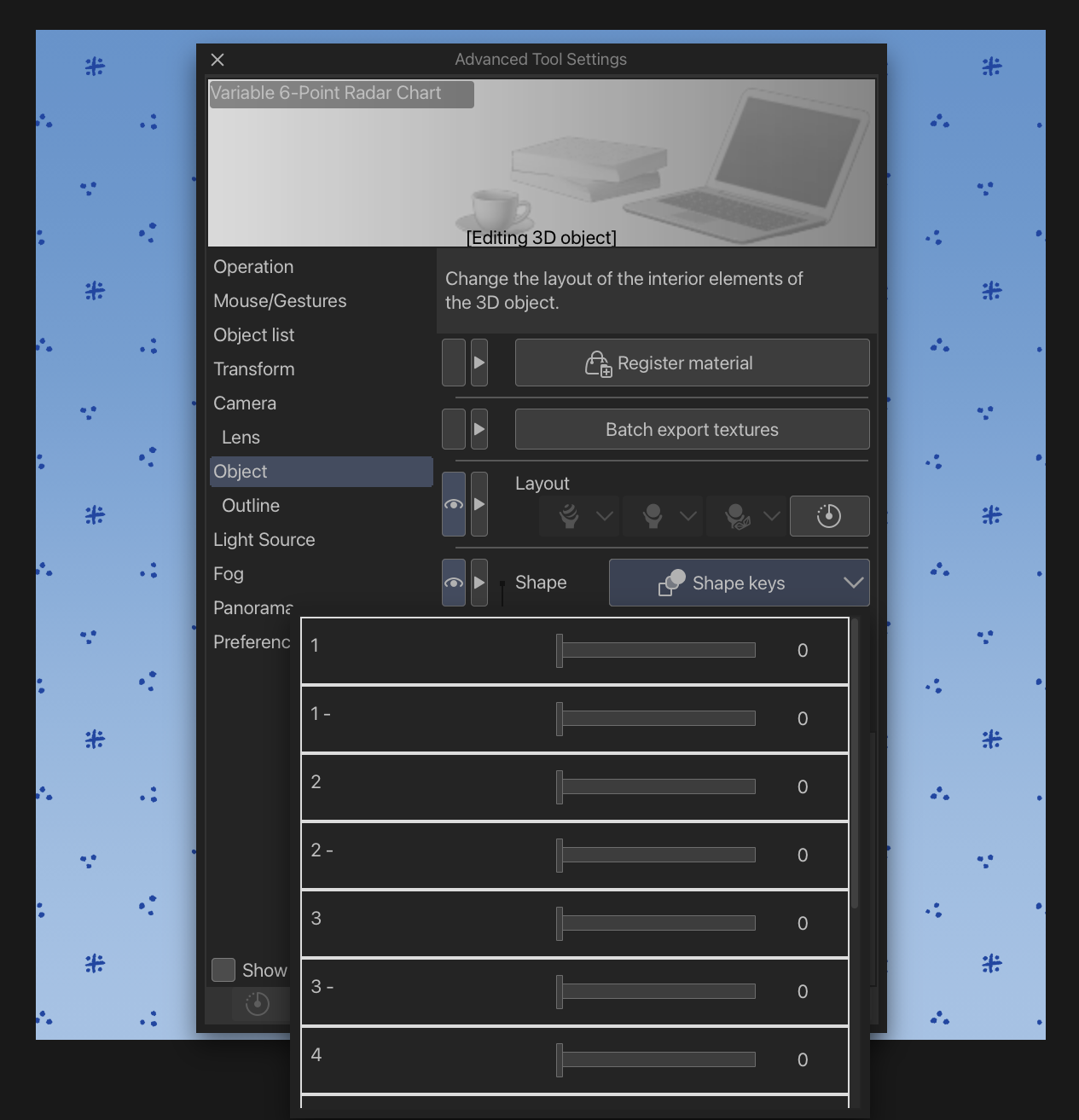

要編輯形狀鍵,請到物品選單。選擇「物件」,然後進入「形狀」。
每個數字被分為兩種形式。因為從中間點(我遊戲是10)開始,如果你想提升屬性,可以用正常的數字(例如1)。如果你想降低屬性,可以用 - 版本(例如 1-)。
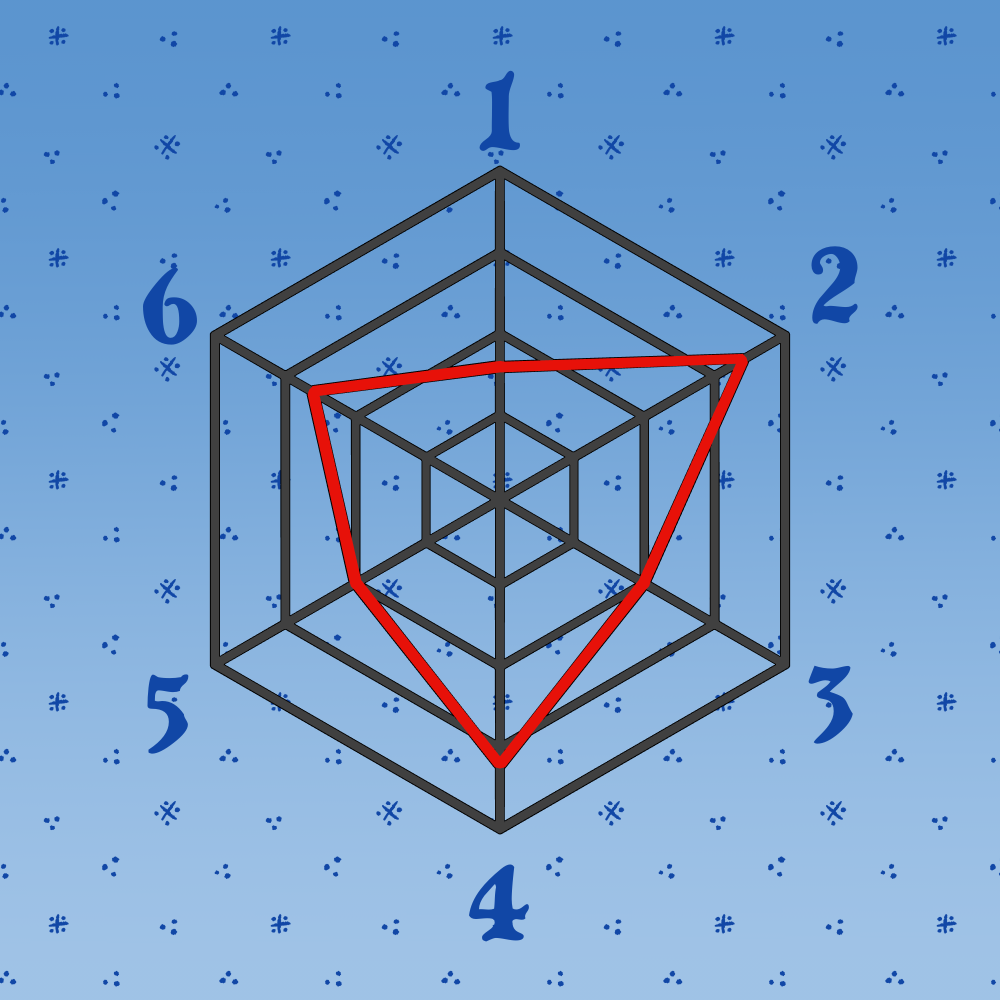
數字順時針排列,從上方開始。
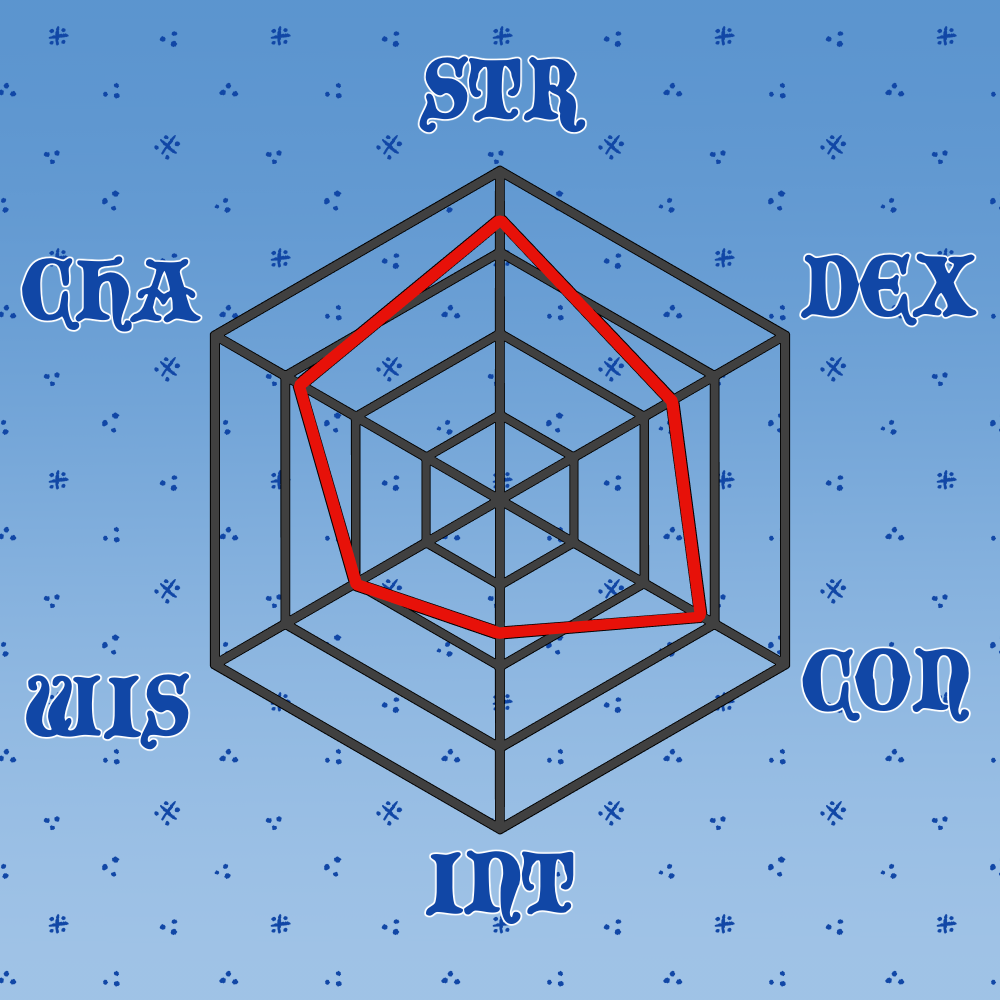
這裡還有更多例子!

玩得開心!💕
A few months ago, I saw a similar chart, but it was 5-point. The TTRPG I play has 6 stats, so I decided to make my own. I finally decided to publish this, though since it was my first foray into shape keys, it’ll be free forever.
To edit the shape keys, go to the item’s menu. Select “Object”, and go to “Shape”.
Each number is separated into two forms. Since it starts at the middle point (10 in my game), if you’d like to increase the stat, use the normal number (e.g. 1). If you’d like to decrease the stat, use the - version (e.g. 1-).
The numbers are clockwise, starting from the top.
Here are some more examples!
Have fun! 💕
材料 Material

更新歷史記錄
2026年8月6日 — 新增。 Aug 6, 2026 — Added.


「Sneleste」的其他素材


「3D物件」的人氣素材


最新素材








徽章
-
 MVP ◆針對問題投稿了眾多適切的回答,對社群有顯著貢獻的用戶。每3個月一次,會依據期間內獲得的點數選出MVP用戶,並進行表揚。
 -
 NVP(New Valuable Player) ◆繼MVP後,對社群營運做出良好貢獻的用戶。將從不曾獲選為MVP的用戶中,依據獲得的點數進行評選、表揚。
 -
 官方推廣大使 ◆從被證明為優良回答用戶的MVP獲獎者中選出社群中最優異的回答者。並經審查後由本社委託就任。※舊名稱為「Evangelist」
 -
 CELSYS公認Moderator ◆Moderator為會使用日文及其他語言的CELSYS公認工作人員。由於並非軟體或創作的專業人士,Moderator無法直接為用戶解決疑問,但能在語言、交流方面提供支援,幫助用戶們順利地進行溝通。
 -
 CELSYS官方為與營運相關的官方帳號。