




重複臣服,我的心充滿決心 Repeat the submission , my heart fullfill with determination
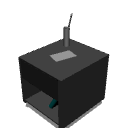
「如何操作書桌的步驟
_______________________________
1. 將模型打開到你的畫布

2. 使用「物件」工具調整這個模型有點打破了「團體」的魔力。我會試著修補,直到它變成一體。所以你應該確保磁鐵功能關閉(無燈光符號),否則會把桌子弄壞。

3. 透過滾動圓圈調整光源模型是暗的,所以也要增加定向光

4. 然後你點選「擷取線」

5. 結果會是這樣:「當檢查到另一層時」

6. 當你滿意後,『光柵化以永遠成為二維空間』

7. 結果應該是這樣

祝你好運,玩得開心
“ Step By Step of How To Desk ”
_______________________________
1. Open the model to your canvas
2. Adjust by using ‘Object’ ToolThe model is kinda broke the ‘group’ spell. I’ll try fixing until it becomes one piece. So you should make sure your magnet function is closed(No Lighting symbol) or else you’ll break the desk apart.
3. Adjust the lighting source by rolling circleThe model is dark so increase Directional Light too
4. Then you click Extract Line
5. Result will be like this “WHEN CHECK ON ANOTHER LAYER”
6. After you are satisfy , ‘Rasterize to make it forever in 2D’
7. The result should be like this
Good luck have fun
材料 Material


「3D物件」的人氣素材





最新素材



徽章
-
 MVP ◆針對問題投稿了眾多適切的回答,對社群有顯著貢獻的用戶。每3個月一次,會依據期間內獲得的點數選出MVP用戶,並進行表揚。
 -
 NVP(New Valuable Player) ◆繼MVP後,對社群營運做出良好貢獻的用戶。將從不曾獲選為MVP的用戶中,依據獲得的點數進行評選、表揚。
 -
 官方推廣大使 ◆從被證明為優良回答用戶的MVP獲獎者中選出社群中最優異的回答者。並經審查後由本社委託就任。※舊名稱為「Evangelist」
 -
 CELSYS公認Moderator ◆Moderator為會使用日文及其他語言的CELSYS公認工作人員。由於並非軟體或創作的專業人士,Moderator無法直接為用戶解決疑問,但能在語言、交流方面提供支援,幫助用戶們順利地進行溝通。
 -
 CELSYS官方為與營運相關的官方帳號。