



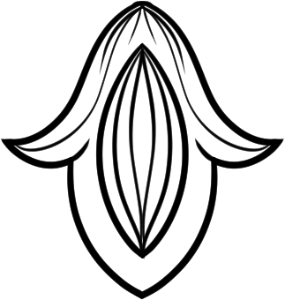
用這個模組化巴洛克資產包創造自訂歷史設計!其中包含40張個別裝飾部分的向量影像。 Create custom historical designs with this modular Baroque asset pack! It includes 40 vector images of individual ornament parts.
巴洛克藝術: 客製化向量套件
要使用這個巴洛克風格的資產包,請直接拖放模組化檔案到你的畫布上。由於這些資產是以向量圖層形式建立,請使用物件工具來移動、縮放及旋轉各個捲軸與裝飾,排列它們以建立自訂設計。

想學習如何應用這些素材並從零開始繪製歷史裝飾,請參考我在 Clip Studio TIPS 上的逐步教學。我涵蓋了基本的筆刷設定、特殊尺系統以及巴洛克和洛可可風格的向量操作。
完整指南請見:https://tips.clip-studio.com/en-us/articles/16716

Baroque Arts: Custom Vector Kit
To use this Baroque asset pack, drag and drop the modular files directly onto your canvas. Because these assets are created as vector layers, use the Object tool to move, scale, and rotate the individual scrolls and flourishes, arranging them to build a custom design.To learn how to apply these assets and draw historical ornaments from scratch, check out my step-by-step tutorial on Clip Studio TIPS. I cover essential brush settings, the Special Ruler system and vector manipulation for Baroque and Rococo styles.
Read the full guide here: https://tips.clip-studio.com/en-us/articles/16716
第一類 Category 1
-
040 040
-
039 039
-
038 038
-
037 037
-
036 036
-
035 035
-
034 034
-
033 033
-
032 032
-
031 031
-
030 030
-
029 029
-
028 028
-
027 027
-
026 026
-
025 025
-
024 024
-
023 023
-
022 022
-
021 021
-
020 020
-
019 019
-
018 018
-
017 017
-
016 016
-
015 015
-
014 014
-
013 013
-
012 012
-
011 011
-
010 010
-
009 009
-
008 008
-
007 007
-
006 006
-
005 005
-
004 004
-
003 003
-
002 002
-
001 001







































更新歷史記錄
我放了一個教學連結來幫助你 <3 I put a tutorial link to help <3
過去版本


「MelanciaComics」的其他素材


「素材集」的人氣素材


最新素材





-
 MVP ◆針對問題投稿了眾多適切的回答,對社群有顯著貢獻的用戶。每3個月一次,會依據期間內獲得的點數選出MVP用戶,並進行表揚。
 -
 NVP(New Valuable Player) ◆繼MVP後,對社群營運做出良好貢獻的用戶。將從不曾獲選為MVP的用戶中,依據獲得的點數進行評選、表揚。
 -
 官方推廣大使 ◆從被證明為優良回答用戶的MVP獲獎者中選出社群中最優異的回答者。並經審查後由本社委託就任。※舊名稱為「Evangelist」
 -
 CELSYS公認Moderator ◆Moderator為會使用日文及其他語言的CELSYS公認工作人員。由於並非軟體或創作的專業人士,Moderator無法直接為用戶解決疑問,但能在語言、交流方面提供支援,幫助用戶們順利地進行溝通。
 -
 CELSYS官方為與營運相關的官方帳號。