


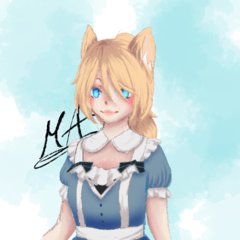

親吻痕/染色刷,是我親吻的 <3 a kiss mark/stain brush by yours truly <3
親吻痕刷


你可以改變它的顏色和大小
如果你想冒險,可以調整設定
:3
由我本人創造
Murasaki_A
(掃描紙上的唇印,還要確保不會弄髒掃描器,真是麻煩死了)
(抱歉照片有點模糊,刷子其實很銳利,只是我笨,沒辦法讓照片不模糊)

要加刷子 (當然是在你下載後)
你要捲動到工具群組面板底部,點選「從下載新增」

接著會跳出一個叫做「新增工具」的視窗
首先你要找到並點選「Kisses :3」,然後點「新增調色盤」按鈕

之後刷子應該會出現在你在biggining時選擇的工具裡

祝你創作愉快 :3
a kiss mark brush
you can change it's colour and size
you can play around with the settings if you're feeling adventurous
:3
created by yours truly
Murasaki_A
(scanning a lipmark on a piece of paper and making sure that i don't stain the scanner was a pain in the ass)
(sorry for a bit blurry photo, the brush is actually quite sharp, it's just me who's a dumbass and can't get the photo to not get blurred so much)
to add the brush (after you download it of course)
you want to scroll to the bottom of the tool group panel and click 'add from downloads'
then a window called 'add tool' will pop up
first you want to find and click 'Kisses :3' after wich you click 'add palette' button
after that the brush should appear in the tool that you picked at the biggining
happy creating :3


「筆刷」的人氣素材





最新素材








徽章
-
 MVP ◆針對問題投稿了眾多適切的回答,對社群有顯著貢獻的用戶。每3個月一次,會依據期間內獲得的點數選出MVP用戶,並進行表揚。
 -
 NVP(New Valuable Player) ◆繼MVP後,對社群營運做出良好貢獻的用戶。將從不曾獲選為MVP的用戶中,依據獲得的點數進行評選、表揚。
 -
 官方推廣大使 ◆從被證明為優良回答用戶的MVP獲獎者中選出社群中最優異的回答者。並經審查後由本社委託就任。※舊名稱為「Evangelist」
 -
 CELSYS公認Moderator ◆Moderator為會使用日文及其他語言的CELSYS公認工作人員。由於並非軟體或創作的專業人士,Moderator無法直接為用戶解決疑問,但能在語言、交流方面提供支援,幫助用戶們順利地進行溝通。
 -
 CELSYS官方為與營運相關的官方帳號。