



一個簡單的半人半神腿模型。
用 Blender 製作。
A simple model of a faun like leg.
Made with Blender.
模型應該會在下載標籤中找到,然後可以拖曳到畫布上。

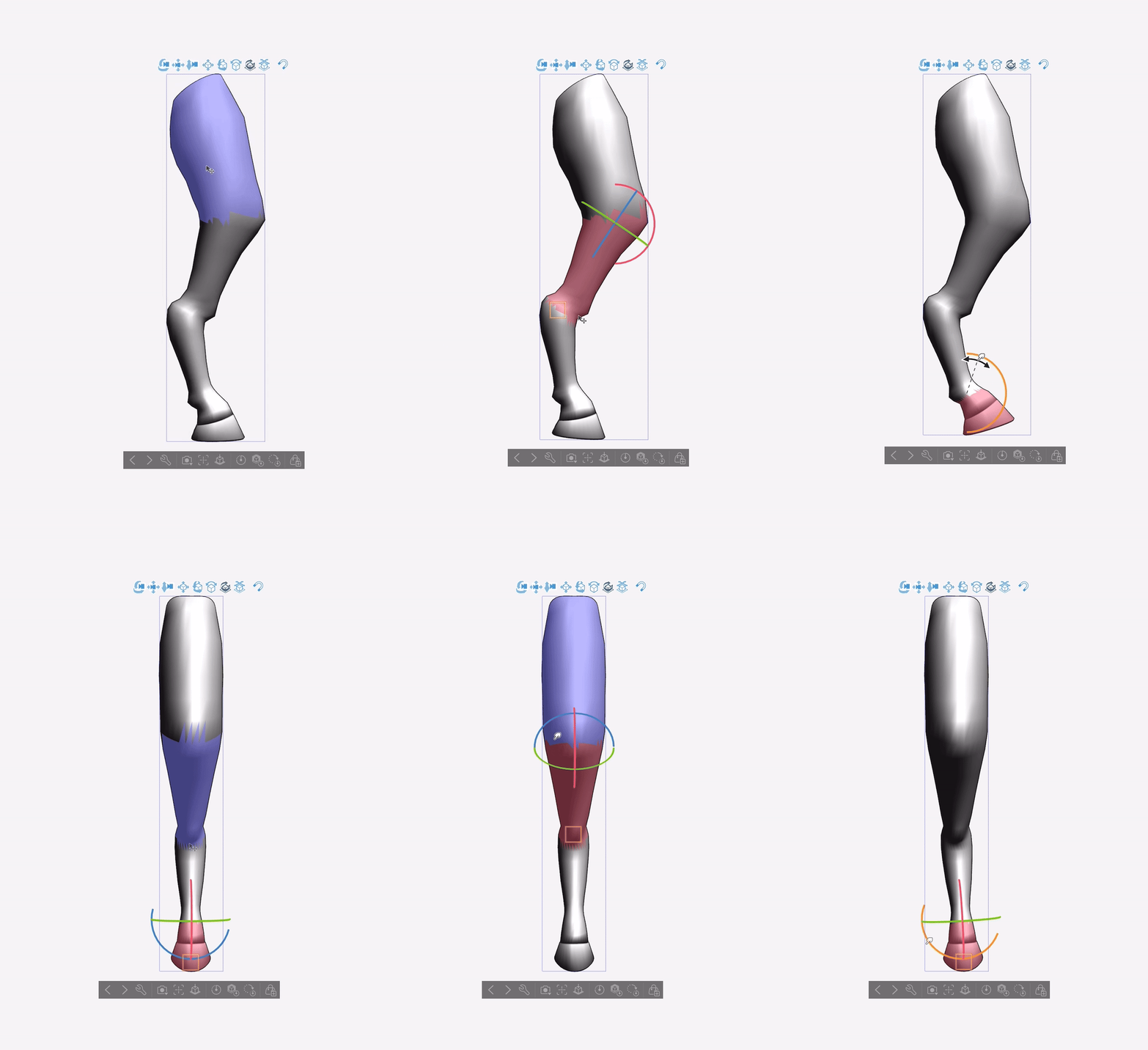



模型在 Clip Studio 畫圖中應該是這樣:

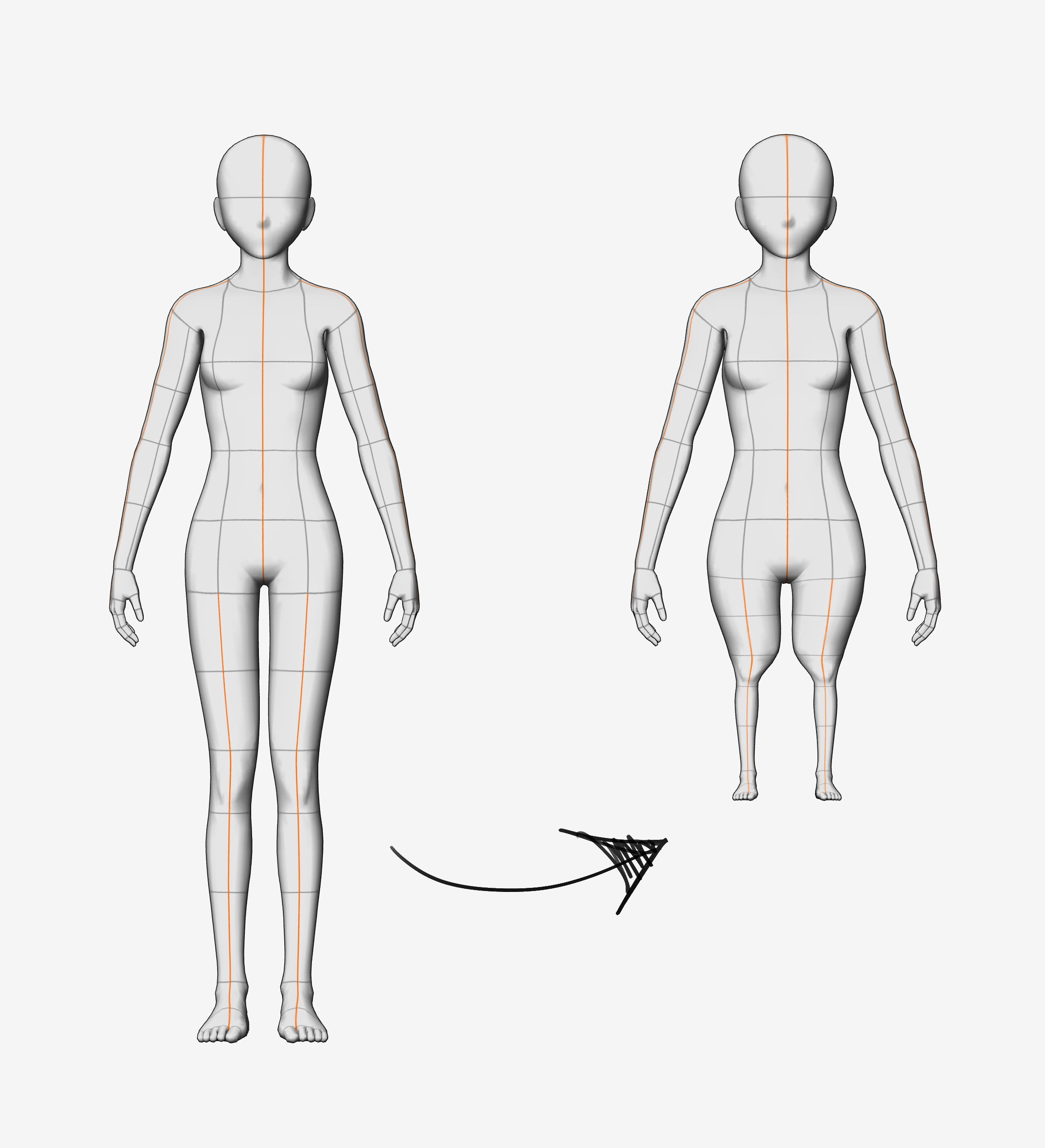
由於這個模型是用來替換 3D 角色的腿部,會有相當多的穿模現象。為了減少這種情況,我建議將3D角色的腿(大腿除外)和腳盡量做得很小:
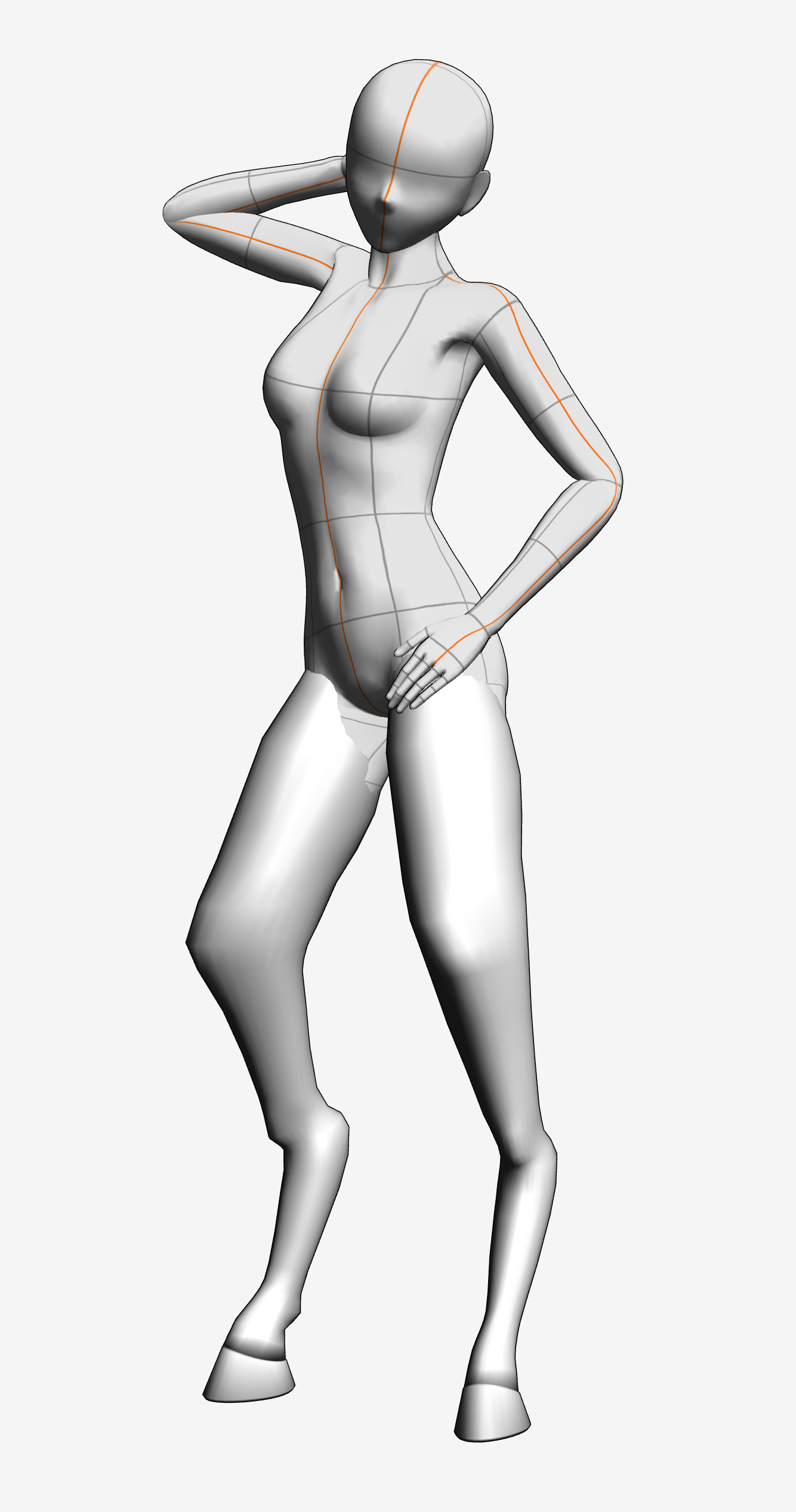
即使這麼做,如果你用下載的姿勢,穿模問題很可能還是會持續存在。解決方法是,在你擺好角色姿勢後,可以進入「子工具細節」選單,關閉關節角度限制。接著你可以將腳彎曲到大腿上:

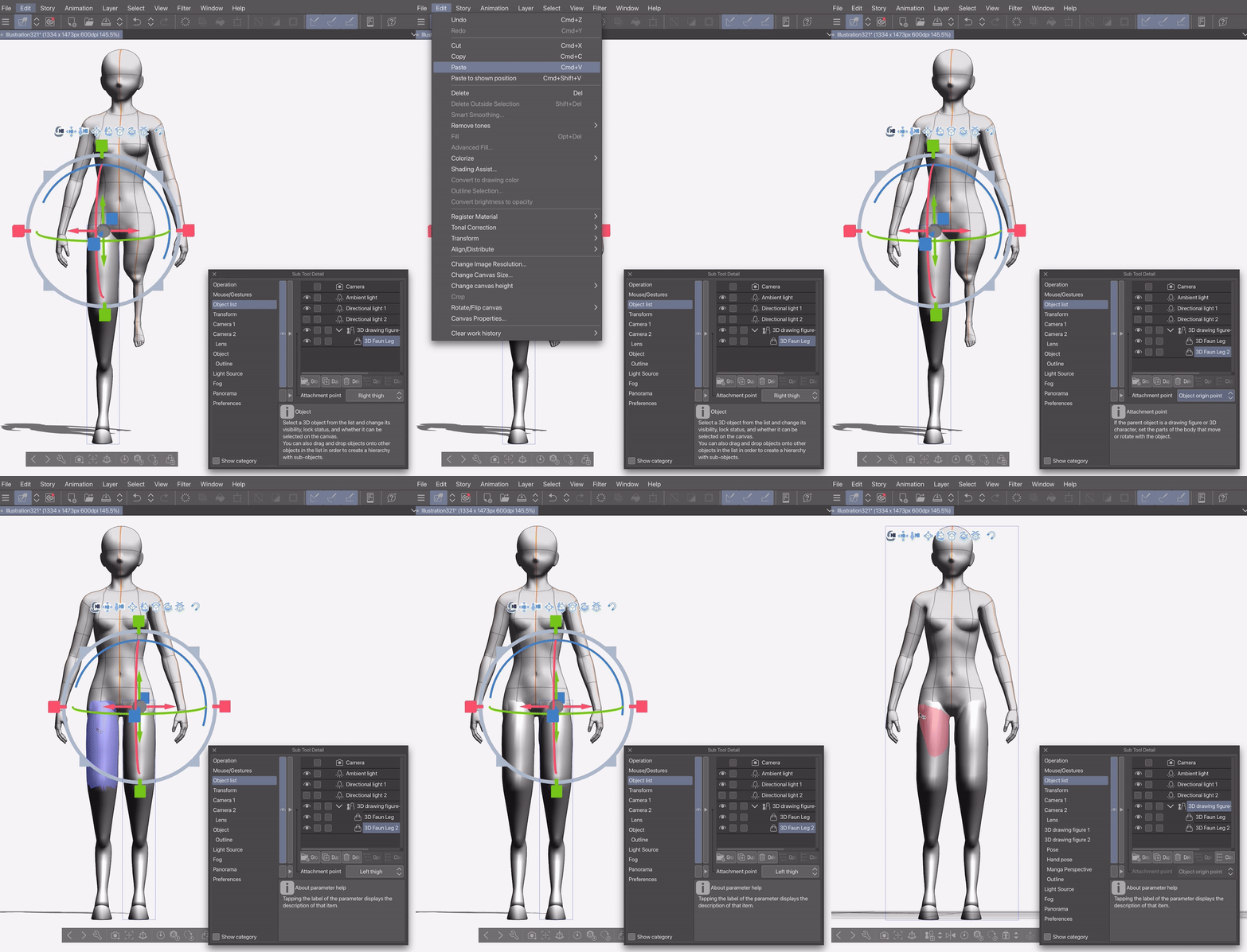
為了讓擺姿勢更簡單,我建議用固定點將模型固定在3D角色的大腿上,這樣你就可以調整模型以符合你的需求。我建議先固定並調整一條腿,然後複製貼上,再把複製品貼到剩下的大腿上:


The model should be available in the downloads tab, after which can be dragged onto the canvas.
The model should look like this in Clip Studio paint:
Given that this model is meant to replace the 3-D characters legs, There will be quite a lot of clipping. To minimise this, I recommend making the 3-D character’s legs (except the thighs) and feet as small as possible:
Even when doing this, if you use downloaded poses, the clipping will probably persist. To fix it, after you’ve posed your character, you can go into the “Sub Tool Detail” menu and turn off joint angle limit. You can then bend the feet into the thighs:
To make posing easier, I recommend attaching the model to the 3-D characters thighs with an attachment point, at which point you can manipulate the model to fit as you want. I recommend attaching and adjusting one leg, before then copy pasting it and attaching the copy to the remaining thigh:
材料 Material





「aBookshelf」的其他素材


「3D物件」的人氣素材


最新素材




徽章
-
 MVP ◆針對問題投稿了眾多適切的回答,對社群有顯著貢獻的用戶。每3個月一次,會依據期間內獲得的點數選出MVP用戶,並進行表揚。
 -
 NVP(New Valuable Player) ◆繼MVP後,對社群營運做出良好貢獻的用戶。將從不曾獲選為MVP的用戶中,依據獲得的點數進行評選、表揚。
 -
 官方推廣大使 ◆從被證明為優良回答用戶的MVP獲獎者中選出社群中最優異的回答者。並經審查後由本社委託就任。※舊名稱為「Evangelist」
 -
 CELSYS公認Moderator ◆Moderator為會使用日文及其他語言的CELSYS公認工作人員。由於並非軟體或創作的專業人士,Moderator無法直接為用戶解決疑問,但能在語言、交流方面提供支援,幫助用戶們順利地進行溝通。
 -
 CELSYS官方為與營運相關的官方帳號。