



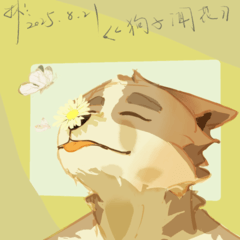
這幅畫的渲染和細節(除了線稿)完全用這把畫筆和我上傳的混合工具 (手指/暈染/模糊) 筆刷完成

- 壓力本身,尖端可以是細也可以是粗的;
- 透過不透明度;
- 透過基於壓力調整不透明度(附加元件)(範例中強調,我使用至少 50% 或以上);
- 透過濕邊調整,啟用後能產生美麗的效果;
我會主動調整邊緣的透明度和亮度,以達到最佳效果。


The render and details of this art (except for the lineart) was created only with this brush and my uploaded blend tool (finger/smudge/blur) brush
- the pressure itself, the tip can be either thin or thick;
- through opacity;
- through the opacity adjustment (add-on) based on pressure (underlined in the example, I use a minimum of 50% and higher);
- through the wet edges adjustment, which, when enabled, allows for a beautiful effect;
I actively adjust the transparency and brightness of the edges for the best effect.


「aeruu00」的其他素材


「筆刷」的人氣素材


最新素材





徽章
-
 MVP ◆針對問題投稿了眾多適切的回答,對社群有顯著貢獻的用戶。每3個月一次,會依據期間內獲得的點數選出MVP用戶,並進行表揚。
 -
 NVP(New Valuable Player) ◆繼MVP後,對社群營運做出良好貢獻的用戶。將從不曾獲選為MVP的用戶中,依據獲得的點數進行評選、表揚。
 -
 官方推廣大使 ◆從被證明為優良回答用戶的MVP獲獎者中選出社群中最優異的回答者。並經審查後由本社委託就任。※舊名稱為「Evangelist」
 -
 CELSYS公認Moderator ◆Moderator為會使用日文及其他語言的CELSYS公認工作人員。由於並非軟體或創作的專業人士,Moderator無法直接為用戶解決疑問,但能在語言、交流方面提供支援,幫助用戶們順利地進行溝通。
 -
 CELSYS官方為與營運相關的官方帳號。