



一個簡單的兜帽模型。
用 Blender 製作。
A simple model of a hood.
Made with Blender.
模型應該會在下載標籤中顯示,之後可以拖曳到畫布上。
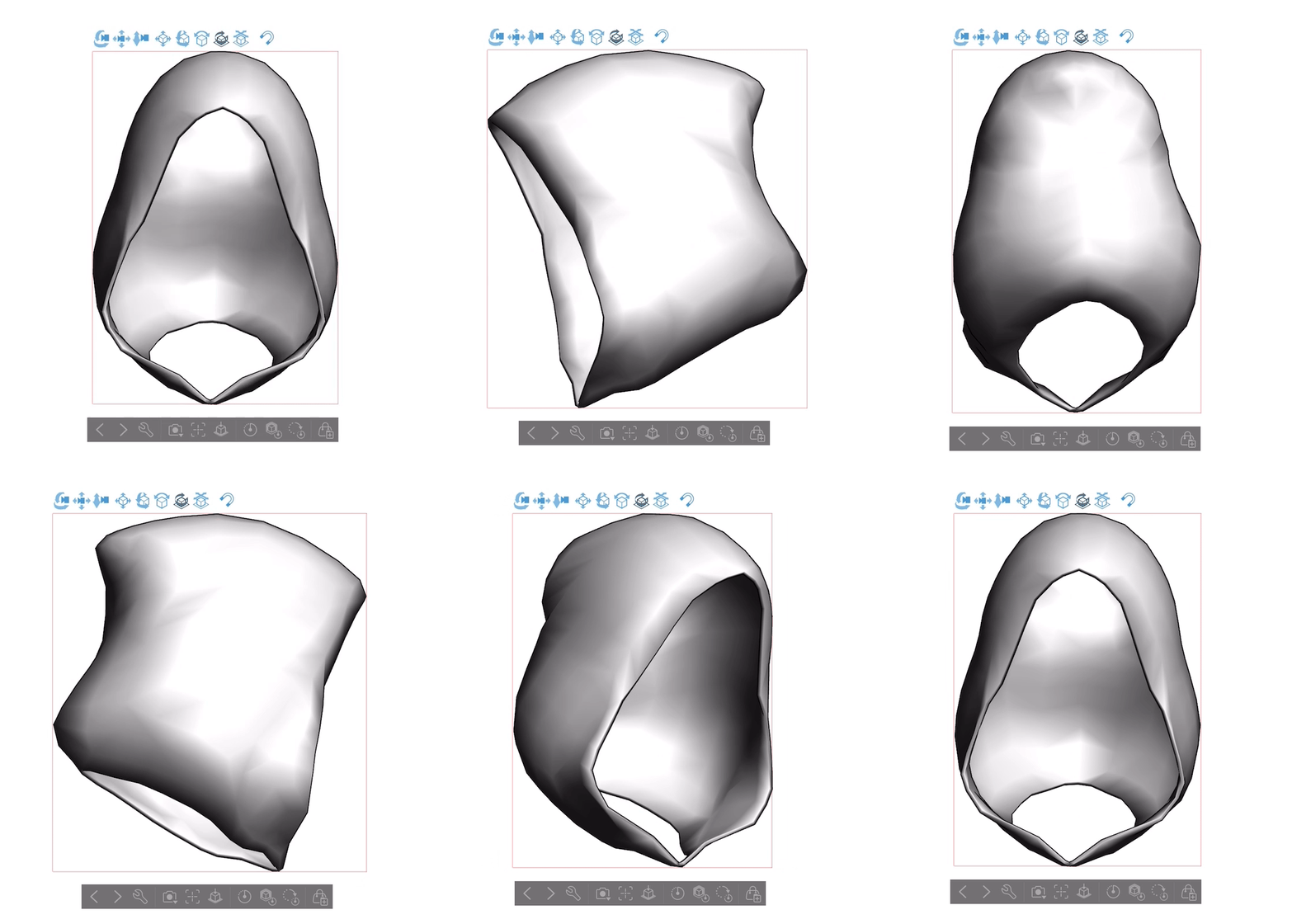

模型在 Clip Studio Paint 裡應該是這樣:
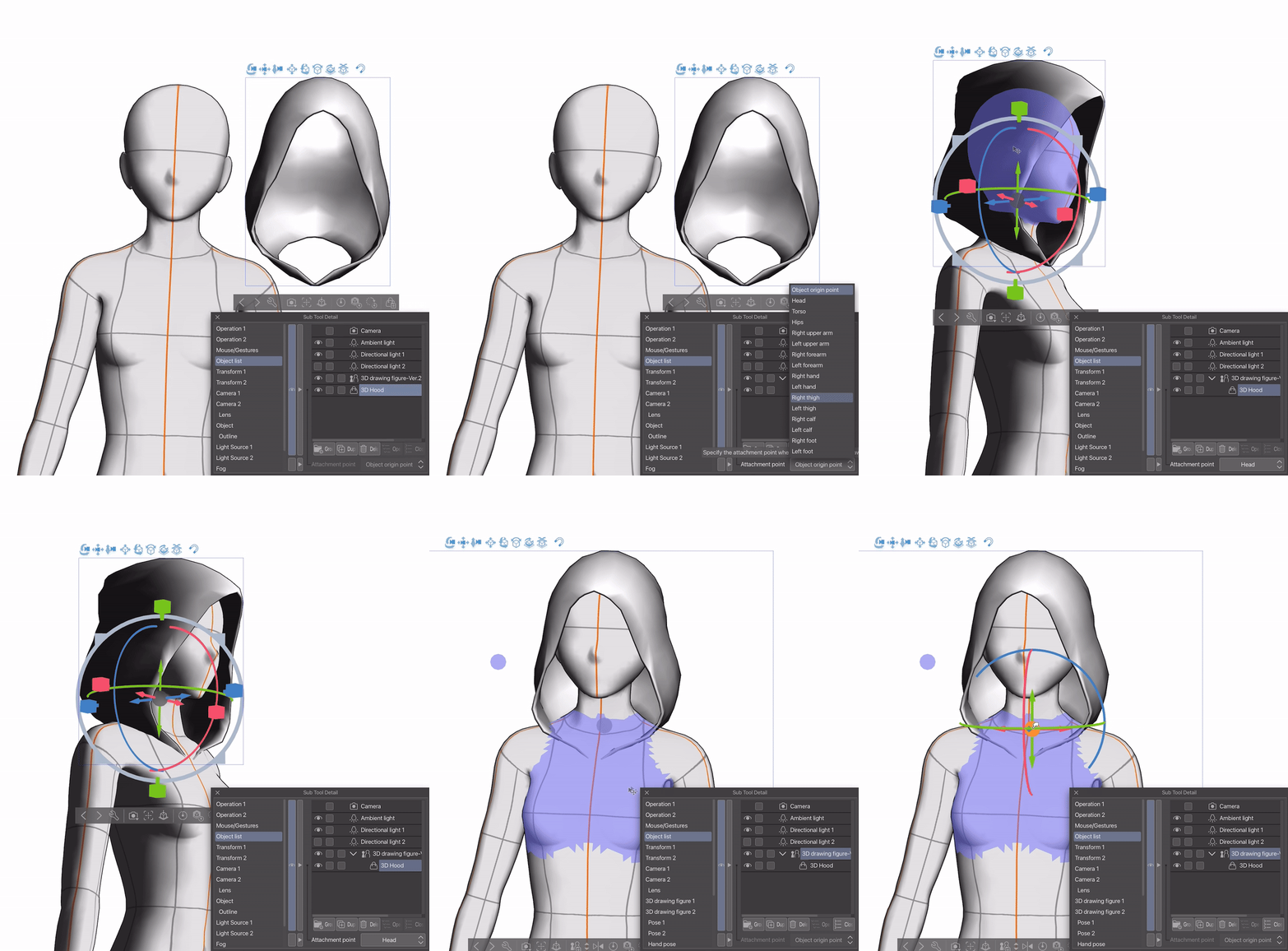
為了讓擺姿勢更簡單,我建議先用固定點將模型固定在3D角色的頭部上,然後根據需要調整合身度:
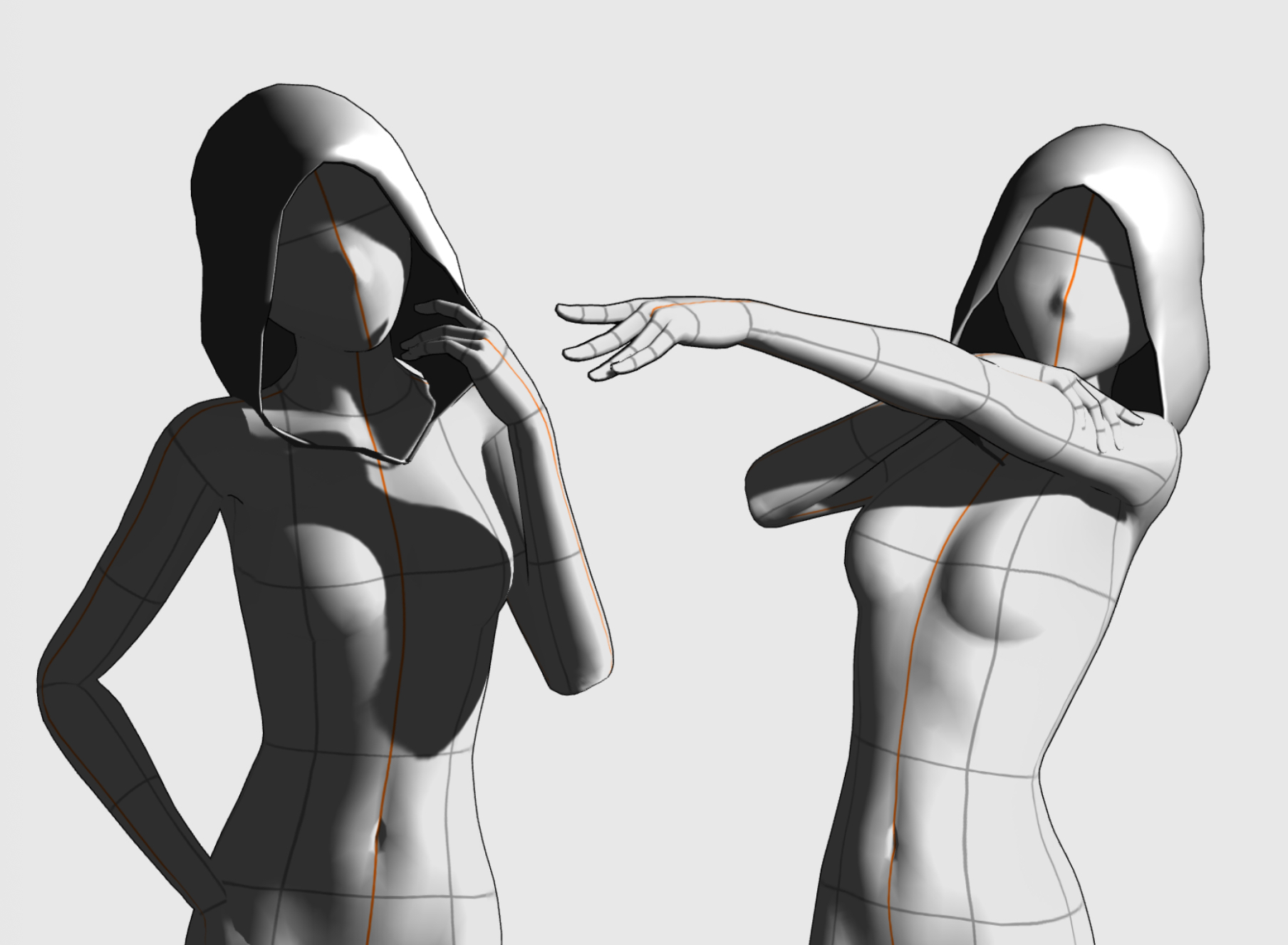
我發現這個模型很適合參考影子如何投射在角色身上。要開啟陰影,請前往子工具的詳細選單,然後導覽到光源標籤:

The model should be available in the downloads tab, after which it can be dragged onto the canvas.
The model should look like this in Clip Studio Paint:
To make posing easier, I recommend attaching the model to the 3-D character’s head via an attachment point, and then adjusting the fit as needed:
I found that this model is useful for referencing how shadows are cast onto the character. To turn on the shadows, go to the Sub Tool Detail menu and then navigate to the Light Source tab:
材料 Material


「aBookshelf」的其他素材


「3D物件」的人氣素材


最新素材






徽章
-
 MVP ◆針對問題投稿了眾多適切的回答,對社群有顯著貢獻的用戶。每3個月一次,會依據期間內獲得的點數選出MVP用戶,並進行表揚。
 -
 NVP(New Valuable Player) ◆繼MVP後,對社群營運做出良好貢獻的用戶。將從不曾獲選為MVP的用戶中,依據獲得的點數進行評選、表揚。
 -
 官方推廣大使 ◆從被證明為優良回答用戶的MVP獲獎者中選出社群中最優異的回答者。並經審查後由本社委託就任。※舊名稱為「Evangelist」
 -
 CELSYS公認Moderator ◆Moderator為會使用日文及其他語言的CELSYS公認工作人員。由於並非軟體或創作的專業人士,Moderator無法直接為用戶解決疑問,但能在語言、交流方面提供支援,幫助用戶們順利地進行溝通。
 -
 CELSYS官方為與營運相關的官方帳號。