



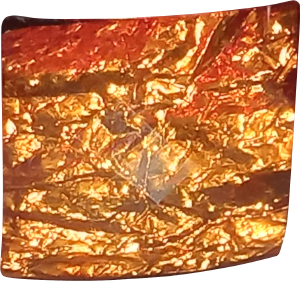
服裝寶石在移動光線下閃閃發光的真實鏡頭。 Real footage of a Costume Gem sparkling in moving light.
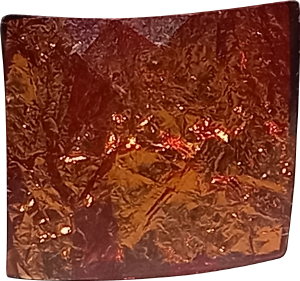
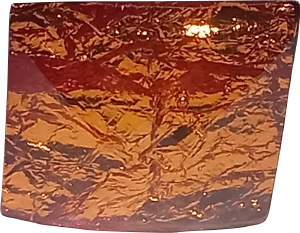
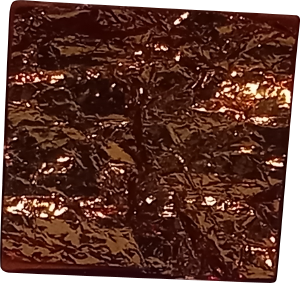
這些是5個動畫資料夾,其中包含服裝珠寶寶石被移動的燈光照亮的真實鏡頭,使其閃閃發光!

每個資料夾從不同的角度顯示 Gem,並包含不同數量的幀。
您可以按原樣使用它們,僅使用某些幀進行動畫製作動畫,或者如果您不想製作動畫,甚至可以只使用單個幀,根據需要編輯幀,更改順序,顏色,使用不同的模式 等,隨心所欲!
任何東西都可以閃閃發光!眼睛、寶石、整張照片 - 隨心所欲!
示例圖像
當用於使眼睛閃閃發光時:
(如果動畫已停止,請重新載入以重新啟動)
(如果動畫已停止,請重新載入以重新啟動)
兩隻眼睛使用不同的資料夾,並且只包含相應資料夾中的幾個幀。此外,幀的順序也發生了一些變化。通過漸變更改了顏色,並將資料夾設置為疊加
在整個影像上使用時:
(如果動畫已停止,請重新載入以重新啟動)
(如果動畫已停止,請重新載入以重新啟動)
(此照片包含在 Clip Studio Paint 中,僅用於演示目的)
在這裡,它被設置為疊加,設置為20%的不透明度。顏色沒有改變。
These are 5 Animation Folders containing real footage of a costume jewelery gem being lit by a moving light, causing it to sparkle and shine!
Each folder shows the gem from a different angle and contains a different number of frames.
You can use them as they are, use only certain frames to animate or even just a single frame if you don't want to animate, edit the frames as you need them, change the order, colour, use different modes etc., whatever you like!
Anything can be sparklified! Eyes, gems, an entire image - whichever you like!
Example Images
When used to make eyes sparkle:
(if animation has stopped, please reload to restart)
(if animation has stopped, please reload to restart)
Both eyes use a different folder, and only a few of the frames contained in the corresponding folder. Also, the order of the frames was changed a bit. the colour was changed via gradient, and the folder was set to overlay
When used over an entire image:
(if animation has stopped, please reload to restart)
(if animation has stopped, please reload to restart)
(This photo is included in Clip Studio Paint and only used for demonstration purposes)
Here, it was set to overlay, set to 20% opacity. The colour was not changed.
閃閃發光的寶石長方形 Sparkling Gem Rectangular



「MelonPaperFrog」的其他素材


「素材集」的人氣素材


最新素材



徽章
-
 MVP ◆針對問題投稿了眾多適切的回答,對社群有顯著貢獻的用戶。每3個月一次,會依據期間內獲得的點數選出MVP用戶,並進行表揚。
 -
 NVP(New Valuable Player) ◆繼MVP後,對社群營運做出良好貢獻的用戶。將從不曾獲選為MVP的用戶中,依據獲得的點數進行評選、表揚。
 -
 官方推廣大使 ◆從被證明為優良回答用戶的MVP獲獎者中選出社群中最優異的回答者。並經審查後由本社委託就任。※舊名稱為「Evangelist」
 -
 CELSYS公認Moderator ◆Moderator為會使用日文及其他語言的CELSYS公認工作人員。由於並非軟體或創作的專業人士,Moderator無法直接為用戶解決疑問,但能在語言、交流方面提供支援,幫助用戶們順利地進行溝通。
 -
 CELSYS官方為與營運相關的官方帳號。