


Anime_Eye_3D_Guide (Anime_Eye_3D_Guide) Anime_Eye_3D_Guide


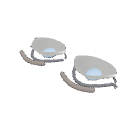
Clip Studio Paint を使用するアーティスト向けに設計された 3D アニメの目リファレンス。 A 3D anime eye reference designed for artists using Clip Studio Paint.
3DモデルをClip Studio Paintにインポートし、キャンバス上に配置します。後で簡単にアクセスできるように、マテリアルパレットに保存することもできます。
2. 目を回転させるオブジェクトツールを使ってモデルを回転させ、さまざまな角度から目を表示できます。これにより、その形状や視点の変化を理解することができます。
3. 図面参考として使用アニメの目をさまざまな角度から描くときは、モデルをガイドとして使ってください。まぶた、目の形、眉の位置、奥行きを観察して、絵をより正確で自然に見せましょう。
4. ビューの調整必要な角度を見つけるまでモデルを回転させたり位置を調整したりします。正面、側面、四分の三の視線の参考として使えます。
目的: このマテリアルは、Clip Studio Paint 内で直接回転可能な3D参照を提供し、さまざまな視点からアニメの目を描くのを容易にすることを目的としています。
Import the 3D model into Clip Studio Paint and place it on your canvas. You can also save it to your Material palette for easier access later.
2. Rotating the EyeUse the Object tool to rotate the model and view the eye from different angles. This helps you understand its shape and how it changes in perspective.
3. Using It as a Drawing ReferenceUse the model as a guide when drawing anime eyes from different angles. Observe the eyelids, eye shape, eyebrow placement, and depth to make your drawings more accurate and natural-looking.
4. Adjusting the ViewRotate and reposition the model until you find the angle you need. You can use it as a reference for front, side, and three-quarter views.
Purpose: This material is intended to make drawing anime eyes from different perspectives easier by providing a rotatable 3D reference directly inside Clip Studio Paint.
素材 Material

 問題ある素材の報告
CLIP STUDIOアカウントをお持ちでない場合
- 製品・サービス名
- 詳しいお問い合わせ内容

 取得が完了しました。
 素材の保存場所を見る
 読み込み方法を知る


公開日 : 1時間前
更新日 : 1時間前








-
 MVP ◆質問に対して適切な回答を数多く投稿し、コミュニティの運営に大きく貢献したユーザーです。MVPは3ヶ月に一度、その間に獲得したポイントを元に決定し、表彰を行っています。
-
 NVP (New Valuable Player) ◆MVPに次いでコミュニティの運営に貢献したユーザーです。これまでMVPの受賞経験のない方から、獲得したポイントを元に決定し、表彰を行なっています。
-
 公式エキスパート ◆優れた回答者の証であるMVP受賞者の中からさらに選ばれた、コミュニティで最も優良な回答者の証です。審査を経て当社から依頼し就任いただいています。※旧名称「エバンジェリスト」
-
 セルシス公認モデレーター ◆モデレーターは、日本語とその他の言語が話せるセルシス公認のスタッフです。ソフトウェアや創作のエキスパートではないので、直接疑問を解決することはできませんが、みなさんがスムーズにコミュニケーションできるように、言葉やコミュニケーションの側面からサポートします。
-
 セルシス公式運営に関連した公式アカウントです。