



顔に興味を持たせるためのカラーゾーン Color zones to add interest to faces
顔に色の変化を加えるための簡単なハックです。ちょっとした装飾として、完全に塗装した作品の方が効果的です。顔の色を塗る方法の代わりにはなりません。
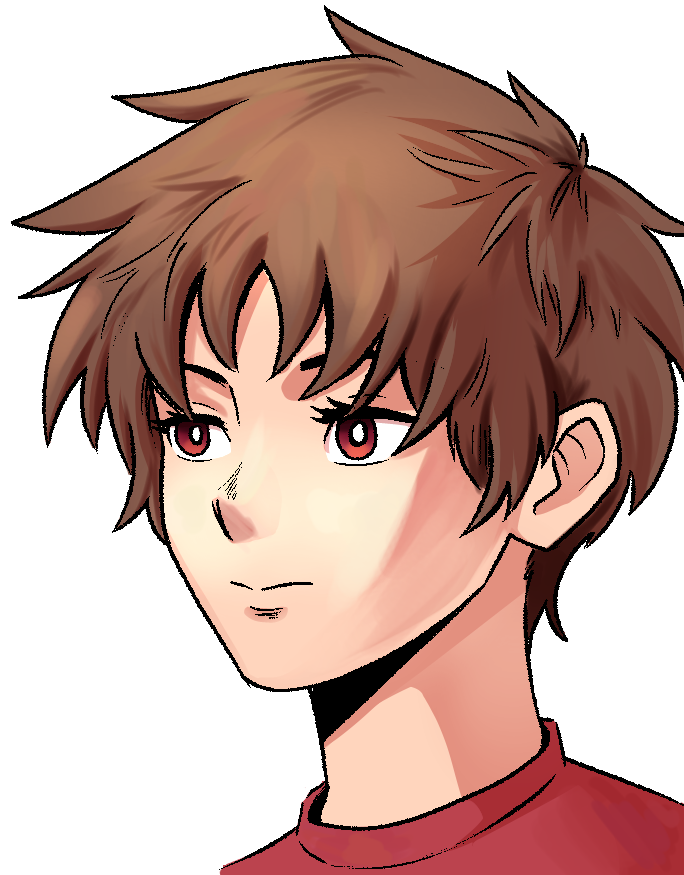
まずは絵を描き始めてください(今回は完全な絵が手元にないので、クイックスケッチを使っています)
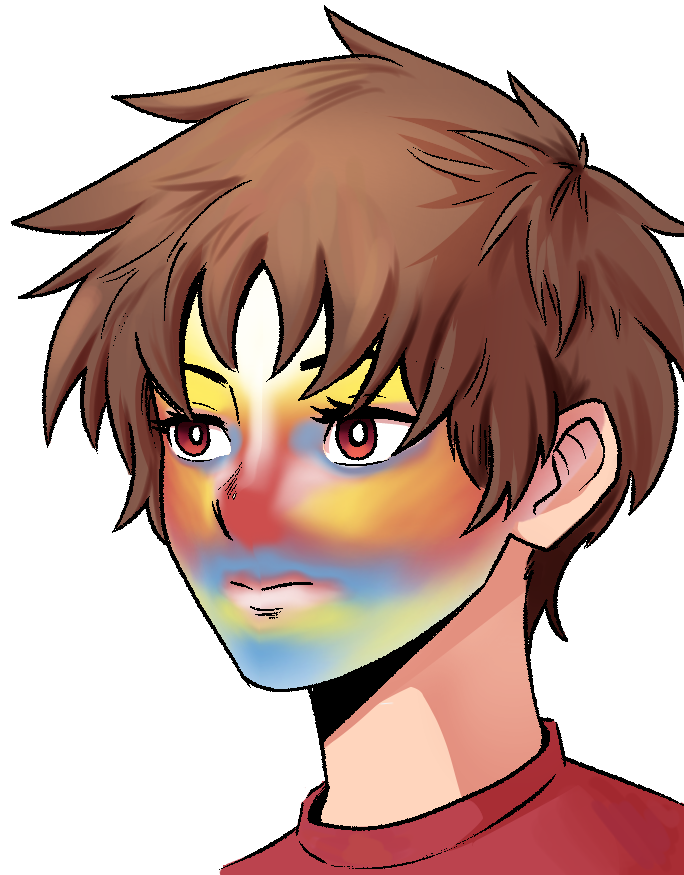
素材をインポートしてください。トランスフォームツールと液化を使って、カラーゾーンを適切なエリアに配置します
レイヤーモードや不透明度をいろいろ試してみてください。この場合、15%の色相レイヤーです
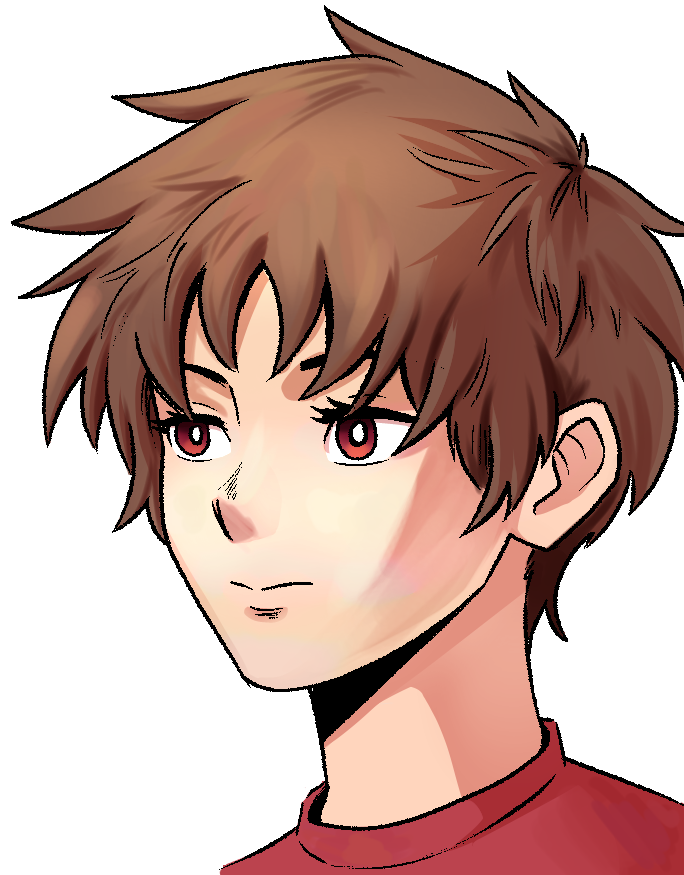
これを出発点にして絵を仕上げましょう。お好みのブラシでぼかしてください
A quick hack to add color variation to faces. Works better in fully painted works just as a little flourish. Not a substitution for learning how to color faces.
Start with your painting (in this case I'm using a quick sketch, since I didn't have a fully painted example handy)
Import the material. Use transform tools and liquify to put the color zones in the right areas
Play with layer modes and opacity. In this dcase, it's a hue layer at 15%
Use this as a jumping point to finish your painting. Blend with your preferred brushes







"eijikadokawa"さんの別の素材


"画像素材"の人気素材




新着素材





バッジ
-
 MVP ◆質問に対して適切な回答を数多く投稿し、コミュニティの運営に大きく貢献したユーザーです。MVPは3ヶ月に一度、その間に獲得したポイントを元に決定し、表彰を行っています。
 -
 NVP (New Valuable Player) ◆MVPに次いでコミュニティの運営に貢献したユーザーです。これまでMVPの受賞経験のない方から、獲得したポイントを元に決定し、表彰を行なっています。
 -
 公式エキスパート ◆優れた回答者の証であるMVP受賞者の中からさらに選ばれた、コミュニティで最も優良な回答者の証です。審査を経て当社から依頼し就任いただいています。※旧名称「エバンジェリスト」
 -
 セルシス公認モデレーター ◆モデレーターは、日本語とその他の言語が話せるセルシス公認のスタッフです。ソフトウェアや創作のエキスパートではないので、直接疑問を解決することはできませんが、みなさんがスムーズにコミュニケーションできるように、言葉やコミュニケーションの側面からサポートします。
 -
 セルシス公式運営に関連した公式アカウントです。