



グラデーションマップのシリーズで、単一の参考画像や特定の設定から選ばなければならない無数の色に迷わずに、マテリアルのレンダリングプロセスを迅速化します。 A series of gradient maps to help quicken the process of rendering materials without losing your marbles on the myriad of colors you have to pick from a single reference image and specific settings.
長年にわたりメタリックの色を塗るのに役立った「小さな」グラデーションセットです!希望の絵を基本的な白黒の値でシェーディングし、編集>トナル補正>グラデーションマップで希望するグラデーションを選択します。
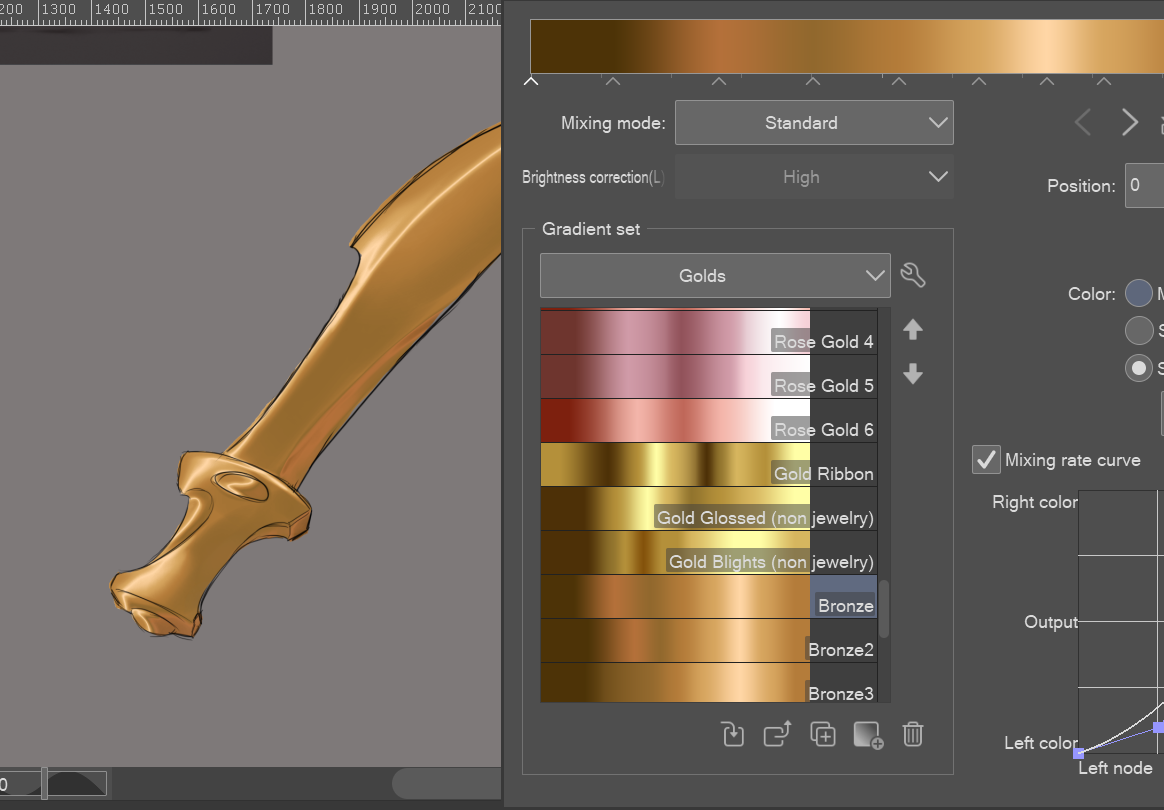
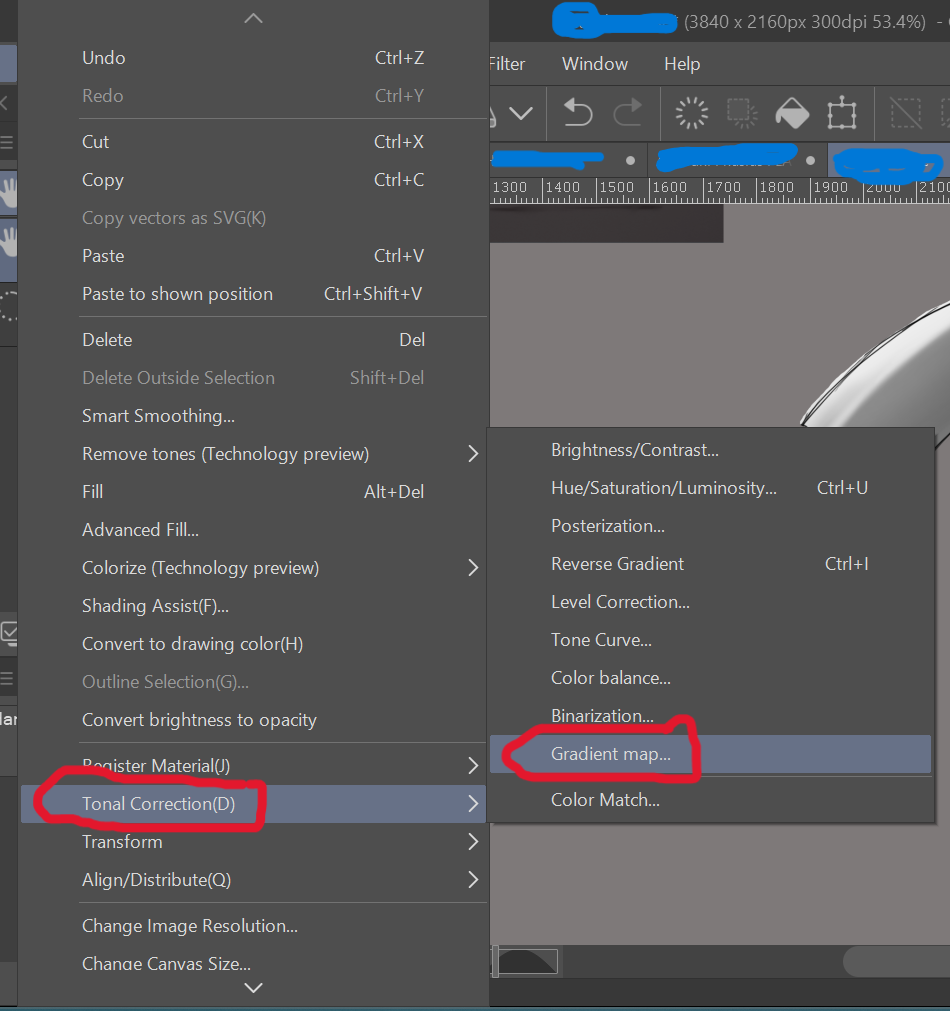
* 注意:グラデーションマップは、スライダーで割り当てられた色で差し替え、最も暗い(左側)から最も明るい(右側)へと変わるため、シェーディングの瞬間に値のバランスに注意してください。そうしないと、選んだグラデーションで全スペクトルの色を表現できません。濃いグレー、グレー、白の色を使って陰影をつけるのが効果的です。
A "small" set of gradients that have helped me color metallics over the years! Just shade your desired drawing in basic black and white values, then go to Edit>Tonal Correction>Gradient Maps and select the gradient you desire.
* NOTE: Gradient Maps replace values with the colors assigned in the slider from darkest (left side) to lightest (right side), so be mindful of how balanced your values are in the moment of shading, else you won't be able to get the full spectrum of color on the chosen gradient. It helps to simply use a dark gray, gray, and white color to shade with.








"グラデーションセット"の人気素材



新着素材







バッジ
-
 MVP ◆質問に対して適切な回答を数多く投稿し、コミュニティの運営に大きく貢献したユーザーです。MVPは3ヶ月に一度、その間に獲得したポイントを元に決定し、表彰を行っています。
 -
 NVP (New Valuable Player) ◆MVPに次いでコミュニティの運営に貢献したユーザーです。これまでMVPの受賞経験のない方から、獲得したポイントを元に決定し、表彰を行なっています。
 -
 公式エキスパート ◆優れた回答者の証であるMVP受賞者の中からさらに選ばれた、コミュニティで最も優良な回答者の証です。審査を経て当社から依頼し就任いただいています。※旧名称「エバンジェリスト」
 -
 セルシス公認モデレーター ◆モデレーターは、日本語とその他の言語が話せるセルシス公認のスタッフです。ソフトウェアや創作のエキスパートではないので、直接疑問を解決することはできませんが、みなさんがスムーズにコミュニケーションできるように、言葉やコミュニケーションの側面からサポートします。
 -
 セルシス公式運営に関連した公式アカウントです。