



線のレイヤーに明暗のグラデーションを加えます。 Adds a light-dark gradient to line layers.
これはパーリンノイズ効果を使ってランダムなパターンを生成します!
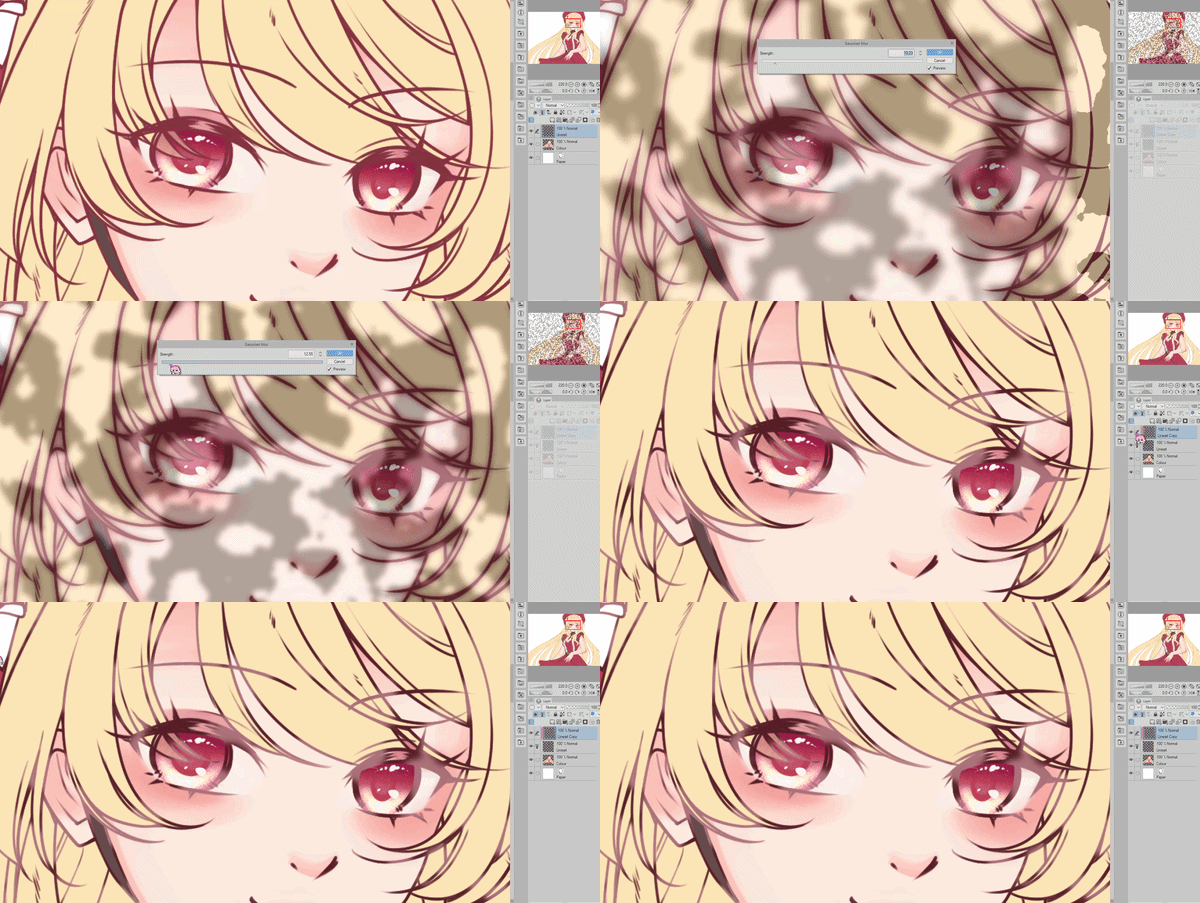
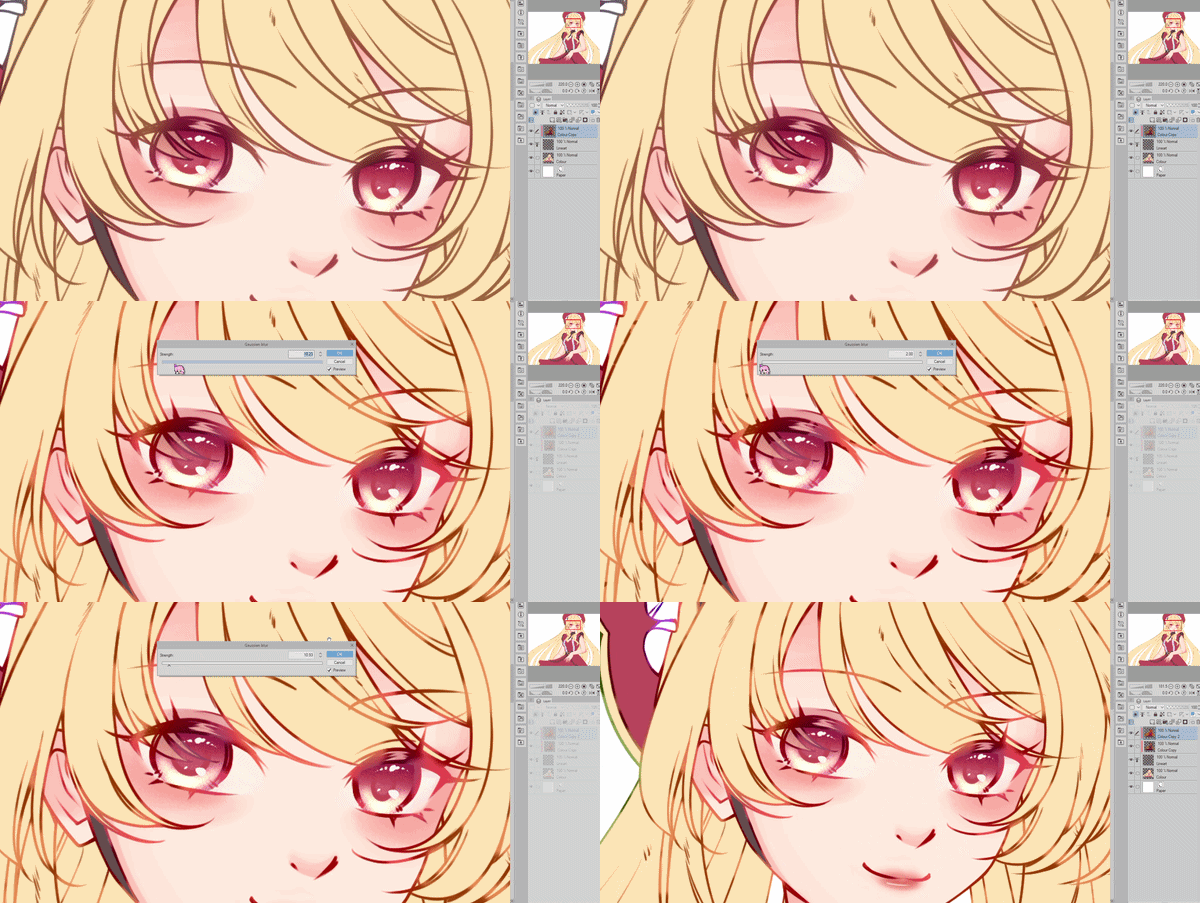
警告:このオートアクションを使用すると色が変わる可能性があり、後で手動で調整する必要がある場合があります。ご注意ください。
最初のオートアクションは線レイヤー専用なので効果は弱まります。
2つ目のオートアクションは、ラインレイヤーにクリップされたカラーレイヤーに対してです。
彩度を使って光沢のある部分の明るさを調整できます。
例2の線の色はAuto Line Colorのオートアクション[ID 1914696]で実現されました。
This uses the perlin noise effect to generate a random pattern!
Warning: Using this auto action may result in colour changes that may need manual adjustment afterwards. Please take note.
First auto action is for the line layer only, so the effect is weaker.
Second auto action is for colour layers that have been clipped onto the line layer.
You can use Saturation to adjust how bright you want the shiny parts to be.
Line colours in example 2 were achieved with the Auto Line Color auto action [ID 1914696].
オートアクション Auto action


"lunefaer"さんの別の素材


"素材集"の人気素材


新着素材





バッジ
-
 MVP ◆質問に対して適切な回答を数多く投稿し、コミュニティの運営に大きく貢献したユーザーです。MVPは3ヶ月に一度、その間に獲得したポイントを元に決定し、表彰を行っています。
 -
 NVP (New Valuable Player) ◆MVPに次いでコミュニティの運営に貢献したユーザーです。これまでMVPの受賞経験のない方から、獲得したポイントを元に決定し、表彰を行なっています。
 -
 公式エキスパート ◆優れた回答者の証であるMVP受賞者の中からさらに選ばれた、コミュニティで最も優良な回答者の証です。審査を経て当社から依頼し就任いただいています。※旧名称「エバンジェリスト」
 -
 セルシス公認モデレーター ◆モデレーターは、日本語とその他の言語が話せるセルシス公認のスタッフです。ソフトウェアや創作のエキスパートではないので、直接疑問を解決することはできませんが、みなさんがスムーズにコミュニケーションできるように、言葉やコミュニケーションの側面からサポートします。
 -
 セルシス公式運営に関連した公式アカウントです。