


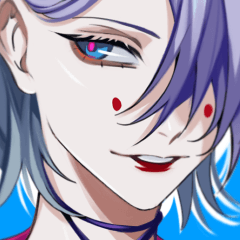

シンプルオートアクション設定:
- デフォルトの白の代わりに黒の境界効果で新しいレイヤーを素早く作成(セットは1〜3ピクセルの境界サイズに対して3つのプリセットを提供します)
- ボーダーエフェクトレイヤーから線画と色を抽出し、グループ化し、グループマスクを設定する
Simple Auto Action set for:
- quickly creating new layers with black border effect instead of the default white (set provides 3 presets for 1-3 px border sizes)
- extracting lineart and color from border effect layer, grouping them and setting a group mask
新しい境界線画レイヤーを作成する
- デフォルトのアクションの中から選んで、黒い枠の効果を持つレイヤーを作成します (必要に応じて手動で境界サイズを調整してください)
ボーダー・ラインアート・レイヤーの仮面グループ
- 黒い縁取り効果のあるレイヤーを作業する際は、希望 の色でその領域を埋めます
- 前のステップが終わったら、クリックしてください 『ボーダー線画レイヤーの仮面グループ』
CREATE NEW BORDER LINEART LAYER
- Pick one of the default actions to create a layer with black border effect (adjust border size manually if needed)
MASKED GROUP FROM BORDER LINEART LAYER
- When working on a layer with black border effect, fill the area with desired color
- When done with the previous step, click 'Masked group from border lineart layer'




"オートアクション"の人気素材


新着素材








バッジ
-
 MVP ◆質問に対して適切な回答を数多く投稿し、コミュニティの運営に大きく貢献したユーザーです。MVPは3ヶ月に一度、その間に獲得したポイントを元に決定し、表彰を行っています。
 -
 NVP (New Valuable Player) ◆MVPに次いでコミュニティの運営に貢献したユーザーです。これまでMVPの受賞経験のない方から、獲得したポイントを元に決定し、表彰を行なっています。
 -
 公式エキスパート ◆優れた回答者の証であるMVP受賞者の中からさらに選ばれた、コミュニティで最も優良な回答者の証です。審査を経て当社から依頼し就任いただいています。※旧名称「エバンジェリスト」
 -
 セルシス公認モデレーター ◆モデレーターは、日本語とその他の言語が話せるセルシス公認のスタッフです。ソフトウェアや創作のエキスパートではないので、直接疑問を解決することはできませんが、みなさんがスムーズにコミュニケーションできるように、言葉やコミュニケーションの側面からサポートします。
 -
 セルシス公式運営に関連した公式アカウントです。