


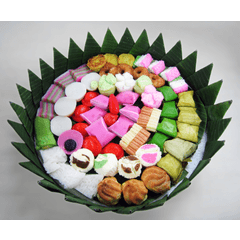

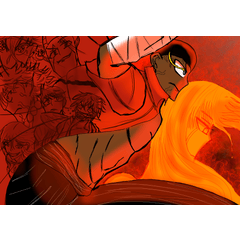
ジェイソン・パイパーバーグのチュートリアルに触発された、印刷された紙の質感を出すレイヤー設定。 Layer settings to give a printed paper texture feel, inspired by Jason Piperberg's tutorial.
※ ジェイソン・パイパーバーグ(The Pipelineのウェブサイト )によるチュートリアルを基にしており、長年見た目がとても気に入っていました。簡単だったので、ここではまだ見たことがありません。
印刷された紙の質感を画像に与えるレイヤー設定のフォルダです。各レイヤーの不透明度は個別に好みに合わせて調整できます。
モノクロコミック、シンプルなシェーディングイラスト、さらにはすでに他の紙の質感を使っているイラストにも使えます!
ヒント: #FFFFFF(白) 背景は「オーバーレイ」ブレンドモードを使うためテクスチャが表示されません。そのため、背景に少し色付けを加えることで、印刷紙のような質感も同じように感じられます。
- コミック

- 追加の紙の質感なしのシンプルなシェーディングイラスト

- 追加の紙質感(例:水彩紙質感)を含むイラスト

※ Based on a tutorial by Jason Piperberg (The Pipeline website) and I really like how it looked for years, since it was easy enough and haven't seen it here yet.
A folder of layer settings to give the texture of printed paper to an image. Each layer opacity can be individually changed how you like it.
Can be used on monochrome comics, simple shaded illustrations, or even illustrations that already used other paper textures!
Tip: #FFFFFF (white) backgrounds won't show the texture, since it uses the "overlay" blend mode. So making the background slightly tinted will also give the background the same printed paper texture feel.
- Comic
- Simple Shaded Illustrations without Additional Paper Textures
- Illustrations with Additional Paper Textures (e.g.: water color paper texture)


"cifro"さんの別の素材

"画像素材"の人気素材





新着素材





バッジ
-
 MVP ◆質問に対して適切な回答を数多く投稿し、コミュニティの運営に大きく貢献したユーザーです。MVPは3ヶ月に一度、その間に獲得したポイントを元に決定し、表彰を行っています。
 -
 NVP (New Valuable Player) ◆MVPに次いでコミュニティの運営に貢献したユーザーです。これまでMVPの受賞経験のない方から、獲得したポイントを元に決定し、表彰を行なっています。
 -
 公式エキスパート ◆優れた回答者の証であるMVP受賞者の中からさらに選ばれた、コミュニティで最も優良な回答者の証です。審査を経て当社から依頼し就任いただいています。※旧名称「エバンジェリスト」
 -
 セルシス公認モデレーター ◆モデレーターは、日本語とその他の言語が話せるセルシス公認のスタッフです。ソフトウェアや創作のエキスパートではないので、直接疑問を解決することはできませんが、みなさんがスムーズにコミュニケーションできるように、言葉やコミュニケーションの側面からサポートします。
 -
 セルシス公式運営に関連した公式アカウントです。