


ベースやシルエットのラインはきれいに (Clean lines for base/silhouette) Clean lines for base/silhouette
コンテンツID:2257291
-
79
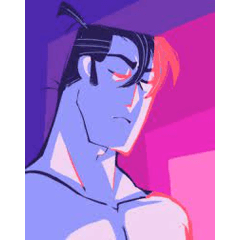

Auto Actionは、粗い/テクスチャの線画をきれいな線レイヤーに変換し、元のスケッチを保ちつつベースカラーで塗りつぶすことができる。
完璧ではありませんが動作しています。今後アップグレードを試みます。
気に入ってもらえたら嬉しいです!
Auto Action that turns rough/textured linework into clean lines layer for you to fill with base color, while preserving the original sketch.
It's not perfect but it works, I will try to upgrade it in the future.
I hope you like it!
1. 線画レイヤーの名前を「sketch」に変更し、選択します。
これはオートアクションが認識するためのもので、後で変更しても構いません。
2. オートアクションに行き、「ベース用のラインをきれいにする」を選択し、再生をクリックします。
これにより「クリーンライン」と呼ばれる新しいレイヤーが作成されます
最初は線がギザギザに見えるかもしれませんが、 心配しないでください。線画や使った筆によっては、「クリーンライン」レイヤーの見た目が違うかもしれません。しかし、それはフィルの使い方には影響 しません !!
3. フィルツールの使用(エンクロージングとフィル)
ベースカラーレイヤーは線画の下に置き、「クリーンライン」レイヤーを作ってください。 (塗りつぶし参照に「クリーンライン」レイヤーを使っていることを確認してください) 色を選択し、色を塗りたい部分の周りやシルエット全体を回ります。

ベースがスケッチに合っているか確認してください。もし不完全な部分があれば手動で調整したり、フィルツールの設定をいじったりできます。
私の設定は以下の通りです:

*「アイスクリーム」ツールも使えます。
1. Rename your linework layer "sketch" and select it.
This is in order for the auto action to recognize it, you can change it later if you want.
2. Go to Auto Action, select "Clean lines for base" and click play.
This will create a new layer called "Clean lines"
Now you will notice that the lines created may look jagged at first but Do Not Worry. Depending on your linework and the brush you've used the "Clean lines" layer may look different. That DOES NOT affect the way you can use it for your fill!!!
3. Use the Fill Tool (Enclose and fill)
Make your Base color layer bellow your linework and "Clean lines" layer. (Make sure you are using the "Clean lines" layer for the fill reference). Select your color and go around the parts you want to color or around the whole silhouette.
Check if the base fits in the sketch. If it has some imperfections you can manually adjust them or play around with the settings of the fill tool.
Here are my settings:
*You can also use the "Ice cream" tool.


"オートアクション"の人気素材


新着素材






-
 MVP ◆質問に対して適切な回答を数多く投稿し、コミュニティの運営に大きく貢献したユーザーです。MVPは3ヶ月に一度、その間に獲得したポイントを元に決定し、表彰を行っています。
 -
 NVP (New Valuable Player) ◆MVPに次いでコミュニティの運営に貢献したユーザーです。これまでMVPの受賞経験のない方から、獲得したポイントを元に決定し、表彰を行なっています。
 -
 公式エキスパート ◆優れた回答者の証であるMVP受賞者の中からさらに選ばれた、コミュニティで最も優良な回答者の証です。審査を経て当社から依頼し就任いただいています。※旧名称「エバンジェリスト」
 -
 セルシス公認モデレーター ◆モデレーターは、日本語とその他の言語が話せるセルシス公認のスタッフです。ソフトウェアや創作のエキスパートではないので、直接疑問を解決することはできませんが、みなさんがスムーズにコミュニケーションできるように、言葉やコミュニケーションの側面からサポートします。
 -
 セルシス公式運営に関連した公式アカウントです。