


Shapefy(ランダムシェイプスジェネレーター) (Shapefy (Random Shapes Generator)) Shapefy (Random Shapes Generator)
コンテンツID:2244264
-
25


ランダムなシルエットを生成して描く Generate random silhouettes to draw
Shapefyは、Alchemyという古い概念ソフトウェアに触発されています。
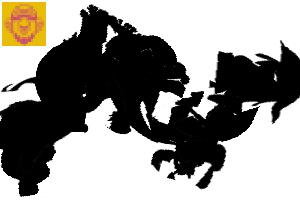
このツールには「プルシェイプ」機能があり、ランダムな形状を描いてキャンバスに重ね合わせることができます。
ランダムな形からアイデアを生み出すのは、私のお気に入りの「白紙の恐怖」を打破する方法の一つです。ぜひ試してみてください!
形は私自身の作品を使って作り出しました。あれは自分で作ったキャラクターデザインの切り抜きシルエットです。
ランダムな形からアイデアを生み出すのは、私のお気に入りの「白紙の恐怖」を打破する方法の一つです。ぜひ試してみてください!
形は私自身の作品を使って作り出しました。あれは自分で作ったキャラクターデザインの切り抜きシルエットです。
このブラシの正しい使い方はありません。これは実験的なツールです。
---------------------------
自分で作る方法
もしこの作品にCPを使いたくないと感じるなら (私のオリジナルアートを使っていて時間がかかりました)、ぜひ自分で作ってください。
ランダムな形状をブラシマテリアルチップ(できれば低解像度)として保存し、ツールのブラシチップパラメータにすべて読み込んでください。
また、ギャップパラメータを調整し、Repeatメソッドをストロークパラメータでランダムに設定することも重要です。
もしこの作品にCPを使いたくないと感じるなら (私のオリジナルアートを使っていて時間がかかりました)、ぜひ自分で作ってください。
ランダムな形状をブラシマテリアルチップ(できれば低解像度)として保存し、ツールのブラシチップパラメータにすべて読み込んでください。
また、ギャップパラメータを調整し、Repeatメソッドをストロークパラメータでランダムに設定することも重要です。

これらすべてが使われているブラシチップです。意図的に低解像度にして、パフォーマンスにあまり影響を与えないようにしています。レイヤーをモノクロに設定した方が、100%不透明な見た目にする方が良いです。

例を挙げます。
ランダムな形を正確に辿るべきではないと思いますし、追えないと思います。しかし、それは確かにあなたの潜在意識に浮かぶかもしれないイメージへの実用的な入り口なのです。

それだ!
楽しんでね。
Shapefy is inspired by an old conceptual software called Alchemy.
This tool had a 'pull-shapes ' function that uses random shapes that can be draw and overlapped on the canvas.
Generate ideas from random shapes is one of my favorites methods to break the 'fear of the blank page'. Give it a try!
Shapes were created using my own artwork. Those are cutouts silhouettes from some character designs I made for myself.
Generate ideas from random shapes is one of my favorites methods to break the 'fear of the blank page'. Give it a try!
Shapes were created using my own artwork. Those are cutouts silhouettes from some character designs I made for myself.
There's no correct way to use this brush. It's an experimental tool.
---------------------------
HOW TO CREATE YOUR OWN
If you feel not spending CPs on this one (just asking because it uses my original art and it took a lot of time to do it), please feel free to create your own.
Just save your random shapes as Brush material tips (preferably, low res) and load them all on the Brush Tip Parameter of the tool.
Also it's important to adjust the Gap parameter and set the Repeat method to Random on the Stroke parameter.
If you feel not spending CPs on this one (just asking because it uses my original art and it took a lot of time to do it), please feel free to create your own.
Just save your random shapes as Brush material tips (preferably, low res) and load them all on the Brush Tip Parameter of the tool.
Also it's important to adjust the Gap parameter and set the Repeat method to Random on the Stroke parameter.
Those are all the Brush Tips used - they're low res on purpose so you don't have with performance. It's better to set the layer to monochrome for a 100% opaque look.
Here's an example.
I don't think you should (or will be able) to follow the random shape precisely. But it's indeed a practical gateway to some imagery that may be floating on your subconscious mind.
That's it!
Have fun.
シェイプファイ Shapefy




"Dadotronic"さんの別の素材


"素材集"の人気素材


新着素材


バッジ
-
 MVP ◆質問に対して適切な回答を数多く投稿し、コミュニティの運営に大きく貢献したユーザーです。MVPは3ヶ月に一度、その間に獲得したポイントを元に決定し、表彰を行っています。
 -
 NVP (New Valuable Player) ◆MVPに次いでコミュニティの運営に貢献したユーザーです。これまでMVPの受賞経験のない方から、獲得したポイントを元に決定し、表彰を行なっています。
 -
 公式エキスパート ◆優れた回答者の証であるMVP受賞者の中からさらに選ばれた、コミュニティで最も優良な回答者の証です。審査を経て当社から依頼し就任いただいています。※旧名称「エバンジェリスト」
 -
 セルシス公認モデレーター ◆モデレーターは、日本語とその他の言語が話せるセルシス公認のスタッフです。ソフトウェアや創作のエキスパートではないので、直接疑問を解決することはできませんが、みなさんがスムーズにコミュニケーションできるように、言葉やコミュニケーションの側面からサポートします。
 -
 セルシス公式運営に関連した公式アカウントです。