




To use the material, simply drag and drop it from the Materials folder onto your canvas.
Create a new layer above it and set the blending mode to Multiply to apply color.
That’s it. You’re all set.
Create a new layer above it and set the blending mode to Multiply to apply color.
That’s it. You’re all set.
---
使用ガイド(簡単)
素材をキャンバスにドラッグ&ドロップします。
上に新規レイヤーを作成し、ブレンドモードを「乗算」にして色を付けます。
以上で完了です。
素材をキャンバスにドラッグ&ドロップします。
上に新規レイヤーを作成し、ブレンドモードを「乗算」にして色を付けます。
以上で完了です。
To use the material, simply drag and drop it from the Materials folder onto your canvas.
Create a new layer above it and set the blending mode to Multiply to apply color.
That’s it. You’re all set.
Create a new layer above it and set the blending mode to Multiply to apply color.
That’s it. You’re all set.
---
使用ガイド(簡単)
素材をキャンバスにドラッグ&ドロップします。
上に新規レイヤーを作成し、ブレンドモードを「乗算」にして色を付けます。
以上で完了です。
素材をキャンバスにドラッグ&ドロップします。
上に新規レイヤーを作成し、ブレンドモードを「乗算」にして色を付けます。
以上で完了です。
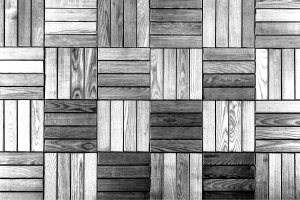
木製の床 Wooden Floor








バッジ
-
 MVP ◆質問に対して適切な回答を数多く投稿し、コミュニティの運営に大きく貢献したユーザーです。MVPは3ヶ月に一度、その間に獲得したポイントを元に決定し、表彰を行っています。
 -
 NVP (New Valuable Player) ◆MVPに次いでコミュニティの運営に貢献したユーザーです。これまでMVPの受賞経験のない方から、獲得したポイントを元に決定し、表彰を行なっています。
 -
 公式エキスパート ◆優れた回答者の証であるMVP受賞者の中からさらに選ばれた、コミュニティで最も優良な回答者の証です。審査を経て当社から依頼し就任いただいています。※旧名称「エバンジェリスト」
 -
 セルシス公認モデレーター ◆モデレーターは、日本語とその他の言語が話せるセルシス公認のスタッフです。ソフトウェアや創作のエキスパートではないので、直接疑問を解決することはできませんが、みなさんがスムーズにコミュニケーションできるように、言葉やコミュニケーションの側面からサポートします。
 -
 セルシス公式運営に関連した公式アカウントです。