


XDDブラシ+丸みを帯びた角のオートアクション (XDD Brushes + Round corners auto action) XDD Brushes + Round corners auto action
コンテンツID:2078453
-
3,799


フラッシュレプリカブラシ+線画の丸みを帯びた角の自動アクション Flash replica brushes + Round corners auto action for your lineart

-
描画例のサイズ:1200pxおよび300ppp
むら

_____________________________________________________________

_____________________________________________________________

_____________________________________________________________

丸みを帯びた角 (または「インクの蓄積」) -自動アクション

オートアクションは、線画(またはテキスト)レイヤーの上に新しいレイヤー(エフェクトレイヤー)を作成します。


----------------
楽しむ!
-
Drawing example size: 1200px and 300ppp
BLOCKY
_____________________________________________________________
_____________________________________________________________
_____________________________________________________________
Round corners (or "ink accumulation") - auto action
The auto action will create a new layer (the effect layer) on top of your lineart (or text!) layer.
----------------
Enjoy!
XDDブラシ XDD Brushes
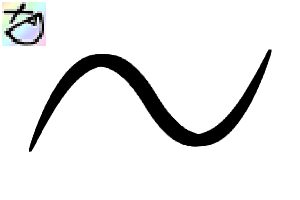
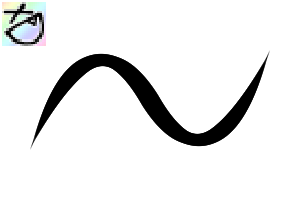


更新履歴
- 「正方形」ブラシの名前を「ブロック状」に変更
- 新しいブラシ「ランダム(▲)」。ストロークの開始/終了がストレートな以前のブラシ「ランダム(※)」に比べてストロークの開始/終了が細くなり、このブラシの方が感じが良いと思います。:)
- "Square" brush is renamed to "Blocky"
- New brush "Random(▲)". Start/end of the stroke become thinner compared to the previous brush "Random(■)" which have straight start/end, also I think this brush feels better. :)











"Blazkat"さんの別の素材


"素材集"の人気素材


新着素材





-
 MVP ◆質問に対して適切な回答を数多く投稿し、コミュニティの運営に大きく貢献したユーザーです。MVPは3ヶ月に一度、その間に獲得したポイントを元に決定し、表彰を行っています。
 -
 NVP (New Valuable Player) ◆MVPに次いでコミュニティの運営に貢献したユーザーです。これまでMVPの受賞経験のない方から、獲得したポイントを元に決定し、表彰を行なっています。
 -
 公式エキスパート ◆優れた回答者の証であるMVP受賞者の中からさらに選ばれた、コミュニティで最も優良な回答者の証です。審査を経て当社から依頼し就任いただいています。※旧名称「エバンジェリスト」
 -
 セルシス公認モデレーター ◆モデレーターは、日本語とその他の言語が話せるセルシス公認のスタッフです。ソフトウェアや創作のエキスパートではないので、直接疑問を解決することはできませんが、みなさんがスムーズにコミュニケーションできるように、言葉やコミュニケーションの側面からサポートします。
 -
 セルシス公式運営に関連した公式アカウントです。