




Un paquete de brochas que actúa como un sello para añadir una textura realista de roca a tu suelo y rocas A brush pack that acts like a stamp to add a realistic rock texture to your ground & rocks
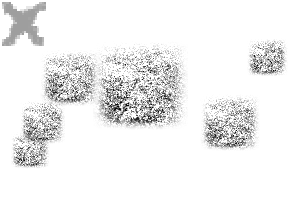
Un paquete de pinceles con 3 pinceles texturizados para usar como superposición para tus piedras y el suelo para lograr una textura realista.
Cuando se usa con un stylus, la inclinación del lápiz se activa para crear un efecto más aleatorio y pero.
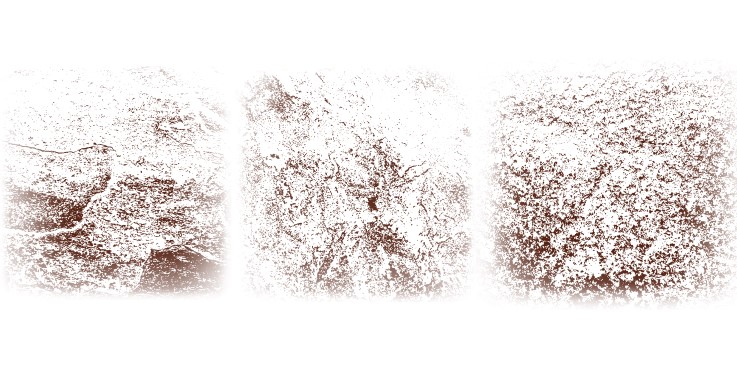
(estas son fotos de mis azulejos en mi casa.....)
PASOS:

Cuando se usa con un stylus, la inclinación del lápiz se activa para crear un efecto más aleatorio y pero.
(estas son fotos de mis azulejos en mi casa.....)
PASOS:
1- Crea tu base de rocas usando tus métodos habituales...
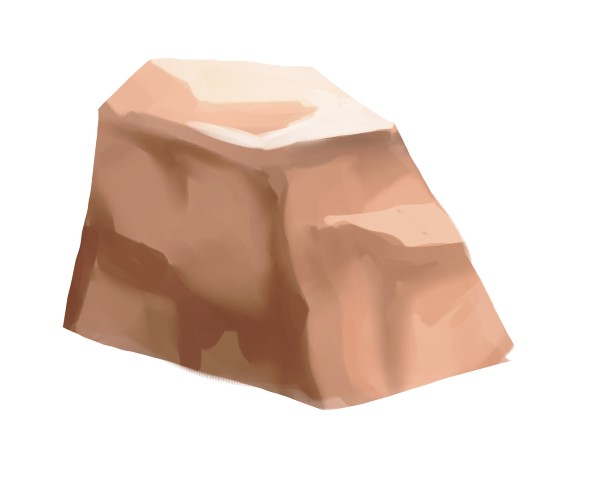
2- En una capa de recorte, elige un color oscuro y estampa el pincel sobre el lado oscuro de la roca.
Puedes poner esta capa en la que multiplicas y bajas la opacidad hasta que consigas el efecto deseado.

3- Con una capa nueva, estampa el pincel en el lado claro de la roca usando un color claro.
Puedes poner esta capa en la que multiplicas y bajas la opacidad hasta que consigas el efecto deseado.

3- Con una capa nueva, estampa el pincel en el lado claro de la roca usando un color claro.
Puedes poner esta capa en pantalla sobre la superposición y ajustar la opacidad hasta que consigas el efecto deseado.

Hay varias texturas diferentes en el pack y también puedes mezclar y combinar.
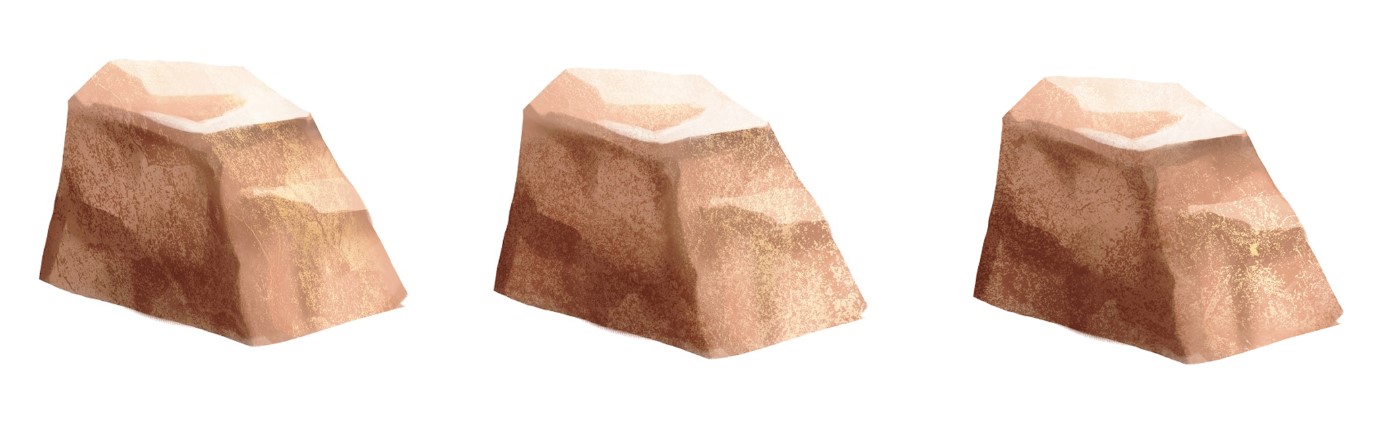
¡Gracias! ¡Disfruta!!

Hay varias texturas diferentes en el pack y también puedes mezclar y combinar.
¡Gracias! ¡Disfruta!!
A brush pack with 3 textured brushes to be used as an overlay for your rocks and ground to make a realistic texture.
When used with a stylus, pen tilt is enabled to create a more randomised yet effect.
(these are pictures of my tiles in my house.....)
STEPS:
When used with a stylus, pen tilt is enabled to create a more randomised yet effect.
(these are pictures of my tiles in my house.....)
STEPS:
1- Create your rocks base using your usual methods...
2- On a clipping layer, pick a dark colour and stamp the brush onto the dark side of the rock.
You can put this layer on multiply and lower the opacity until you reach your desired effect.
3- With a new layer, stamp the brush on the light side of the rock using a light colour.
You can put this layer on multiply and lower the opacity until you reach your desired effect.
3- With a new layer, stamp the brush on the light side of the rock using a light colour.
You can put this layer on screen on overlay and adjust the opacity until you reach your desired effect.
There are multiple different textures in the pack and you can mix and match as well!
Thank you! Enjoy!!!
There are multiple different textures in the pack and you can mix and match as well!
Thank you! Enjoy!!!
Pinceles de textura de roca Rock Texture Brushes





Más materiales de soxxyhorror

Materiales populares de Catálogos de materiales


Nuevos materiales


Insignias
-
 MVP ◆Estos usuarios han contribuido en gran medida a la gestión de la comunidad, al publicar multitud de útiles respuestas a las preguntas planteadas. Una vez cada tres meses, los MVP son seleccionados en base a los puntos obtenidos durante ese período y, en consecuencia, son reconocidos por su esfuerzo.
 -
 New Valuable Player (NVP) ◆Son las personas que más han contribuido a la comunidad después de los MVP. Este galardón se otorga según los puntos conseguidos a los usuarios que aún no han obtenido ningún premio MVP.
 -
 Especialista oficial ◆Elegidos de entre todos los MVP, quienes ya han demostrado ser de inestimable ayuda, esto es un testimonio de su excepcional apoyo para con la comunidad. Tras un minucioso escrutinio, son nombrados por Celsys para ocupar dicho cargo.Nota: Anteriormente denominados "evangelistas".
 -
 Moderador oficial de Celsys ◆Los moderadores son miembros del personal de Celsys que pueden comunicarse en japonés y otros idiomas. No son expertos en software o ilustración, por lo que no pueden responder directamente a las preguntas. Sin embargo, tratarán de asegurarse de que la comunicación entre usuarios de distintas lenguas sea tan fluida y comprensible como sea posible.
 -
 Cuenta oficial de CelsysCuenta oficial del administrador