


Elise Artist Marker (Versión 1.0) (Elise Artist Marker (Version 1.0)) Elise Artist Marker (Version 1.0)
Content ID:2247296
-
9 377


Juego de marcadores de artista con calidad analógica de medio tradicional. Hecho por Elise. Artist marker set that has an analogue traditional media quality. Made by Elise.
Conjunto de rotuladores de artista (versión anterior 1.0)

¡Quería un pincel fácil de usar que imitara la sensación de dibujar con un rotulador de artista sobre papel!
Su aspecto está entre un rotulador seco y un bolígrafo de tinta de alcohol.

== Tipos de pinceles ==

1. Marcador de artista: ¡El rotulador original!
2. Marcador de Resaltos: Una versión opaca del rotulador. Este bolígrafo es bueno para ilustrar colores blancos o pálidos.
3. Blender: Un bolígrafo blender que mezcla colores para un aspecto suave pero aún texturizado.
4. Goma de borrar: Una goma de borrar texturizada que funciona bien con los rotuladores.
== Ejemplo de timelapse ==

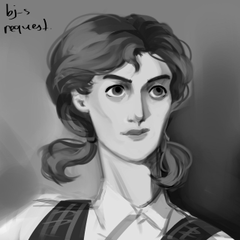
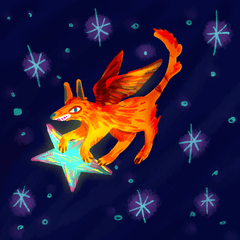
¡Esta imagen de ejemplo está coloreada completamente con este set de rotuladores de artista!
* Hay una capa base de papel debajo.
* Ilustré la obra de arte en una sola capa transparente encima.
* Construí los colores como si dibujara con un rotulador de verdad. ¡Usé el marcador de luces para añadir algunos detalles al final!
== Configuración de texturas ==
Diseñado para arte digital de alta resolución a 600 dpi. (Aproximadamente 4000px de lienzo.)
Si usas un lienzo más pequeño o grande, ¡puede que tengas que ajustar el tamaño de la textura!
¡Tu textura debería quedar bien equilibrada como el cuadrado central de abajo!
Si es necesario, por favor ajusta el tamaño de la textura hasta que el pincel quede bonito. ^^

Para traducir:
La línea superior del texto dice "densidad de texturas" y está configurada en 40. (No necesitas cambiar este número.)
La segunda línea de texto dice "proporción de escala". ¡Este es el número que quieres ajustar para cambiar el tamaño de la textura!
Puedes encontrar esta opción en el menú de "propiedad de herramientas".
.: Gracias :.
- Elise -
Todos los materiales, ilustraciones y personajes que se muestran aquí son creaciones originales mías.
【Nota】 No estoy mucho en línea y no puedo leer los comentarios. Si necesitas ayuda: consulta tutoriales y foros oficiales, o contacta con el equipo de soporte de Clip Studio. ¡Gracias por entender!
Todos los materiales, ilustraciones y personajes que se muestran aquí son creaciones originales mías.
【Nota】 No estoy mucho en línea y no puedo leer los comentarios. Si necesitas ayuda: consulta tutoriales y foros oficiales, o contacta con el equipo de soporte de Clip Studio. ¡Gracias por entender!
Artist marker pen set (previous version 1.0)
I wanted an easy-to-use brush that would mimic the feeling of drawing with an artist marker on paper!
Its appearance is somewhere between a dry marker and an alcohol ink pen.
== Brush Types ==
1. Artist Marker: The original marker pen!
2. Highlight Marker: An opaque version of the marker pen. This pen is good for illustrating white or pale colors.
3. Blender: A blender pen that mixes colors for a smooth but still textured look.
4. Eraser: A textured eraser that works well with the markers.
== Timelapse Example ==
This example image is colored entirely using this artist marker set!
* There is a base paper layer underneath.
* I illustrated the artwork in a single transparent layer overtop.
* I built up the colors as if drawing with a real marker. I used the highlight marker to add a few details at the end!
== Texture Settings ==
Designed for 600dpi high resolution digital art. (Approximately 4000px canvas.)
If you use a smaller or larger canvas, you may need to adjust the texture size!
Your texture should look nicely balanced like the center square below!
If needed, please adjust the texture size until the brush is beautiful. ^^
For translation:
The top line of text says "texture density" and is set to 40. (You do not need to change this number.)
The second line of text says "scale ratio." This is the number you want to adjust to change the texture size!
You can find this setting in the "tool property" menu.
.: Thank You :.
- Elise -
All materials, illustrations, and characters shown here are my own original creations.
【Note】 I am not online often and cannot read comments. If you need help: check official tutorials and forums, or contact Clip Studio support team. Thank you for understanding!
All materials, illustrations, and characters shown here are my own original creations.
【Note】 I am not online often and cannot read comments. If you need help: check official tutorials and forums, or contact Clip Studio support team. Thank you for understanding!
Marcadores de artistas Artist Markers








Más materiales de mh.elise


Materiales populares de Catálogos de materiales


Nuevos materiales


Insignias
-
 MVP ◆Estos usuarios han contribuido en gran medida a la gestión de la comunidad, al publicar multitud de útiles respuestas a las preguntas planteadas. Una vez cada tres meses, los MVP son seleccionados en base a los puntos obtenidos durante ese período y, en consecuencia, son reconocidos por su esfuerzo.
 -
 New Valuable Player (NVP) ◆Son las personas que más han contribuido a la comunidad después de los MVP. Este galardón se otorga según los puntos conseguidos a los usuarios que aún no han obtenido ningún premio MVP.
 -
 Especialista oficial ◆Elegidos de entre todos los MVP, quienes ya han demostrado ser de inestimable ayuda, esto es un testimonio de su excepcional apoyo para con la comunidad. Tras un minucioso escrutinio, son nombrados por Celsys para ocupar dicho cargo.Nota: Anteriormente denominados "evangelistas".
 -
 Moderador oficial de Celsys ◆Los moderadores son miembros del personal de Celsys que pueden comunicarse en japonés y otros idiomas. No son expertos en software o ilustración, por lo que no pueden responder directamente a las preguntas. Sin embargo, tratarán de asegurarse de que la comunicación entre usuarios de distintas lenguas sea tan fluida y comprensible como sea posible.
 -
 Cuenta oficial de CelsysCuenta oficial del administrador