



Gotas de lluvia simples en 3D

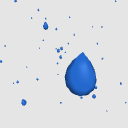
¡Lluvia en forma de lágrima dispersa en un espacio 3D!
Incluye diferentes opciones de color.


Este fue un modelo de práctica que hice mientras creaba otros efectos de lluvia en 3D. Puede que tenga algunas imperfecciones, ¡pero espero que siga siendo útil!
El reflejo brillante es una textura que pinté sobre el material. Como es una textura (y no un efecto de renderizado), este modelo debería ser más compatible con versiones antiguas de Clip Studio Paint.
A veces la textura brillante se ve irregular durante la vista previa 3D. Asterizar la capa (convertirla en una capa 2D) suele solucionar este problema. Si quedan grietas en la textura, la herramienta de desenfoque puede arreglarlas rápidamente.
Imagen izquierda: vista previa de objetos en 3D. Imagen derecha: después de la capa de rasterización.

.: Gracias :.
¡Espero que esto te ayude a crear rápidamente muchas gotas de lluvia! Ahora mismo tengo muchos recursos temáticos de lluvia publicados, por favor, échale un vistazo. ¡Gracias!
- Elise -
Todos los materiales de assets 3D, texturas 3D e imágenes de ejemplo son creaciones mías.
【Nota】 No estoy mucho en línea y no puedo responder a los comentarios. Si necesitas ayuda: consulta tutoriales y foros oficiales, o contacta con el equipo de soporte de Clip Studio. ¡Gracias por entender!
3D Simple Raindrops
Teardrop-shaped rain scattered in a 3D space!
Includes different color options.
This was a practice model I made while creating other 3D rain effects. It may have some imperfections, but I hope it can still be useful!
The shiny reflection is a texture I painted onto the material. Since it is a texture (and not a rendering effect) this model should be more compatible with older versions of Clip Studio Paint.
Sometimes the shiny texture will look jagged during 3D preview. Rasterizing the layer (converting it to a 2D layer) will usually fix this issue. If any cracks in the texture remain, the blur tool can quickly fix it.
Left image: 3D object preview. Right image: after rasterizing layer.
.: Thank You :.
I hope this helps you quickly create lots of rain drops! I have many rain-themed assets posted right now, please take a look. Thank you!
- Elise -
All 3D asset materials, 3D textures, and example images are my own creations.
【Note】 I'm not online often and can't respond to comments. If you need help: check official tutorials and forums, or contact Clip Studio support team. Thank you for understanding!
Material Material
-
Azul brillante Blue Shiny
-
Gris brillante Grey Shiny
-
Blanco White
-
Aqua Aqua
-
Azul Blue
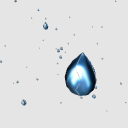
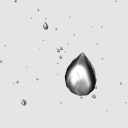
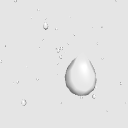
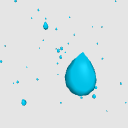
Asignar Allocate
-
Distribución predeterminada Default layout






Más materiales de mh.elise


Materiales populares de Objetos 3D



Nuevos materiales


Insignias
-
 MVP ◆Estos usuarios han contribuido en gran medida a la gestión de la comunidad, al publicar multitud de útiles respuestas a las preguntas planteadas. Una vez cada tres meses, los MVP son seleccionados en base a los puntos obtenidos durante ese período y, en consecuencia, son reconocidos por su esfuerzo.
 -
 New Valuable Player (NVP) ◆Son las personas que más han contribuido a la comunidad después de los MVP. Este galardón se otorga según los puntos conseguidos a los usuarios que aún no han obtenido ningún premio MVP.
 -
 Especialista oficial ◆Elegidos de entre todos los MVP, quienes ya han demostrado ser de inestimable ayuda, esto es un testimonio de su excepcional apoyo para con la comunidad. Tras un minucioso escrutinio, son nombrados por Celsys para ocupar dicho cargo.Nota: Anteriormente denominados "evangelistas".
 -
 Moderador oficial de Celsys ◆Los moderadores son miembros del personal de Celsys que pueden comunicarse en japonés y otros idiomas. No son expertos en software o ilustración, por lo que no pueden responder directamente a las preguntas. Sin embargo, tratarán de asegurarse de que la comunicación entre usuarios de distintas lenguas sea tan fluida y comprensible como sea posible.
 -
 Cuenta oficial de CelsysCuenta oficial del administrador