


Shapefy (Generador de formas aleatorias) (Shapefy (Random Shapes Generator)) Shapefy (Random Shapes Generator)
Content ID:2244264
-
25


Genera siluetas aleatorias para dibujar Generate random silhouettes to draw
Shapefy está inspirado en un antiguo software conceptual llamado Alchemy.
Esta herramienta tenía una función de 'tirar' que utiliza formas aleatorias que se pueden dibujar y solaparse sobre el lienzo.
Generar ideas a partir de formas aleatorias es uno de mis métodos favoritos para romper el 'miedo a la página en blanco'. ¡Pruébalo!
Las formas se crearon usando mi propio arte. Son siluetas recortadas de algunos diseños de personajes que hice para mí.
Generar ideas a partir de formas aleatorias es uno de mis métodos favoritos para romper el 'miedo a la página en blanco'. ¡Pruébalo!
Las formas se crearon usando mi propio arte. Son siluetas recortadas de algunos diseños de personajes que hice para mí.
No hay una forma correcta de usar este pincel. Es una herramienta experimental.
---------------------------
CÓMO CREAR EL TUYO PROPIO
Si sientes que no vas a gastar CPs en este (solo pregunto porque usa mi arte original y me llevó mucho tiempo), no dudes en crear el tuyo propio.
Guarda tus formas aleatorias como puntas de material de pincel (preferiblemente, de baja resolución) y cárgalas todas en el parámetro de punta de pincel de la herramienta.
También es importante ajustar el parámetro Gap y poner el método Repeat en Random en el parámetro Stroke.
Si sientes que no vas a gastar CPs en este (solo pregunto porque usa mi arte original y me llevó mucho tiempo), no dudes en crear el tuyo propio.
Guarda tus formas aleatorias como puntas de material de pincel (preferiblemente, de baja resolución) y cárgalas todas en el parámetro de punta de pincel de la herramienta.
También es importante ajustar el parámetro Gap y poner el método Repeat en Random en el parámetro Stroke.

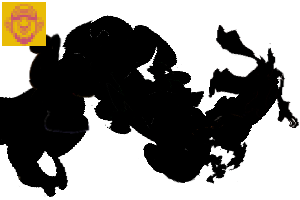
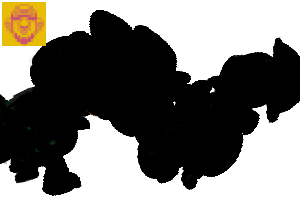
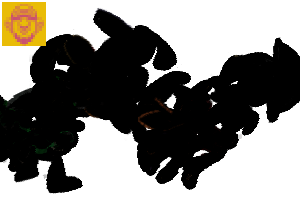
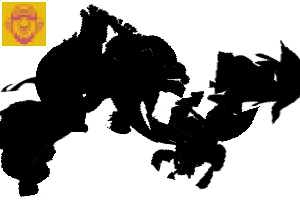
Esas son todas las puntas de pincel que usamos: son de baja resolución a propósito, así que no tienes que tener rendimiento. Es mejor poner la capa en blanco y negro para un aspecto 100% opaco.

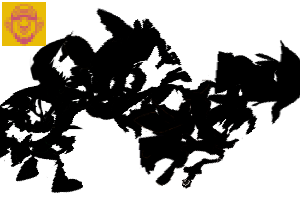
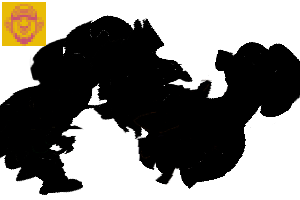
Aquí tienes un ejemplo.
No creo que debas (o vayas a ser capaz) seguir la forma aleatoria con precisión. Pero en realidad es una puerta práctica hacia algunas imágenes que pueden estar flotando en tu mente subconsciente.

¡Eso es!
Diviértete.
Shapefy is inspired by an old conceptual software called Alchemy.
This tool had a 'pull-shapes ' function that uses random shapes that can be draw and overlapped on the canvas.
Generate ideas from random shapes is one of my favorites methods to break the 'fear of the blank page'. Give it a try!
Shapes were created using my own artwork. Those are cutouts silhouettes from some character designs I made for myself.
Generate ideas from random shapes is one of my favorites methods to break the 'fear of the blank page'. Give it a try!
Shapes were created using my own artwork. Those are cutouts silhouettes from some character designs I made for myself.
There's no correct way to use this brush. It's an experimental tool.
---------------------------
HOW TO CREATE YOUR OWN
If you feel not spending CPs on this one (just asking because it uses my original art and it took a lot of time to do it), please feel free to create your own.
Just save your random shapes as Brush material tips (preferably, low res) and load them all on the Brush Tip Parameter of the tool.
Also it's important to adjust the Gap parameter and set the Repeat method to Random on the Stroke parameter.
If you feel not spending CPs on this one (just asking because it uses my original art and it took a lot of time to do it), please feel free to create your own.
Just save your random shapes as Brush material tips (preferably, low res) and load them all on the Brush Tip Parameter of the tool.
Also it's important to adjust the Gap parameter and set the Repeat method to Random on the Stroke parameter.
Those are all the Brush Tips used - they're low res on purpose so you don't have with performance. It's better to set the layer to monochrome for a 100% opaque look.
Here's an example.
I don't think you should (or will be able) to follow the random shape precisely. But it's indeed a practical gateway to some imagery that may be floating on your subconscious mind.
That's it!
Have fun.
Shapefy Shapefy


Más materiales de Dadotronic


Materiales populares de Catálogos de materiales


Nuevos materiales




Insignias
-
 MVP ◆Estos usuarios han contribuido en gran medida a la gestión de la comunidad, al publicar multitud de útiles respuestas a las preguntas planteadas. Una vez cada tres meses, los MVP son seleccionados en base a los puntos obtenidos durante ese período y, en consecuencia, son reconocidos por su esfuerzo.
 -
 New Valuable Player (NVP) ◆Son las personas que más han contribuido a la comunidad después de los MVP. Este galardón se otorga según los puntos conseguidos a los usuarios que aún no han obtenido ningún premio MVP.
 -
 Especialista oficial ◆Elegidos de entre todos los MVP, quienes ya han demostrado ser de inestimable ayuda, esto es un testimonio de su excepcional apoyo para con la comunidad. Tras un minucioso escrutinio, son nombrados por Celsys para ocupar dicho cargo.Nota: Anteriormente denominados "evangelistas".
 -
 Moderador oficial de Celsys ◆Los moderadores son miembros del personal de Celsys que pueden comunicarse en japonés y otros idiomas. No son expertos en software o ilustración, por lo que no pueden responder directamente a las preguntas. Sin embargo, tratarán de asegurarse de que la comunicación entre usuarios de distintas lenguas sea tan fluida y comprensible como sea posible.
 -
 Cuenta oficial de CelsysCuenta oficial del administrador