


Auto-action that changes line color + adds off-set shadow.
I like my lineart colored in a rather specific way, but I'm really lazy to try and hand-pick the lineart colors myself; Hence this auto action. It makes it so that the lineart/sketch color changes based on the colors below it, as well as adding an offset shadow. It quickly adds vibrancy and dimension to any drawing, and works as a good base for any type of overpainting/rendering.


before use
- The lineart/sketch needs to be a dark, non-black color for the effect to work. Something between 20-45 luminosity should suffice. Hue/Saturation is up to personal preference.
- The lineart/sketch needs to be on a single layer. If you have it across multiple layers; put them all in a folder, click it, and run the first action in the set to create a fused copy of the folder.
- Optional: Use a textured/opacity brush for the lineart/sketch. The effect will work regardless of this, but I find it produces cooler results.
- Optional: Have your base colors/shading already done. This is so you can tweak the effect more accurately, but you can do this at any point.
instructions
1 - Click the lineart/sketch layer
2 - Run either of the "Colored Line Effect" auto actions, not both.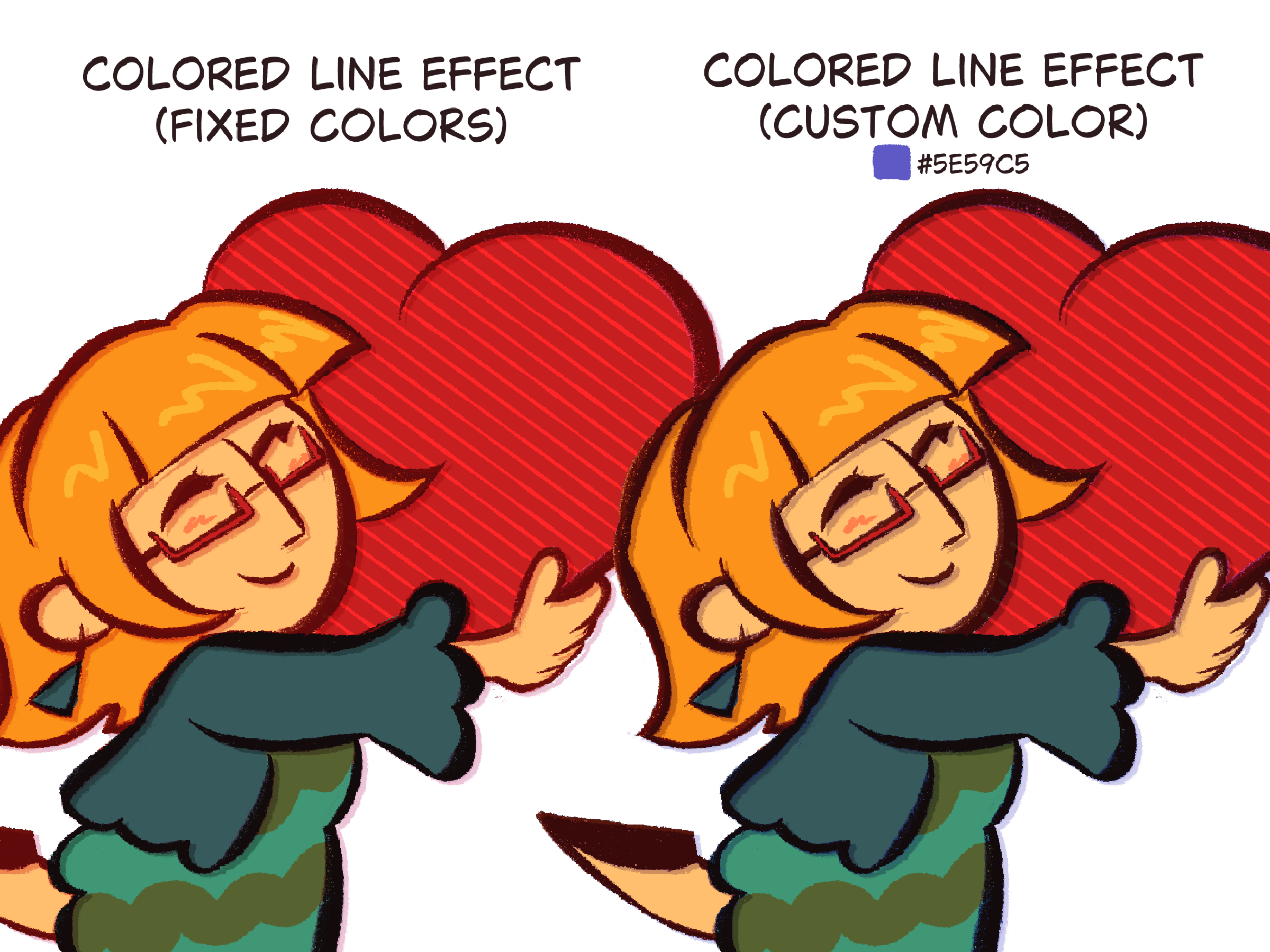
Fixed colors" has already pre-picked colors for the offset shadow and linear light layers, while "Custom Color" will use the color you currently have selected for both of these layers.
3 - Done! Woohoo!
Feel free to adjust any of the layers created for different results. Here's a little reference guide:

- Original Lineart: Increase it's opacity to unify the effect.
- Clipped Layer: Decrease it's opacity to have a stronger color change
- Linear Light/ Offset Shadow: Adjust it's color to fit the color palette of your drawing better
keep in mind
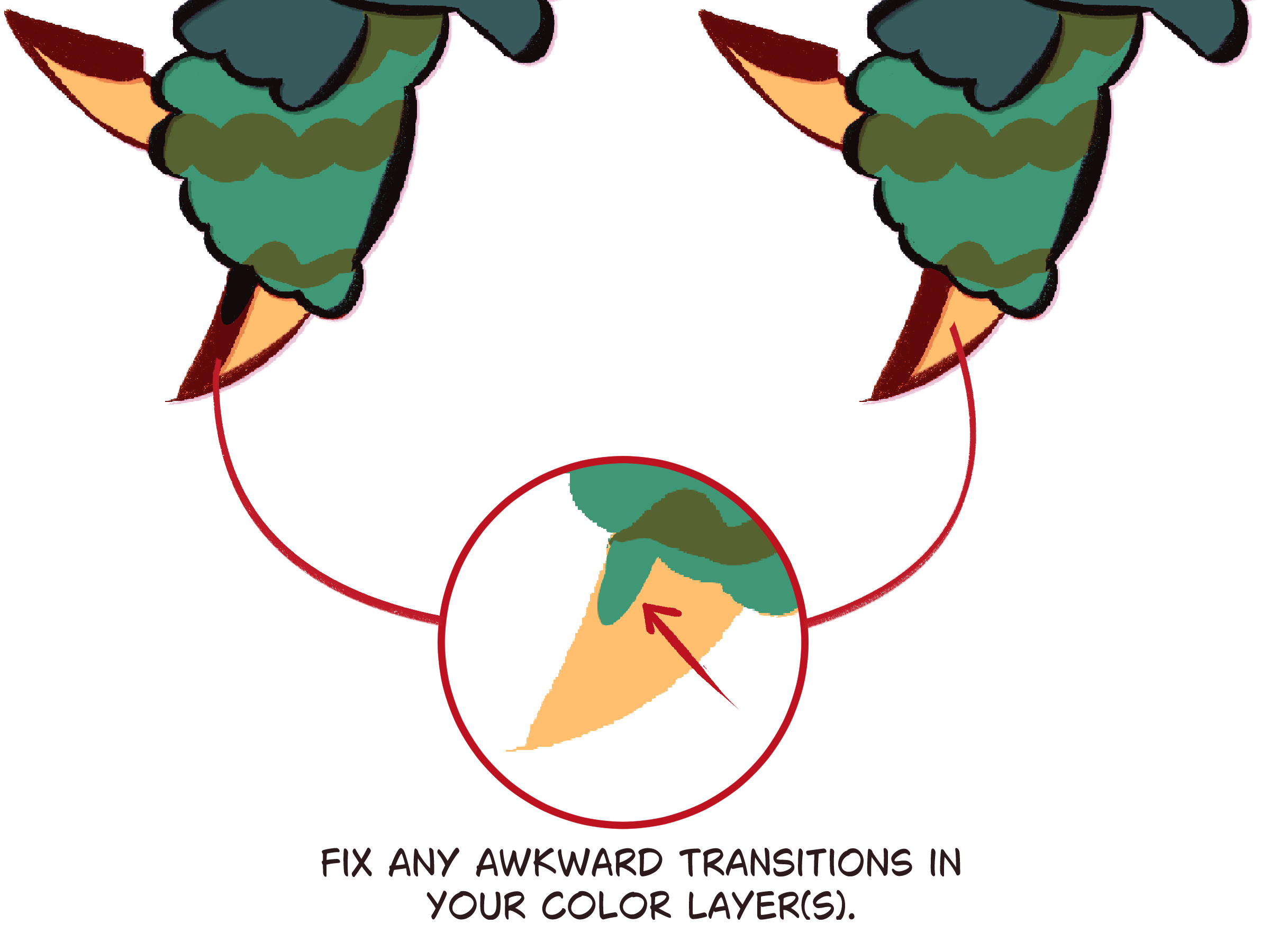
- Since the line color changes based on what's below it, places where different colors meet will become evident and might create awkward color transitions depending on where they are. This isn't much of an issue if you plan on painting over it but if you don't, you'll have to adjust these color transitions manually in your color layer(s).
- The amount of offset the shadow will have is relative to the canvas size as well as the size of your lineart/sketch, so sometimes it might be too separated or too close to your original layer. Adjust this with the transform tool + the arrow keys





Materiales populares de Acciones automáticas


Nuevos materiales


Insignias
-
 MVP ◆Estos usuarios han contribuido en gran medida a la gestión de la comunidad, al publicar multitud de útiles respuestas a las preguntas planteadas. Una vez cada tres meses, los MVP son seleccionados en base a los puntos obtenidos durante ese período y, en consecuencia, son reconocidos por su esfuerzo.
 -
 New Valuable Player (NVP) ◆Son las personas que más han contribuido a la comunidad después de los MVP. Este galardón se otorga según los puntos conseguidos a los usuarios que aún no han obtenido ningún premio MVP.
 -
 Especialista oficial ◆Elegidos de entre todos los MVP, quienes ya han demostrado ser de inestimable ayuda, esto es un testimonio de su excepcional apoyo para con la comunidad. Tras un minucioso escrutinio, son nombrados por Celsys para ocupar dicho cargo.Nota: Anteriormente denominados "evangelistas".
 -
 Moderador oficial de Celsys ◆Los moderadores son miembros del personal de Celsys que pueden comunicarse en japonés y otros idiomas. No son expertos en software o ilustración, por lo que no pueden responder directamente a las preguntas. Sin embargo, tratarán de asegurarse de que la comunicación entre usuarios de distintas lenguas sea tan fluida y comprensible como sea posible.
 -
 Cuenta oficial de CelsysCuenta oficial del administrador
