



3D Simple Raindrops

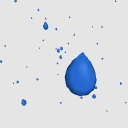
Tropfenförmiger Regen, der in einem 3D-Raum verstreut ist!
Enthält verschiedene Farboptionen.


Das war ein Übungsmodell, das ich beim Erstellen anderer 3D-Regeneffekte erstellt habe. Es mag einige Unvollkommenheiten haben, aber ich hoffe, es kann trotzdem nützlich sein!
Die glänzende Reflexion ist eine Textur, die ich auf das Material gemalt habe. Da es sich um eine Textur handelt (und nicht um einen Rendereffekt), sollte dieses Modell besser mit älteren Versionen von Clip Studio Paint kompatibel sein.
Manchmal wirkt die glänzende Textur während der 3D-Vorschau gezackt. Das Rasterisieren der Ebene (also die Umwandlung in eine 2D-Ebene) behebt dieses Problem in der Regel. Wenn noch Risse in der Textur bestehen, kann das Unschärfe-Tool diese schnell beheben.
Linkes Bild: 3D-Objektvorschau. Rechtes Bild: nach der Rasterisierung der Schicht.

.: Danke :.
Ich hoffe, das hilft dir, schnell viele Regentropfen zu erzeugen! Ich habe gerade viele regenbezogene Assets gepostet, bitte schaut euch das an. Danke!
- Elise -
Alle 3D-Asset-Materialien, 3D-Texturen und Beispielbilder sind meine eigenen Kreationen.
【Hinweis】 Ich bin nicht oft online und kann nicht auf Kommentare antworten. Wenn du Hilfe brauchst: Schau dir offizielle Tutorials und Foren an oder kontaktiere das Clip Studio Support-Team. Danke für dein Verständnis!
3D Simple Raindrops
Teardrop-shaped rain scattered in a 3D space!
Includes different color options.
This was a practice model I made while creating other 3D rain effects. It may have some imperfections, but I hope it can still be useful!
The shiny reflection is a texture I painted onto the material. Since it is a texture (and not a rendering effect) this model should be more compatible with older versions of Clip Studio Paint.
Sometimes the shiny texture will look jagged during 3D preview. Rasterizing the layer (converting it to a 2D layer) will usually fix this issue. If any cracks in the texture remain, the blur tool can quickly fix it.
Left image: 3D object preview. Right image: after rasterizing layer.
.: Thank You :.
I hope this helps you quickly create lots of rain drops! I have many rain-themed assets posted right now, please take a look. Thank you!
- Elise -
All 3D asset materials, 3D textures, and example images are my own creations.
【Note】 I'm not online often and can't respond to comments. If you need help: check official tutorials and forums, or contact Clip Studio support team. Thank you for understanding!
Material Material
-
Blue Shiny Blue Shiny
-
Grau Glänzend Grey Shiny
-
Weiß White
-
Aqua Aqua
-
Blau Blue
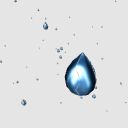
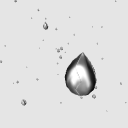
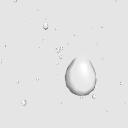
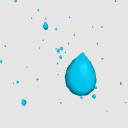
Zuweisung Allocate
-
Standard-Layout Default layout






Weitere Materialien von mh.elise


Beliebte Materialien zu „3D-Objekt“





Neue Materialien




Abzeichen
-
 MVP ◆Dieser Nutzer hat einen großen Beitrag zur Verwaltung der Community geleistet, indem er viele großartige Antworten auf die gestellten Fragen veröffentlicht hat. Alle drei Monate werden die MVPs auf der Grundlage der in diesem Zeitraum erworbenen Punkte ermittelt und entsprechend anerkannt.
 -
 New Valuable Player (NVP) ◆Die NVP-Auszeichnung geht an die Nutzer, die nach den MVP den größten Beitrag zur Community geleistet haben. Sie werden basierend auf den gesammelten Punkten unter denjenigen ausgewählt, die bisher noch nicht als MVP ausgezeichnet wurden.
 -
 Offizielle Experten ◆Ausgewählt aus allen MVP-Preisträgern, die bereits ein Zeichen für Exzellenz sind, zeugt diese Auszeichnung von herausragender Korrespondenz in der Community. Nach sorgfältiger Prüfung werden sie von CELSYS ernannt und übernehmen ihre Position.* Vorherige Bezichnung: Evangelist
 -
 Offizieller Moderator von CELSYS ◆Moderatoren sind offizielle CELSYS-Mitarbeiter, die fließend Japanisch und verschiedene andere Sprachen sprechen. Moderatoren sind keine Experten der Software oder Illustrationen und können daher nicht direkt auf Ihre Fragen antworten. Aber Moderatoren bieten Unterstützung in Kommunikation und Sprache, um sicherzustellen, dass alle reibungslos miteinander kommunizieren können.
 -
 Offizieller Account von CELSYSDer offizielle Administrator-Account