



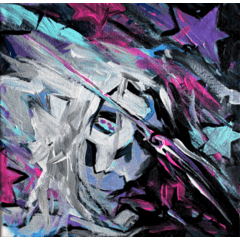
Schichteinstellungen für grobe, strukturierte Cmyk-Dot-Töne, die es ermöglichen, die Klanggröße zu bearbeiten Layer settings for gritty textured cmyk dot tones that allow to to edit tone size
Okay, das mag wie eine verwirrende Anzahl zusätzlicher Schritte für ein Problem erscheinen, das anfangs niemand hat, aber hört mir zu. Mein Problem ist, dass mir das Aussehen von Screentones gefällt, aber ich verliere mich immer in den Details bei Screentone-Pinseln. Ich möchte meine Farben planen und sehen, wie sie einfarbig aussehen, bevor ich sie in Töne umwandele, und ich mag es, die Größe der Töne anpassen zu können, nachdem ich sie eingebaut habe; aber ich möchte, dass sie das raue Fehldruckgefühl haben, das der Screentone-Layer-Stil nicht erzeugen kann.
Deshalb habe ich eine Reihe von Ordnern mit rauen, strukturierten Punkttönen in verschiedenen Füllstärken eingerichtet, die auf Cyan, Magenta, Gelb und Schwarz eingestellt sind. Du kannst mit jedem Pinsel auf einer Schicht malen, und deine Füllungen werden automatisch in grobe Punkttöne mit dem angegebenen Füllgewicht umgewandelt.

So kannst du deine flachen, einfarbigen Farben nach Herzenslust planen, sie auswählen und mit der Auswahl Fills auf den CMYK-Schichten nachbilden, um sie nachzubilden

Das ermöglicht es dir auch, die Tonskala so oft zu bearbeiten, wie du möchtest, nachdem du deine Fills so eingestellt hast, wie du sie möchtest, indem du den Objekteditor auswählst und zu "Werkzeugeigenschaften" gehst, während du die Tonebene ausgewählt hast

Da die Punkttextur rau und unregelmäßig ist, hilft es, Moirè-Muster zu vermeiden, wenn man auch die Größenordnung des Bildes ändert. Sobald du deine Töne und Fills so hast, wie du sie möchtest, kannst du noch viele andere kleine Anpassungen, Kratzer, Überlagerungen und all das machen, um alles wie einen verrotteten alten Silver Age-Comic aussehen zu lassen, aber das sollte ein guter Ausgangspunkt sein.
Vielleicht gibt es einen einfacheren Weg, aber das ist die Lösung, auf die ich gestolpert bin und die mir das Beste an lauten, strukturierten, falsch traditionellen Tönen mit leichter Bearbeitung bietet.
Okay this might seem like a confusing number of extra steps for a problem no one has at first, but hear me out. My problem is I like the look of screentones, but I always get lost in the weeds with screentone brushes. I like to be able to plan my colours out and see what they look like solid before I go in and turn them into tones, and I like to be able to adjust the size of the tones after I have them in place; but I want them to have the gritty misprint feel that the screentone layer style can’t create.
So what I have done is set up a series of folders with gritty, textured dot tones in different fill weights set to Cyan, Magenta, Yellow, and Black. You can paint on a layer with any brush, and it will automatically convert your fills to gritty dot tones at the indicated fill weight.
This leaves you free to plan your flat, solid colours to your heart’s content, then select them and use the selection to make fills on the CMYK layers to recreate them
This also allows you to edit the scale of the tones as much as you want after you have your fills how you like them by selecting the object editor and going to “tool properties” while you have the tone layer selected
Since the dot texture is gritty and irregular, it helps avoid Moirè patterns when you change the scale of the image as well. Once you have your tones and fills how you like them, you can do plenty of other little tweaks and scuffs and overlays and all that to get things looking like a rotting old silver age comic, but this should be a decent jumping off point.
There might be an easier way to do this, but this is the solution I stumbled my way into that gives me the best of noisy, textured faux-traditional tones with ease of editing.




Weitere Materialien von Coelasquid


Beliebte Materialien zu „Bildmaterial“





Neue Materialien


Abzeichen
-
 MVP ◆Dieser Nutzer hat einen großen Beitrag zur Verwaltung der Community geleistet, indem er viele großartige Antworten auf die gestellten Fragen veröffentlicht hat. Alle drei Monate werden die MVPs auf der Grundlage der in diesem Zeitraum erworbenen Punkte ermittelt und entsprechend anerkannt.
 -
 New Valuable Player (NVP) ◆Die NVP-Auszeichnung geht an die Nutzer, die nach den MVP den größten Beitrag zur Community geleistet haben. Sie werden basierend auf den gesammelten Punkten unter denjenigen ausgewählt, die bisher noch nicht als MVP ausgezeichnet wurden.
 -
 Offizielle Experten ◆Ausgewählt aus allen MVP-Preisträgern, die bereits ein Zeichen für Exzellenz sind, zeugt diese Auszeichnung von herausragender Korrespondenz in der Community. Nach sorgfältiger Prüfung werden sie von CELSYS ernannt und übernehmen ihre Position.* Vorherige Bezichnung: Evangelist
 -
 Offizieller Moderator von CELSYS ◆Moderatoren sind offizielle CELSYS-Mitarbeiter, die fließend Japanisch und verschiedene andere Sprachen sprechen. Moderatoren sind keine Experten der Software oder Illustrationen und können daher nicht direkt auf Ihre Fragen antworten. Aber Moderatoren bieten Unterstützung in Kommunikation und Sprache, um sicherzustellen, dass alle reibungslos miteinander kommunizieren können.
 -
 Offizieller Account von CELSYSDer offizielle Administrator-Account