



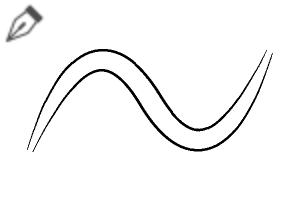
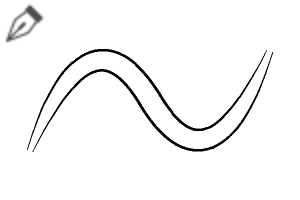
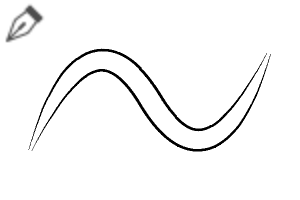
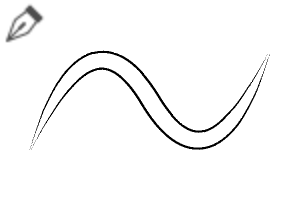
一套多功能的畫筆組,專為連續線稿、緞帶、線條或細緻重疊筆觸設計,且不會造成線條交錯!
特色:
自動重疊線條:在繪畫過程中無縫地創造出乾淨且層次分明的筆觸。
雙色調自訂:輕鬆調整內色填充與外線顏色,以符合你的風格。
多種變體包括:
- 重疊的1與2:清晰、輪廓清晰的線條風格,筆劃粗細明顯。
- 重疊色彩1與2:色彩豐富的版本,適合用於緞帶、髮絲、纜繩或裝飾點綴。
壓力感應:根據筆壓調整線條的平滑變化。
非常適合:線條藝術、緞帶、衣服摺痕、髮型細節、科技線/纜繩和圖案。

使用 方法
1. 主色與次色:將 主色設為內色填充,副色設為外輪廓(或反過來,視設定而定)。
2. 圖層設置: 為了達到最佳效果,可以在單一圖層上連續畫筆劃,讓重疊效果能乾淨地融合。
A versatile brush set designed for continuous lineart, ribbons, wires, or detailed overlapping strokes without messy line intersections!
Features:
Auto-Overlapping Lines: Creates clean, layered strokes seamlessly as you draw.
Dual-Tone Customization: Easily adjust the inner fill and outer line colors to match your style.
Multiple Variations Included:
- Overlapping 1 & 2: Crisp, clean outlined lineart styles with distinct stroke weights.
- Overlapping Color 1 & 2: Color-filled versions ideal for ribbons, hair strands, cables, or decorative accents.
Pressure Sensitive: Smooth line variation based on your pen pressure.
Perfect for: Lineart, ribbons, clothing folds, hair details, tech/cables, and graphic patterns.
How to Use
1. Primary & Secondary Colors: Set your main color for the inner fill and sub-color for the outer outline (or vice versa depending on your settings).
2. Layer Setup: For best results, draw continuous strokes on a single layer to let the overlapping effect merge cleanly.
第一類 Category 1


「素材集」的人氣素材


最新素材


徽章
-
 MVP ◆針對問題投稿了眾多適切的回答,對社群有顯著貢獻的用戶。每3個月一次,會依據期間內獲得的點數選出MVP用戶,並進行表揚。
 -
 NVP(New Valuable Player) ◆繼MVP後,對社群營運做出良好貢獻的用戶。將從不曾獲選為MVP的用戶中,依據獲得的點數進行評選、表揚。
 -
 官方推廣大使 ◆從被證明為優良回答用戶的MVP獲獎者中選出社群中最優異的回答者。並經審查後由本社委託就任。※舊名稱為「Evangelist」
 -
 CELSYS公認Moderator ◆Moderator為會使用日文及其他語言的CELSYS公認工作人員。由於並非軟體或創作的專業人士,Moderator無法直接為用戶解決疑問,但能在語言、交流方面提供支援,幫助用戶們順利地進行溝通。
 -
 CELSYS官方為與營運相關的官方帳號。