



一個簡單的圖層範本,幫助你在草圖時做框架和繪圖指南。讓你能「在畫布之外畫畫」並輕鬆調整構圖。
預設尺寸為 1920x1080。有一個版本是用 3x3 格子作為導覽,另一個版本則是關閉導覽。
a simple layer template that helps you with framing and drawing guides during rough sketching. allows you to "draw outside of the canvas" and adjust framing with ease.
the default size is 1920x1080. there's a version with 3x3 grid as guide, and a version with the guide disabled.
使用方法:
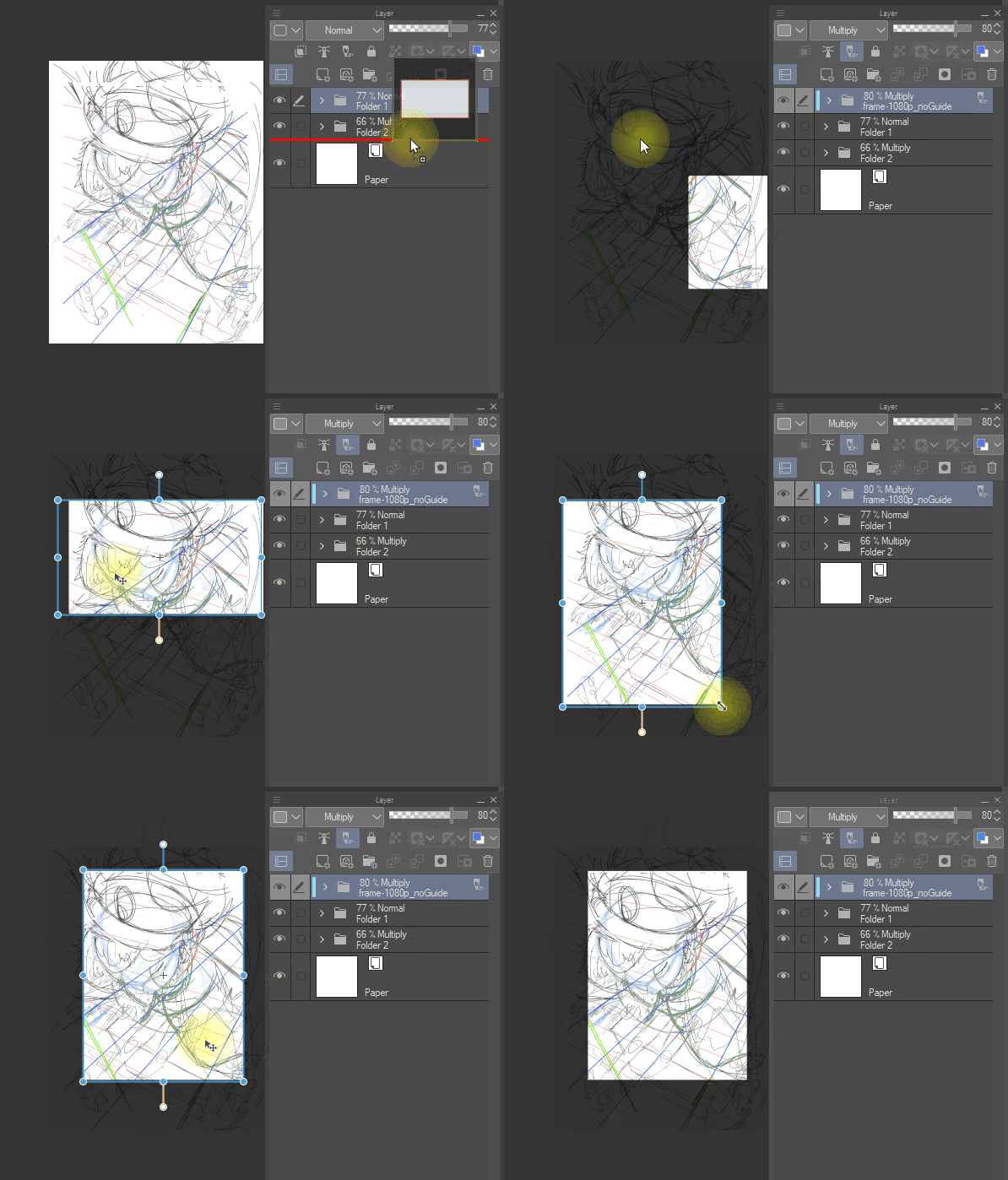


拖入材質,使用變形工具(Ctrl+T)調整,直到你得到想要的構圖和構圖。
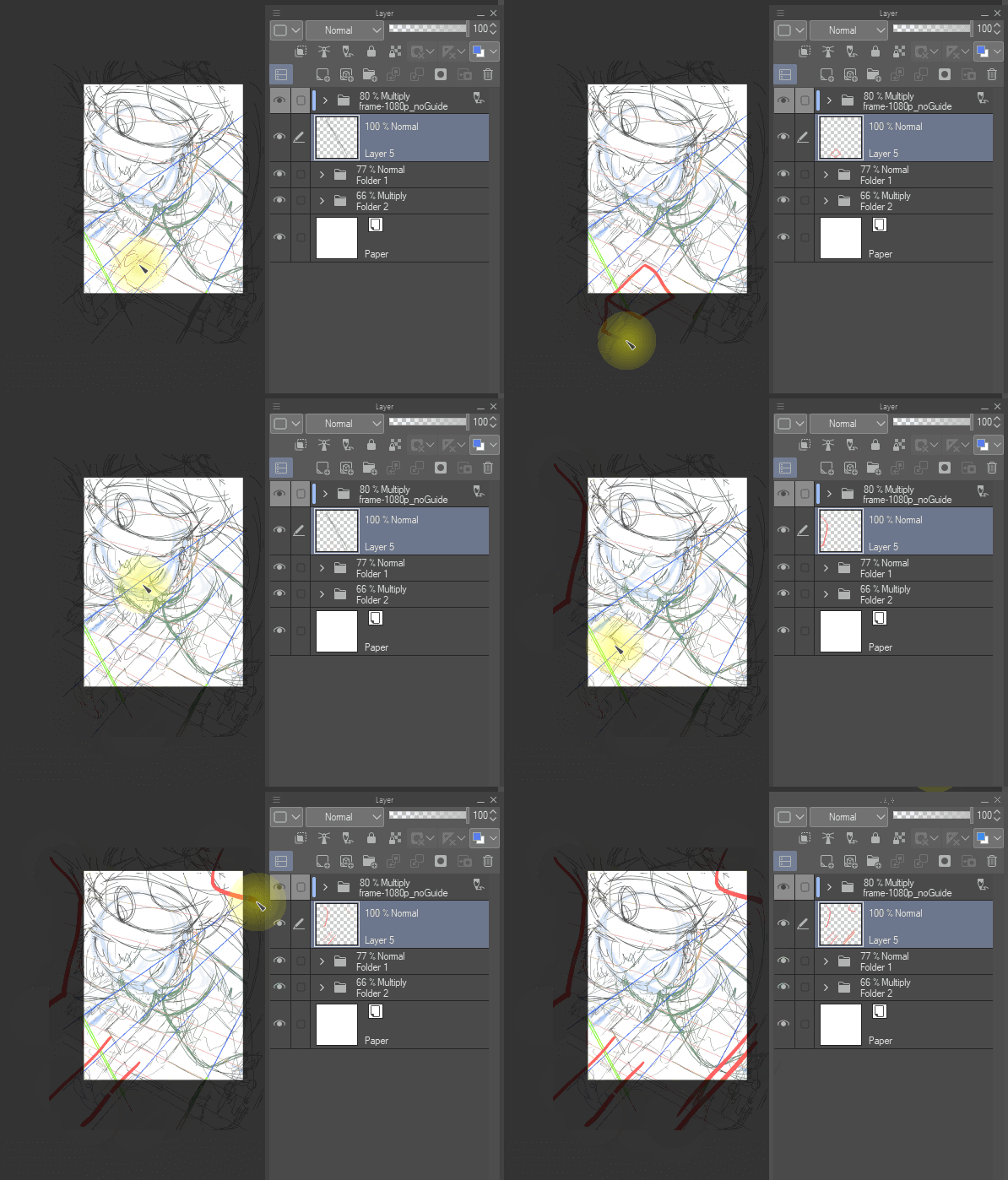
現在你可以「在畫布外面畫畫」了
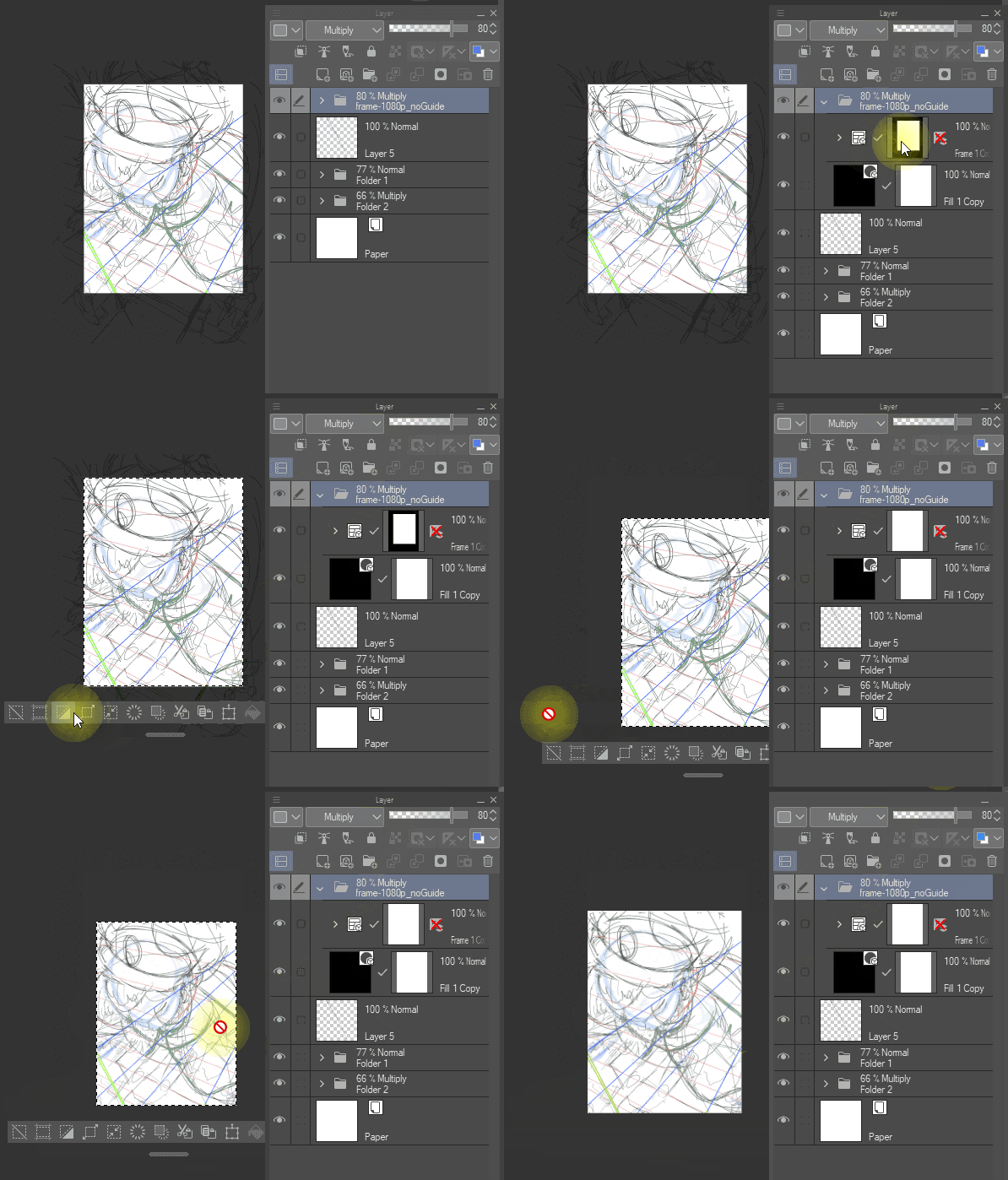
選擇框架遮罩並裁切,讓最終畫布大小完全符合你想要的。
特色:

此範本不會干擾正常繪圖活動,例如選擇多層圖層
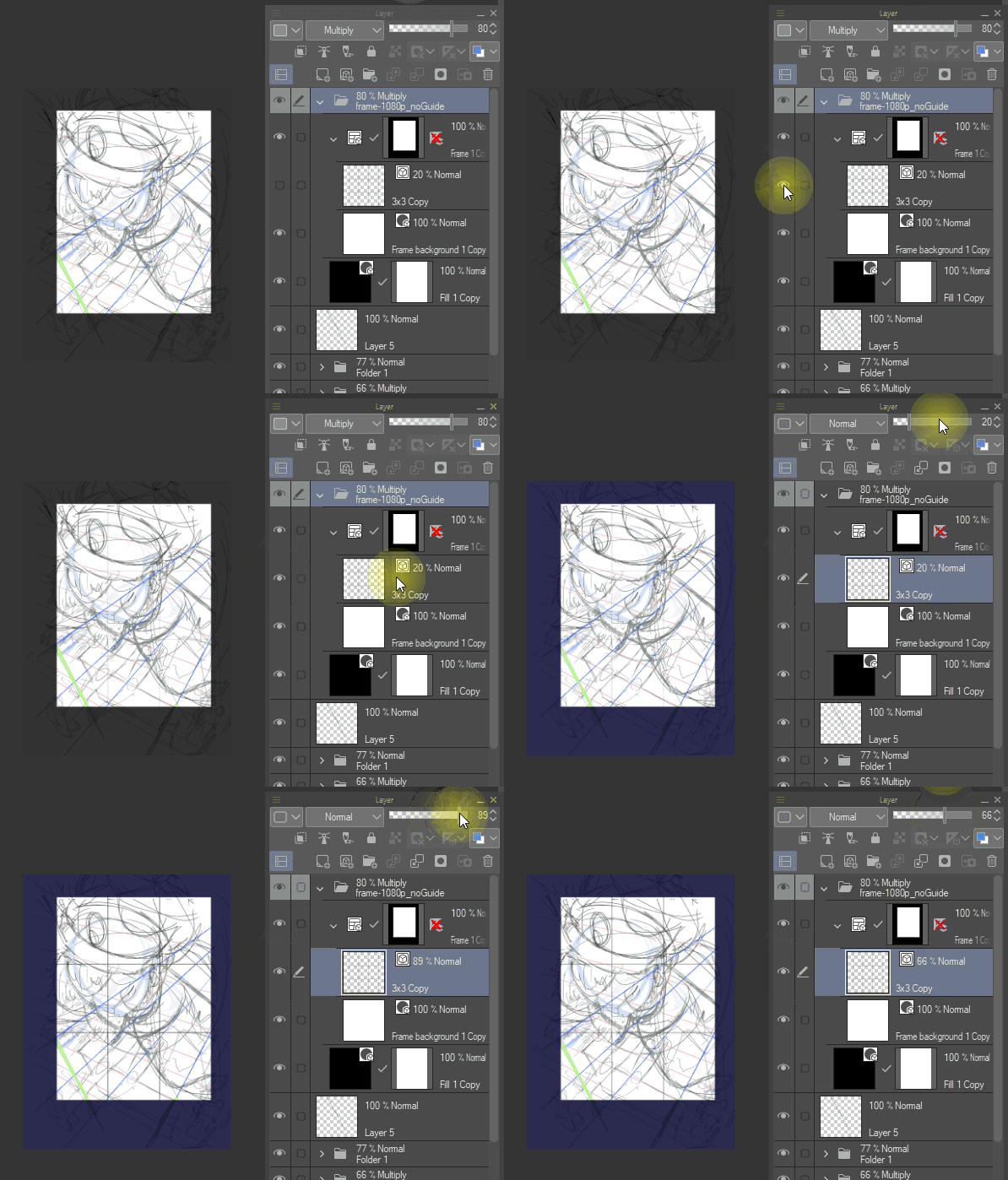
內建 3x3 格子,有助於構圖。
兩個版本的 Guides 都放在 Frame 資料夾裡。一個預設是開啟,另一個預設是關閉。
HOW TO USE:
drag the material in, use deformation tool (ctrl+t) to adjust, until you have the framing/composition you want.
now you can "draw out outside your canvas"
select the frame mask and crop to make the final canvas the exact size you wanted.
FEATURES:
this template dose not interfere normal drawing activities, such as selecting multiple layers
there's a 3x3 grid built in, which can help with composition.
both versions have the guide in the frame folder. one is on by default, and one is off by default.
草稿助手 rough draft helper






「emshupisim」的其他素材


「素材集」的人氣素材


最新素材







徽章
-
 MVP ◆針對問題投稿了眾多適切的回答,對社群有顯著貢獻的用戶。每3個月一次,會依據期間內獲得的點數選出MVP用戶,並進行表揚。
 -
 NVP(New Valuable Player) ◆繼MVP後,對社群營運做出良好貢獻的用戶。將從不曾獲選為MVP的用戶中,依據獲得的點數進行評選、表揚。
 -
 官方推廣大使 ◆從被證明為優良回答用戶的MVP獲獎者中選出社群中最優異的回答者。並經審查後由本社委託就任。※舊名稱為「Evangelist」
 -
 CELSYS公認Moderator ◆Moderator為會使用日文及其他語言的CELSYS公認工作人員。由於並非軟體或創作的專業人士,Moderator無法直接為用戶解決疑問,但能在語言、交流方面提供支援,幫助用戶們順利地進行溝通。
 -
 CELSYS官方為與營運相關的官方帳號。