



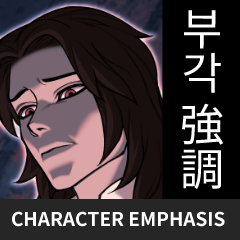
一連串自動行動,幫助創作者將角色從繁忙的背景中隔離出來。 A series of auto-actions that will help the creator isolate their character from the busy background.
- 英文
- 韓語
- 日本
- 3 邊框風格
- 6 背景模糊風格


- English
- Korean
- Japanese
- 3 Border Styles
- 6 Background Blur Styles
角色重點集 Character Emphasis Set
更新歷史記錄
我把語言支援分成三組不同的系統。
使用者可以選擇自己的語言,而不是被大量文字轟炸。
I have separated the language support into three different sets.
The user is able to select their specific language instead of being bombarded with so much text.
過去版本


「dinupie」的其他素材


「素材集」的人氣素材


最新素材


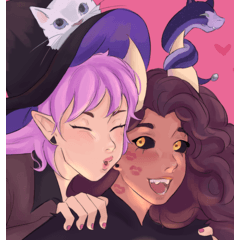


-
 MVP ◆針對問題投稿了眾多適切的回答,對社群有顯著貢獻的用戶。每3個月一次,會依據期間內獲得的點數選出MVP用戶,並進行表揚。
 -
 NVP(New Valuable Player) ◆繼MVP後,對社群營運做出良好貢獻的用戶。將從不曾獲選為MVP的用戶中,依據獲得的點數進行評選、表揚。
 -
 官方推廣大使 ◆從被證明為優良回答用戶的MVP獲獎者中選出社群中最優異的回答者。並經審查後由本社委託就任。※舊名稱為「Evangelist」
 -
 CELSYS公認Moderator ◆Moderator為會使用日文及其他語言的CELSYS公認工作人員。由於並非軟體或創作的專業人士,Moderator無法直接為用戶解決疑問,但能在語言、交流方面提供支援,幫助用戶們順利地進行溝通。
 -
 CELSYS官方為與營運相關的官方帳號。